

Direct embed
Embed Photo Sharing in Your Squarespace Wedding Website
Squarespace supports custom code through its Embed Block. Paste the Wedibox snippet and the photo sharing widget appears directly on your page. Guests upload without leaving your site.
Get Your Free Code See the Steps
Free to start · About 5 minutes · No developer needed
Add Wedibox to Squarespace in 7 Steps
Follow along in your Squarespace editor. The whole process takes about 5 minutes.
First, grab your Wedibox embed code
Create your free Wedibox gallery and copy your embed code from the dashboard. It takes about a minute, and the first 50 uploads are free.
-
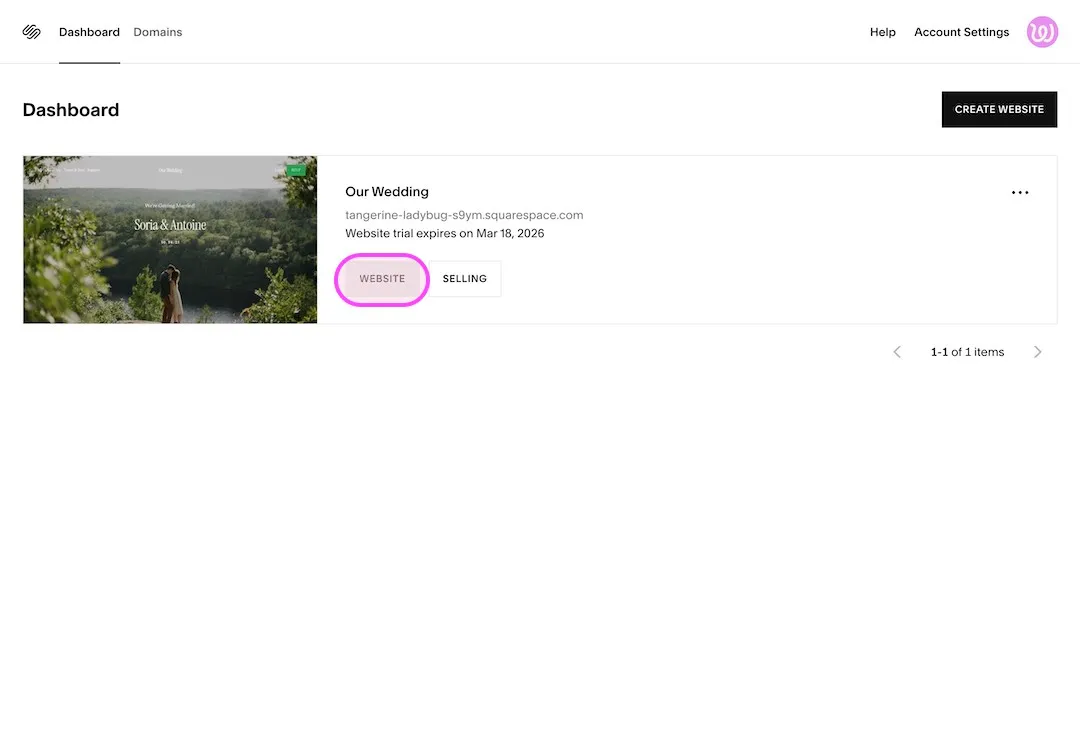
Log in to Squarespace
Go to account.squarespace.com and open your wedding website.
-
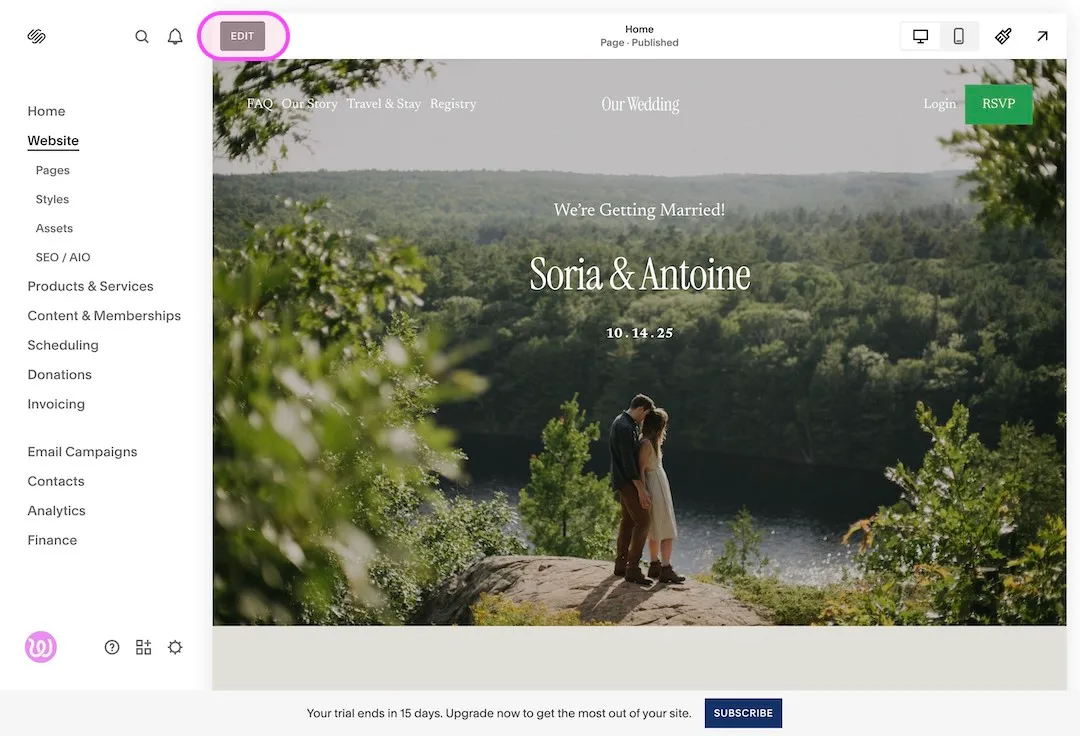
Click Edit Site
Open your website details and click Edit Site to enter the Squarespace editor.
-
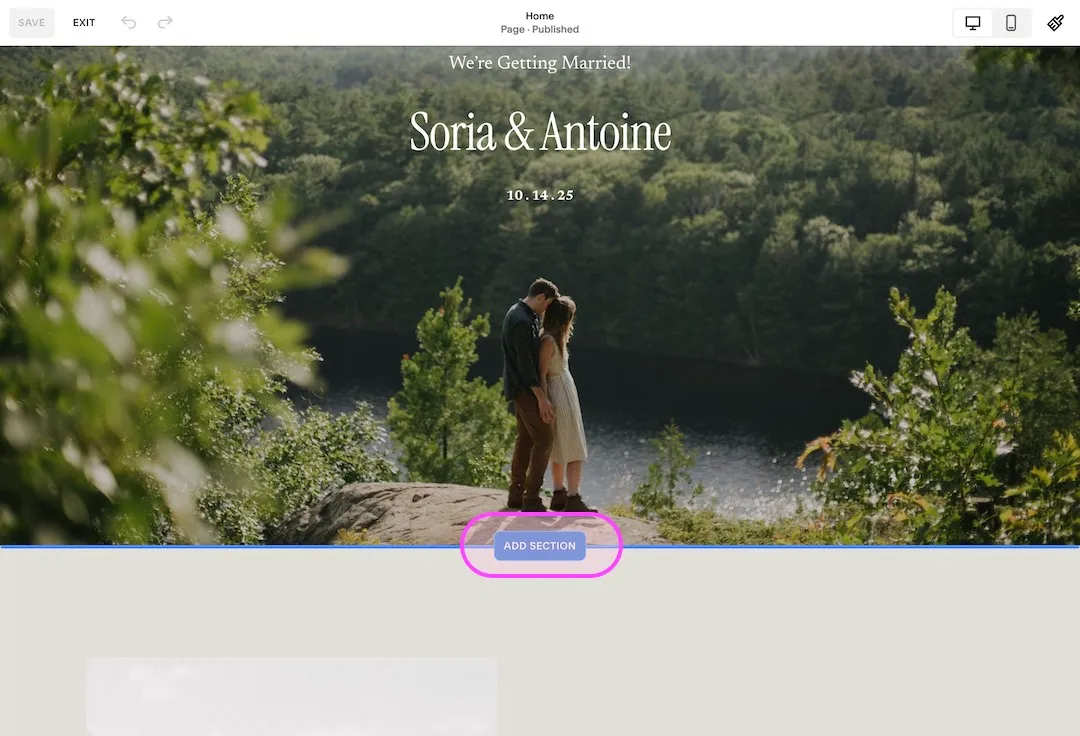
Add a new blank section
In the editor, click to add a new section.
-
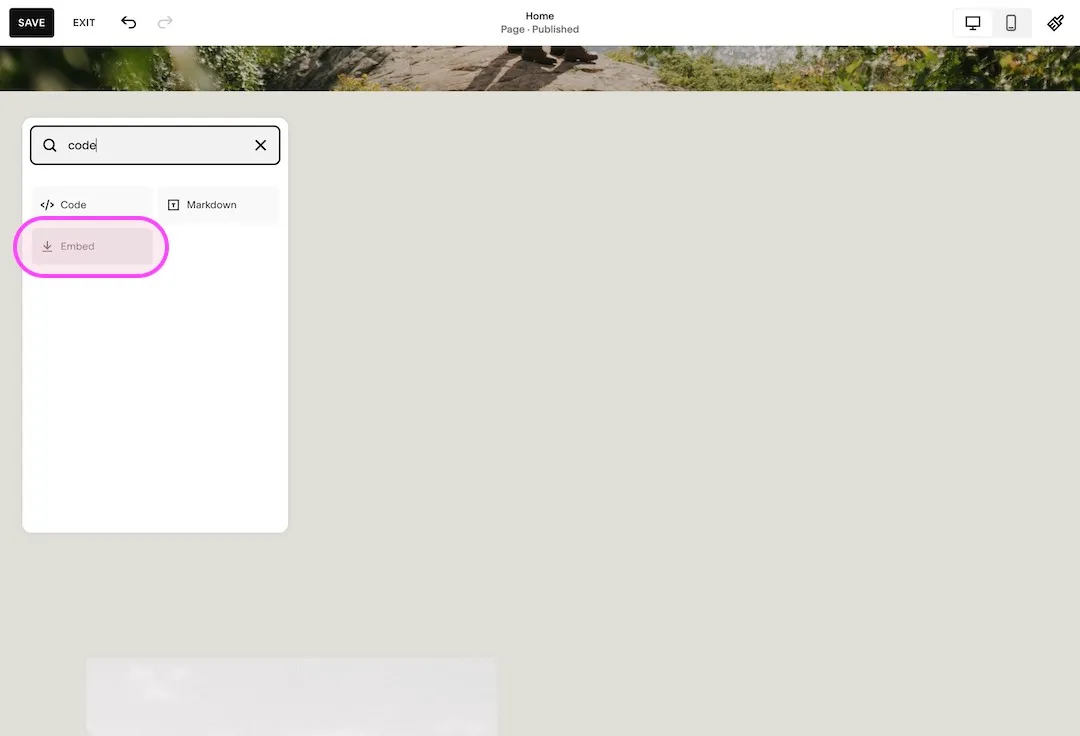
Add an Embed block
Click Add Block, search for code, and select Embed.
-
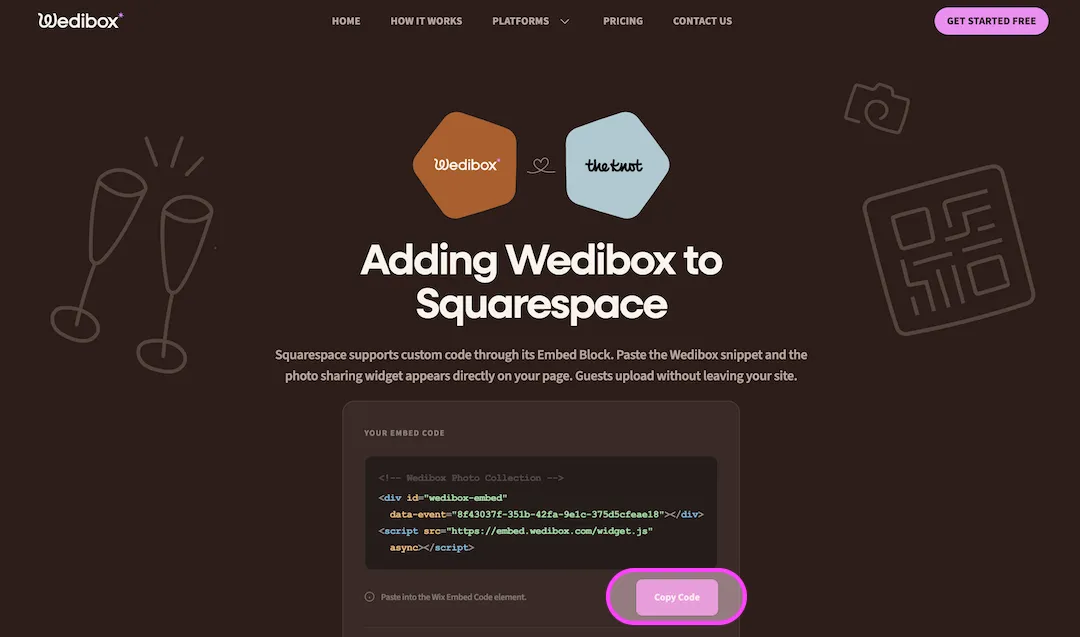
Copy your Wedibox code
Your two line embed code lives in your Wedibox dashboard. Copy it.
-
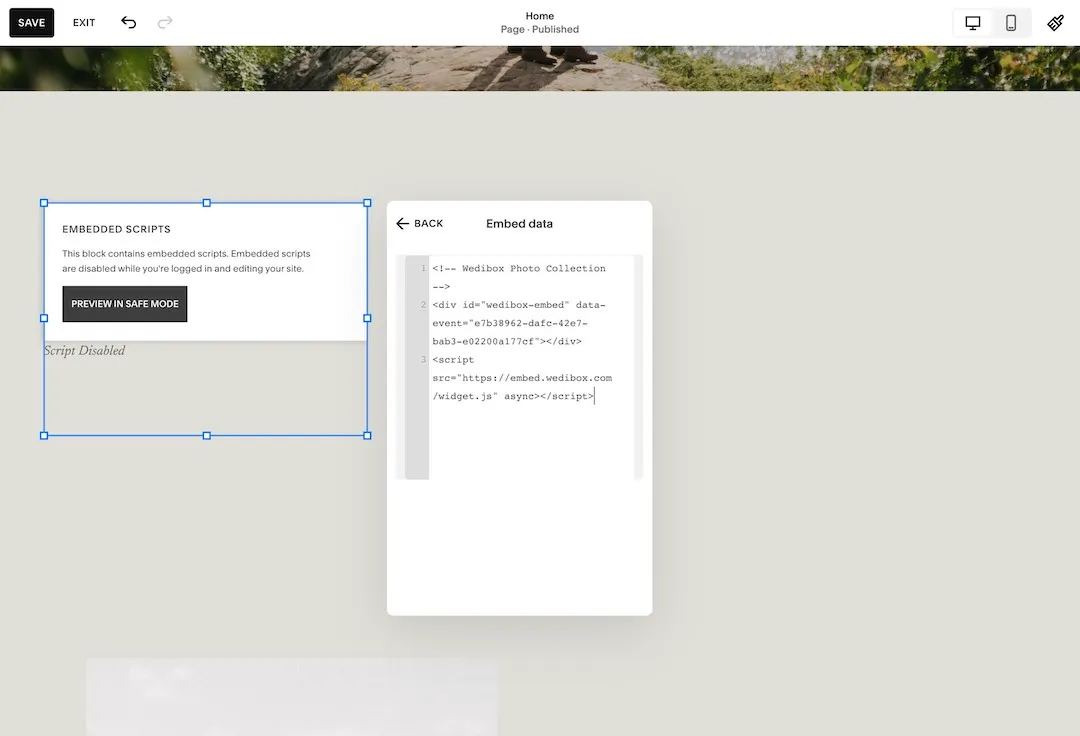
Paste your Wedibox code
Open the embed code field, paste your Wedibox code, and close the panel.
-
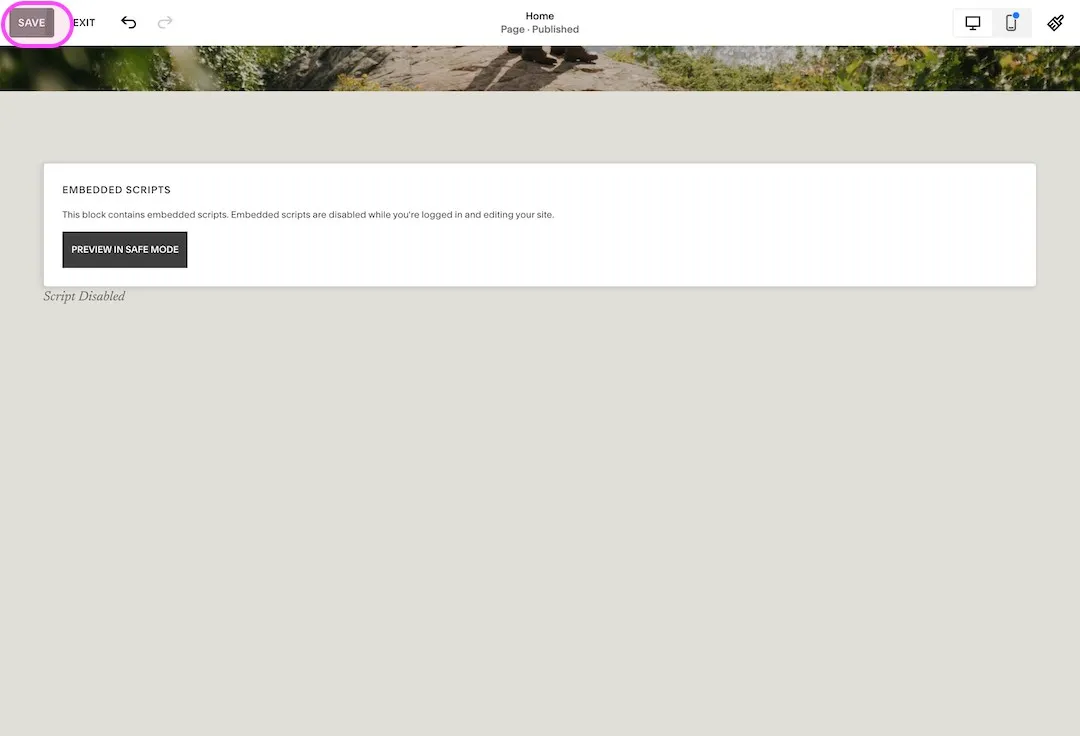
Resize and save
Resize your embed element and click Save. Wedibox is now added to your site.
What Your Guests Will See
The Wedibox widget appears directly on your Squarespace wedding page. Guests never leave your site. They tap upload, pick their photos, and they are done.
- No app for guests to install
- Works on iPhone and Android
- Photos and videos in full resolution
- 50 free uploads to start
Emma & Ben
Wedibox widget
Upload Photos



247 guest uploads
Why Add Wedibox to Your Squarespace Website
-
It blends into your design
The widget sits inside a normal Squarespace section and picks up your accent color and button text.
-
Guests never leave your site
Uploads happen right on your wedding page. One URL on your invitations covers everything.
-
Two lines of code
One Embed block and one paste. No plugin and no developer.
Common Questions About Wedibox on Squarespace
These cover Squarespace specifics. For pricing, upload limits, and everything else, see the full Embed FAQ.
Why does my embed block say Script Disabled?
Squarespace turns off embedded scripts while you are logged in to the editor. Click Preview in Safe Mode or open your published page and the widget appears.
Which Squarespace block should I use?
Use the Embed block from the block search, as shown in step 4. Paste the Wedibox snippet into its embed data field.
Can I move the widget to a different page later?
Yes. Remove the embed block, add one on any other page, and paste the same two lines of code. Your gallery and settings stay the same.
Using a Different Platform?
Every platform has its own short setup guide.
 The Knot
 Zola
Zola
 WithJoy
 Wix
Wix
 WedSites
 Minted
 SayIDo
 Canva
Canva
Ready to Add Photo Sharing to Your Website?
Generate your free code snippet and add it to your wedding website today. Guests handle the rest.
- Works with The Knot, Zola, Joy, Wix, and more
- Guests upload right on your site
- No app for guests to install
- 50 free uploads to start
- $29 one time, never a subscription
- Photos transfer if you upgrade later
Free to start · $29 one time · 3 month upload window
Want everything in one place instead? Explore Wedibox photo sharing or see how the full platform works.