Collect Guest's RSVPs with QR Codes
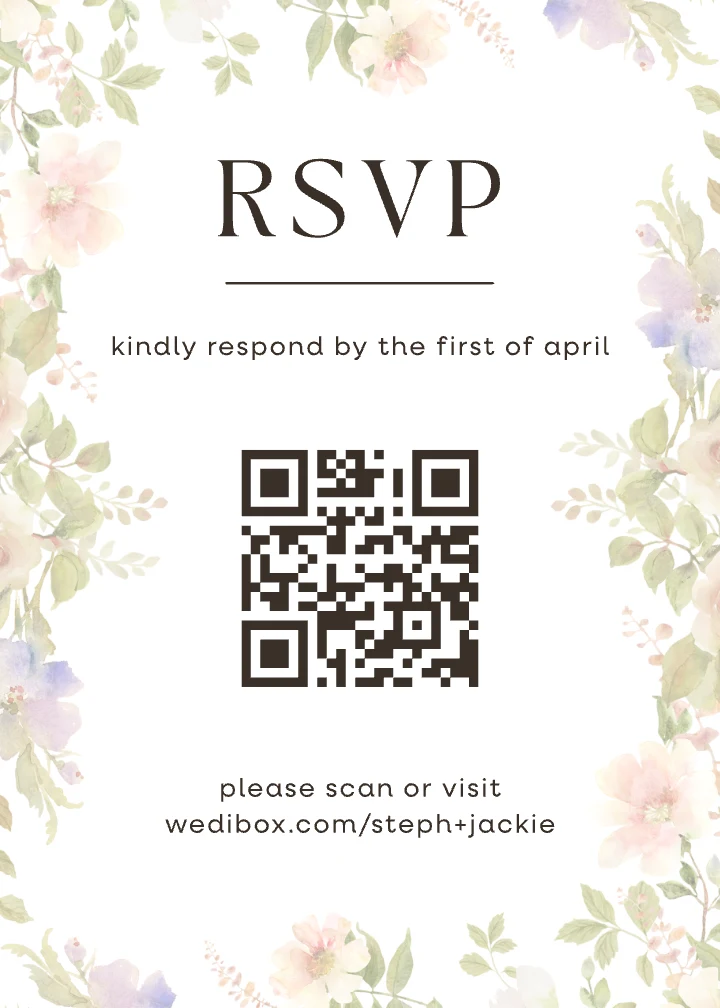
Add a QR Code to your wedding invitations to capture RSVP's from your guests easily.
Start Collecting RSVPs How It Works
Free to start · No app to install


 ✓ Scanned

Find your invitation
Search the guest list to unlock your RSVP
Fanny Tang
Fanny Tang party of 2
+ Add party member
Marcus Tang guest
Next →
Will you be joining us?
Fanny Tang · party of 2
Ceremony
Dinner
Choose your meal
Chicken Fish Vegetarian
Submit RSVP
You are all set!
Ceremony ✓ · Dinner ✓ · Chicken
Emma & Ben are excited to see you
Paper RSVP Cards Get Lost. Guests Forget. You End Up Chasing.
Many couples end up chasing a third of their guest list by hand. Two weeks before the wedding, you are texting people you have not spoken to in years just to get a headcount.
Paper RSVP cards
Wedibox RSVP
Sending invites
Extra printing cost.
Return envelope, return stamp, and a card your guest might lose before they even get home.
Add one QR code to your invite.
The same code handles RSVPs, photos, guestbook, and everything else. Nothing extra to print.
Waiting for responses
Silence.
You have no idea who has responded until a card physically arrives. A week passes. Nothing. Did it get lost? Did they forget?
Live dashboard from day one.
Every RSVP appears the moment it is submitted. You can see exactly who is in, who is pending, and who has not responded yet.
Two weeks before the wedding
"I mailed it, I swear."
You are texting, calling, asking your mom to ask someone else. A third of your list still has not responded.
See who still needs to reply.
Your dashboard shows exactly who has not replied. No group texts. No chasing.
Giving numbers to the caterer
Three spreadsheet versions and a sticky note.
Dietary notes scrawled in handwriting you cannot read. Two totals that do not match. Updated at midnight.
One CSV export.
Meal choices, dietary needs, and plus ones. All collected automatically when guests RSVP. Clean, sorted, ready to send.
How Your Wedding RSVP QR Code Works in Three Steps
No tutorials. No onboarding call. Just three steps between now and your first confirmed guest.
-
Create your gallery
Sign up, enter your wedding details, and enable RSVP. Your QR code is ready in minutes.
-
 wedibox.com/emma-and-ben
Print it on your invites
Add the QR code to your paper or digital invitations. One code handles RSVPs, photos, voice messages, and everything else.
-
Watch the responses arrive
Your guest list dashboard updates in real time as guests scan and respond. See attendance, meal choices, and dietary needs at a glance.
Everything Your Guest List Needs. Nothing It Does Not.
Built for couples who want a clean RSVP process, not a wedding planning suite they will never finish setting up.
Guests RSVP by Scanning a QR Code
No link to type. Guests scan the QR code on their invitation, tap yes or no, and submit. The whole thing takes under 30 seconds on any phone. New to this? Read how to create a QR code for wedding RSVP before you print.
- Works on any iPhone or Android.
- The same QR code handles photos and messages.
- Guests can update their response before your deadline.
- Remote guests can RSVP from anywhere in the world.

Every Guest. Every Response. One Dashboard.
Your guest list updates the second someone responds. Filter by confirmed, declined, and awaiting. See your headcount for catering at a glance without touching a spreadsheet.
- Live count of confirmed, declined, and pending guests.
- Export to CSV to share with your caterer or venue.
- Add guests manually for those who call or text instead.
Your Confirmed Guests, Already in Your Chart
Once guests RSVP, their names are in your guest list. Open the seating chart and drag them to tables. No re-entering names. No copying between spreadsheets. Your RSVP and seating chart share the same data.
- Round and rectangular layouts.
- Share via QR code so guests can find their table on the day.
- Updates in real time as late RSVPs come in.
Collect Meal Choices While They RSVP
No separate form. No follow-up email. Guests pick their meal and flag dietary restrictions the moment they respond. Your caterer gets a clean export, not a spreadsheet of chaos.
- Customize your meal options to match your menu.
- Guests can flag allergies and dietary requirements.
- Export a clean meal list directly to your caterer.
RSVP Features That Solve Wedding Planning Problems
-
Build Your RSVP Form Your Way
Ask what you need to know. Attendance, shuttle confirmations, song requests. Add questions, remove questions, change the order.
-
Collect Meal Choices and Allergies
Guests select their choices and flag any dietary needs. Your caterer receives a clean export rather than a handwritten list.
-
Watch Responses Arrive in Real Time
Every submission updates your dashboard instantly. See who is attending, who has declined, and who has not responded yet.
-
Easily Handle Plus-Ones and Families
Guests RSVP for their entire household in one submission.
-
Export Everything for Your Vendors
Download your guest list as a spreadsheet. Hand it to your caterer, planner, or venue coordinator.
-
QR Code and Link Included
Every RSVP page generates both. Print the QR code on your invitation or send the link to guests who prefer it.
-
Guests Get Instant Confirmation
After submitting, guests see a confirmation message. They know their response went through. You do not get texts asking if it arrived.
-
Password Protection If You Want It
Add a PIN to keep your RSVP page private. Only guests with the code can access it.
Why Paper Reply Cards Are Becoming Obsolete
Mailing a reply card made sense when everyone checked their mailbox. That era ended a decade ago. Here is what paper RSVPs cost you:
- Printing and postage for cards that may never return
- Weeks of waiting for international mail
- Guests who lose the card and forget to respond
- Handwriting you cannot read and responses you cannot understand
- Manual entry into a spreadsheet you will update fifty times
- Extra rounds of texts and calls to track down non-responders
A QR code for RSVP removes every one of those problems. Guests respond in seconds. You track everything digitally. Your guest list stays accurate without constant maintenance.
Why QR Code RSVPs Work Better Than Alternatives
Nearly 50 percent of couples now put a QR code on their invitations so guests can RSVP, up from 20 percent in 2022, according to research from The Knot. The reasons are obvious once you have tried it.
- Replies in seconds, not months
- Opens right in the phone browser
- Multilingual for mixed guest lists
- Ideal for destination weddings
- Easily update questions, same QR code
- Less paper waste and reduced costs
Whether you are inviting 50 guests or 500, a QR code for wedding RSVPs meets people where they already are: holding their phone.
Your Guest List Manages Itself
Every RSVP submission updates your dashboard automatically. You are not copying names from reply cards into a spreadsheet. You are not deciphering handwriting. You are not wondering if you missed someone.
- Who is coming and who is not
- Which events each guest is included in
- Households, plus ones, and grouped replies
- Meal choices and allergy notes
- Who responded when, and who has not yet
- Tags like VIP, family, wedding party, out of town
You always know exactly where your list stands. Follow up your way, then move on with your day.
Your Wedding QR Code Does More Than Collect RSVPs
Once guests know to scan your QR code, they will scan it again. Wedibox lets you extend that behavior across your entire wedding. Final counts in hand, plan the day itself with the free wedding timeline builder.
-
Display Your Menu at Dinner
Guests scan to see the food and drink options, dietary information, and your signature cocktail story.
-
Share Your Ceremony Program
Link to a digital program guests can follow on their phones. Update it the morning of if anything changes.
-
Collect Guest Photos and Videos
Guests scan and upload candid shots to your private gallery. The photos you will never get from any other source.
-
Send Post-Wedding Thank Yous
After the wedding, update your QR code to link to a thank you message, photo highlights, or next event details.
-
Provide Schedules and Directions
Link to your itinerary, venue map, or shuttle schedule. Essential for destination weddings and multi-day celebrations.
Guests scan once and access everything. Before, during, and after your wedding.
How Wedibox Compares to Other RSVP Tools
Most platforms treat RSVPs as a standalone feature. Wedibox connects your RSVP to everything else: photos, guestbook, seating, schedule, registry.
| Feature | Wedibox | RSVPify | The Knot | WithJoy | Minted |
|---|---|---|---|---|---|
| QR Code for RSVP | Included | Included | Included | Included | Included |
| Unlimited Custom Questions | Included | Tiered | Basic | Included | Included |
| Guest Photo & Video Uploads | Included | Not included | Not included | Not included | Not included |
| Digital + Audio Guestbook | Included | Not included | Not included | Not included | Not included |
| Printed RSVP QR Cards | Included | Not included | Not included | Not included | Included |
| Multi-Language RSVP Support | Included | Not included | Not included | Not included | Not included |
Your guests get one QR code that does everything. You get one dashboard that tracks everything.
Seven Tips to Make Your RSVP Page Work Harder
-
Send Invites Early
Aim for six to eight weeks out so replies do not pile up at once.
-
Give the QR Code Its Own Moment
Put it on an insert or the back of the invite where it is easy to spot.
-
Make the Deadline Impossible to Miss
Print it clearly and repeat it on the RSVP page.
-
Tell Guests Exactly What to Do
"Scan to RSVP" plus the short link for anyone who prefers typing.
-
Use the Dashboard as Your Follow-Up List
Nudge the non-responders instead of texting everyone.
-
Capture the "I Told Your Mom" RSVPs
Log verbal replies so your count stays accurate.
-
Calculate Your Final Numbers
Combine online replies and any offline yeses in one place.
RSVPs Designed for How People Respond
If responding takes effort, guests will set it aside for later, and later rarely comes. The easier you make it, the faster responses arrive.
- Respond without apps or logins
- Submit from the couch, the train, the office break room
- Finish before the excitement of seeing your names fades
- Skip the mental note that gets forgotten by tomorrow
- The satisfaction of crossing something off immediately
One QR Code Connects Every Part of Your Wedding
Your RSVP is normally the first interaction with your guests. Wedibox makes sure it is not the last.
-
Guest Photo & Video Uploads
Your guests capture moments you will never see yourself. Give them a way to share those photos and videos directly to your private gallery.
-
Audio Guestbook
Hear the blessing from your grandmother. The terrible toast from your best friend. The voices of people you love, recorded in the moment and yours to keep.
-
Digital Guestbook
Paper guestbooks get a signature and two words. Digital guestbooks get stories. Memories. Inside jokes. Messages guests took time to write.
-
Seating Chart
Your confirmed guests flow straight into your seating chart. Drag names to tables and share a map guests can scan on the day.
-
Wedding Website
Your schedule lives here. Your love story lives here. Your RSVP link, photo gallery, and every detail guests keep asking about.
-
Registry
Connect your registry so guests can scan and shop. Whether you are registered at one store or five, everything lives behind one QR code.
Frequently Asked Questions About Wedding RSVP QR Codes
Can I change my RSVP form after sending invitations?
Yes. Edit questions, update deadlines, and adjust wording anytime. The QR code and link stay the same.
Can I collect RSVPs for multiple events?
Yes. Create separate RSVP sections for your rehearsal dinner, ceremony, reception, and brunch.
What if guests do not want to scan a QR code?
Every RSVP page includes a short link you can text or email. Guests choose their preferred method.
How do I create a QR code for wedding RSVPs?
Build your RSVP form on Wedibox. Your custom QR code and link generate automatically.
See Every RSVP Step in the Help Center
These guides walk through the exact screens, with real screenshots. You can check how it works before you sign up.
How to set up online RSVP for your wedding
Build your wedding RSVP form, choose what to collect, put it on your page, and get the link guests use to reply: all in a few minutes.
Read the guideOpen RSVP vs. guest list RSVP: which should you use?
Open door lets anyone with your link reply; Invitation only limits replies to your guest list with per-household caps. Here's how to choose.
Read the guideHow to import your guest list from a spreadsheet
Upload your guest list from Excel, Google Sheets, or any planning tool: match the columns once and Wedibox builds every household for you.
Read the guideCollecting RSVPs Should Not Require Detective Work
Wedibox gives you a QR code for wedding RSVPs that guests actually use. Spend your engagement planning your wedding instead of chasing replies.
- Build your RSVP form in minutes
- Share a QR code guests scan instantly
- Track responses, meals, and plus ones
- Export your list for vendors
- Connect RSVPs to photos, guestbook, and seating
- Keep everything private and organized
Free to start · No app to install
Still wondering if it is right for you? See how Wedibox works or contact us. We are here to help.