QR Code Seating Chart: Digital, Find Your Seat Fast
Guests scan one QR code, type their name into a smart search bar, and walk straight to their table. No paper poster blocking the entrance. No reprint panic when seats change.
Free to start · No app to install
 ✓ Scanned
Find Your Seat
Sophia + Timothy · August 20, 2026
Sarah
Find My Seat
Welcome, Sarah!
You are seated at Table 4
Sarah Mitchell · Family side
What Is a Digital Seating Chart?
A digital seating chart is a wedding seating plan that lives online instead of on a poster board. Guests scan a QR code with their phone, type their name into a search bar, and instantly see their table. Couples update it from anywhere, even after the signs are printed.
No reprints. No bottleneck at the door.
Why Paper Seating Charts Ruin Your Entrance
Every couple says the same thing the day after: the seating chart caused chaos. Guests crowded around one poster. Three tables changed last minute and the printer was already closed. A seating chart QR code fixes all of it.
One bottleneck
Poster boards
Fifty guests squinting at tiny names from three feet away. A total bottleneck for the first thirty minutes.
Easily scattered
Escort cards
Knocked over, shuffled out of order, blown across the lawn. Half your guests cannot find their card.
Print shop panic
Last-minute reprints
Three guests cancel the day before. You drive to the print shop at 9pm. Two hundred dollars and a panic attack later.


One QR code · Zero friction
Wedibox
Scan. Search your name. See your table. Fifteen seconds total. Tables shift, you update assignments from your phone the morning of, and the same QR code keeps working.
How a QR Code Seating Chart Works in Three Steps
Setting up takes about two minutes. Here is the full process.
-
Add your guests and tables
Drag names into table assignments. Rearrange as your RSVPs change. Import your list or sync it from your RSVP form.
-
Print your QR code signage
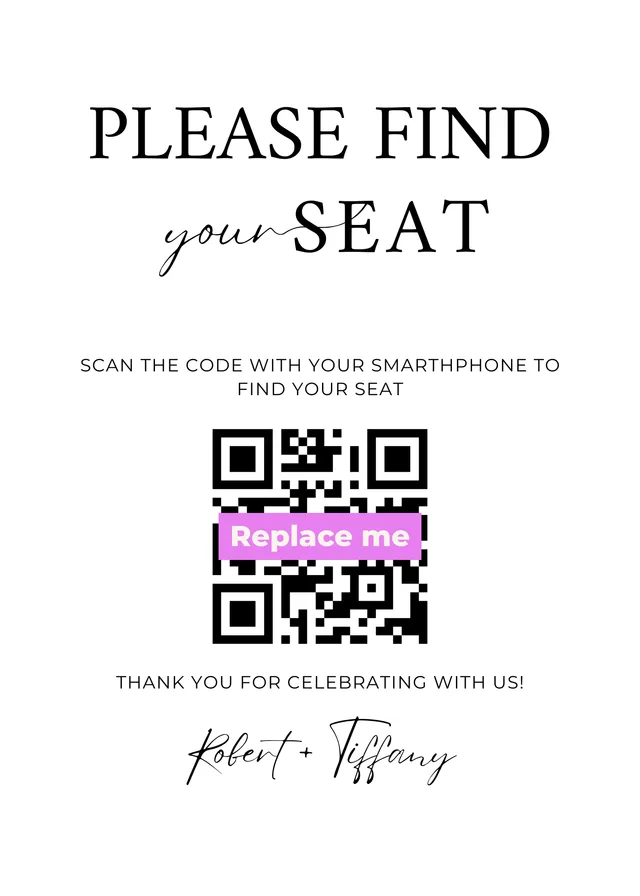
Wedibox generates a unique QR code linked to your seating chart. Drop it into a free sign template and print.
-
Guests scan and search
The search works in every language your guests speak, so nobody has to ask where to sit.
Just scan, search, sit. Whether you have 40 guests or 400, every guest finds a seat in under fifteen seconds.
Six Digital Seating Chart Ideas Replacing the Old Poster Board
The wedding industry quietly moved on. Here is what couples actually do in 2026 instead of fighting with foam core and easels. For the planning side, from when to start to who sits where, read the full wedding seating chart guide.
-
One QR Code at the Entrance
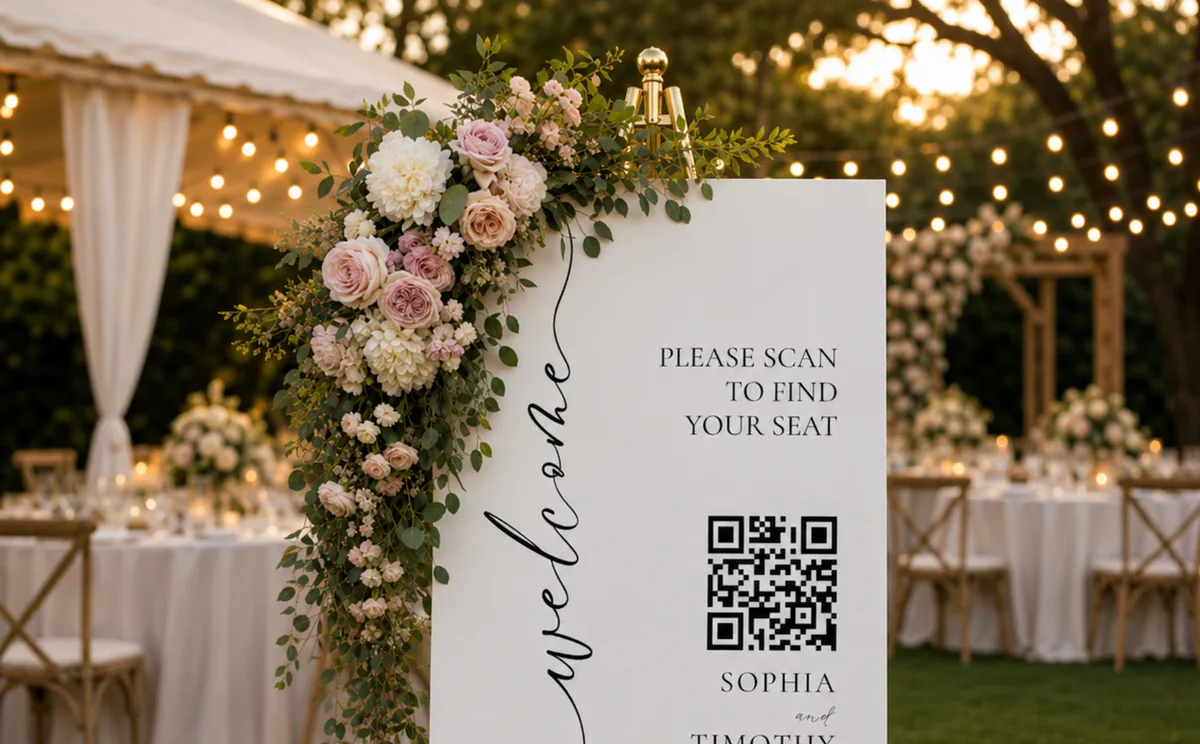
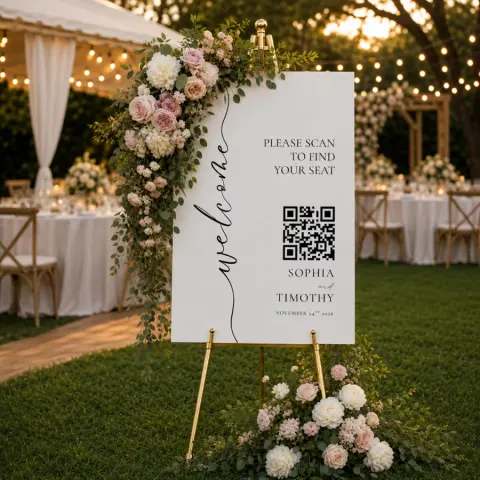
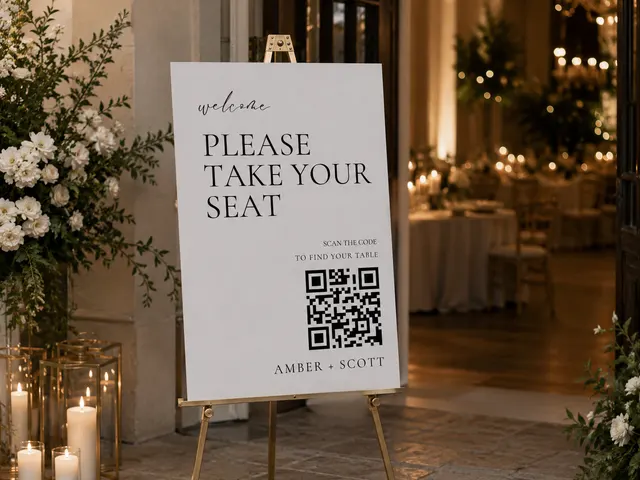
A single sign on an easel with a scannable QR code. The whole entrance moves faster than a poster line.
-
Mini QR Cards at Cocktail Hour
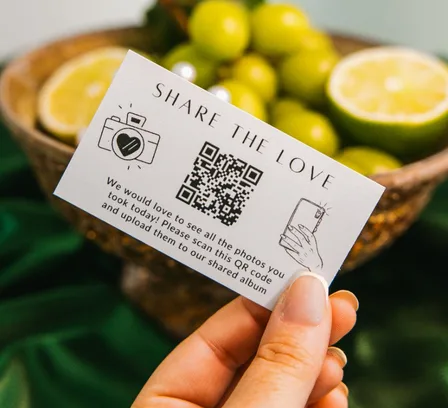
Drop business-card-sized QR cards on the bar and high tops. Guests look up their seat with a fresh drink in hand instead of crowding the entrance.
-
Printed Chart With a QR Backup
Keep the calligraphed sign for the photos. Add a small QR code in the corner so anyone who cannot find their name on the poster can search instead.
-
QR Code on Each Place Card
Print the QR code on the back of every escort card. Guests grab a card, scan it, and confirm the table on their phone.
-
Bilingual QR Seating Plan
Half your guest list speaks Spanish. Half speaks English. A digital chart lets guests pick their language. The sign at the door stays simple.
-
QR Code in Your Wedding Program
Print the QR code inside every program. Guests look up their table during the ceremony and walk straight to dinner without stopping at any sign.
Wedibox checks every box. That is why over 100,000 couples worldwide trust it with their wedding memories.
Everything in Your Seating Chart QR Code Platform
Three parts of one workflow, included with the All-In-One plan. Print the code, shape the room, and let the chart live where your guests already are.
A QR Code That Does the Heavy Lifting at the Door
Wedibox generates a single QR code that points to your live, searchable seating chart. Print it on a sign, tuck it into table cards, or hand it to your day-of coordinator. Guests open it with the camera app on any phone.
- Print at week six, edit until the wedding morning. The code stays the same.
- Works on every smartphone with a camera.
- Updates instantly when you change assignments.
- Connects to photos, RSVP, and registry through one scan.
 wedibox.com/amber-scott
✓
Assignments updated · QR code unchanged
wedibox.com/amber-scott
✓
Assignments updated · QR code unchanged
A Visual Builder That Matches Your Floor Plan
Pick round or rectangular tables, set 4 to 16 seats per table, and lay them out the way the venue actually looks. Click any seat to assign a guest, or drag names from your guest list onto chairs. Reshuffle until the room feels right.
- Round and rectangular tables with adjustable seat counts.
- Custom table names and color coding for groups.
- Print-ready PDF export for caterers and venues.
- Co-edit with a partner, planner, or family member.
Your Seating Chart Lives on Your Wedding Website
When guests scan your QR code, they do not land on a bare seating chart. They arrive on your wedding website. Your colors, your photos, your story. The chart sits alongside the schedule, registry, photo gallery, and audio guestbook, so guests scan once and stay for the whole evening.
- Toggle visibility on or off as you build the rest of the site.
- The same QR code drives every feature on the site.
- Templates are mobile optimized and easy to customize.
Sophia + Timothy
August 20, 2026
Your Guest List, Already Halfway There
Skip the spreadsheet copy-paste. Pull names straight from your Wedibox RSVP form, or upload a CSV in one click. Either way, your seating chart is populated in seconds.
From your RSVP form
Auto-fill from your RSVP responses
When guests RSVP through your Wedibox wedding website, their names flow directly into your guest list. As confirmations come in, drag attending guests onto tables.
- Real-time sync with your RSVP form
- Declines drop off the seating pool automatically
- Plus-ones show up labeled with the primary guest
- Meal preferences carry over for your caterer
From a spreadsheet
Already have a spreadsheet? Upload it.
Bring your guest list from The Knot, Zola, Google Sheets, or your wedding planner. Drop the CSV into Wedibox and columns map to first name, last name, email, and party size automatically.
- One click and your chart is populated
- Re-import later to add late RSVPs without losing assignments
- Meal choices show on the seat lookup and in every export
- Export back to CSV for caterers and venues
Digital Seating Chart vs Traditional Poster Boards
The same job at the door, done two very different ways.
| Feature | Traditional chart | Wedibox QR code chart |
|---|---|---|
| Setup time | Hours of manual sorting | Done in minutes with drag and drop |
| Design revisions | Requires reprints | Edit and update live |
| Guest accessibility | One-size-fits-all sign | Mobile friendly and easy to search |
| Flow at the entrance | Crowding around one board | Multiple scan points, faster flow |
| Cost and waste | Printing and reprinting | Paper-light, no reprints |
| Guest experience | Static and impersonal | Personalized and interactive |
Frequently Asked Questions About QR Code Seating Charts
What is a QR code seating chart?
A QR code seating chart is a digital wedding seating plan that guests open by scanning a printed QR code with their phone camera. It replaces the printed poster board at the entrance. Wedibox generates the QR code automatically, so you can print it on any sign or template.
How does a QR code seating chart work?
Guests scan the QR code with their phone camera. The link opens in their browser. They type their name into a search bar and see their table. No line at a poster board.
Can I update seat assignments after printing the QR code?
Yes. The QR code points to your seating chart page, not to fixed data. Update assignments from your phone or laptop and guests see the new version when they scan. No reprinting needed.
Does the seating chart work for guests who speak other languages?
Yes. The search works across languages, so international guests find their seats just as fast.
Can I import my guest list from a spreadsheet?
Yes. Wedibox accepts CSV uploads from any source, including The Knot, Zola, and Google Sheets. Column mapping is automatic for first name, last name, email, and party size. You can re-import later to add late RSVPs without losing existing table assignments.
Does the seating chart sync with my RSVP responses?
Yes. When guests RSVP through your Wedibox wedding website, their names flow into your seating chart. Plus-ones are added with the primary guest, declines drop off, and meal preferences carry over. Most digital seating tools require a separate CSV upload. Wedibox syncs automatically.
How do I create a QR code for my seating chart?
Build your chart in Wedibox and the system generates your QR code automatically. Download it and add it to any signage template.
How is Wedibox different from Please Find Your Seat or DigiSeats?
PleaseFindYourSeat and DigiSeats are seating-only tools. With Wedibox, the same QR code also runs your photo gallery, audio guestbook, RSVP form, and wedding website. You also get RSVP-to-seating sync and free sign templates at no extra cost.
See Every Seating Chart Step in the Help Center
These guides walk through the exact screens, with real screenshots. You can check how it works before you sign up.
How to make a wedding seating chart online
Build your wedding seating chart on a drag-and-drop floor plan: add tables, seat guests by name, and let guests look up their seat.
Read the guideHow to assign guests to seats
Drag guests onto chairs, assign by search, add missing guests inline, replace someone in a seat, and work through the unassigned pool.
Read the guideHow guests find their seat with Find Your Seat
Turn on Find Your Seat so guests can look up their table by name: on your wedding page, on a dedicated seat page, or from a QR code at the venue.
Read the guideOne QR Code Connects Every Part of Your Wedding
Your seating chart lives on the same wedding page as everything else. From the first arrival to the last dance, one QR code keeps guests on track.
-
Guest Photo & Video Uploads
Your guests capture moments you will never see yourself. Give them a way to share those photos and videos directly to your private gallery.
-
RSVP & Guest List
Guests scan, tap yes or no, and they are done. Confirmed guests flow straight into your seating chart with meal choices attached.
-
Digital Guestbook
Paper guestbooks get a signature and two words. Digital guestbooks get stories. Memories. Inside jokes. Messages guests took time to write.
-
Audio Guestbook
Hear your grandmother's blessing. Your best friend's terrible toast. The voices of people you love, recorded in the moment and yours to keep.
-
Live Slideshow
Guest uploads appear on a screen at the reception in real time. Photos roll in and your party has another source of entertainment.
-
Wedding Website
Your schedule lives here. Your love story lives here. Your RSVP link, photo gallery, and every detail guests keep asking about.
Your Guests Will Thank You for This
The entrance to your reception sets the tone. Make it smooth, modern, and stress free. Build your digital seating chart with Wedibox and let guests find their seats before they finish their first cocktail.
- Set up in about two minutes
- No reprints when assignments change
- Name search in every language
- Guest list syncs from your RSVP form
- Free sign templates included
- Works on any phone in the room
Free to start · No app to install
Still wondering if it is right for you? See how Wedibox works or contact us. We are here to help.