

The Short Answer
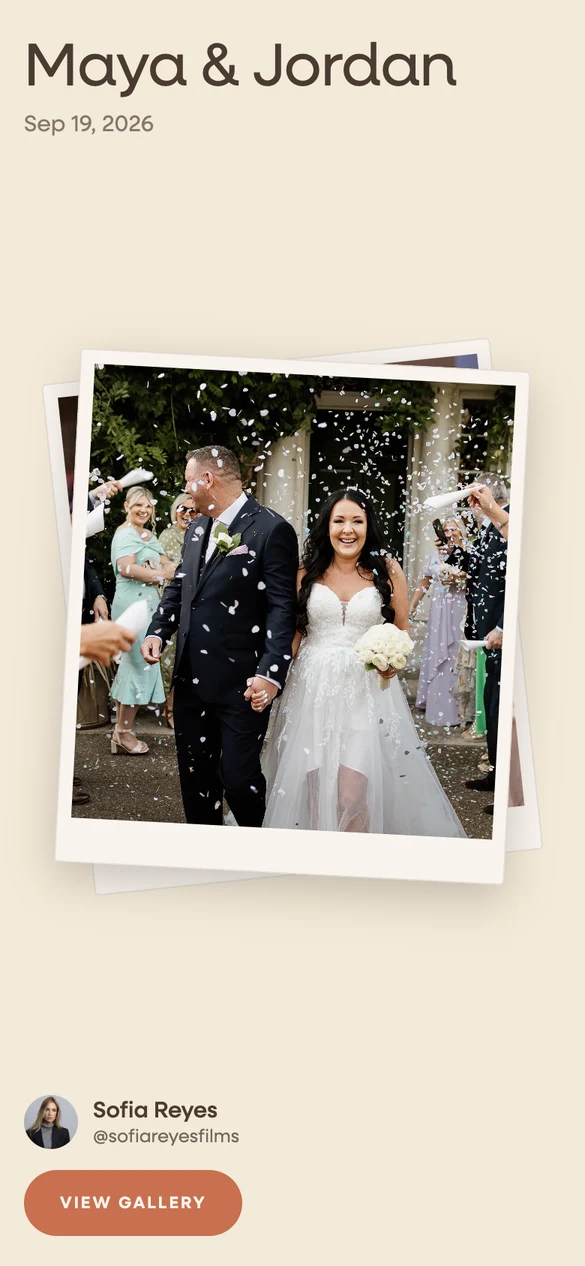
ClipFlo is a video gallery platform built for mobile creators. It has an iPhone app with background uploads, scenes to organize a day, client favorites, a portfolio page builder, and four plans priced by total storage, from 200 GB to 2 TB. Wedibox Drops is the delivery tool inside Wedibox, the guest photo app used at 100,000+ weddings. A drop opens inside the gallery the couple already keeps, with your name on it, above the photos their guests uploaded.
Pick Wedibox Drops if you want your work inside the couple's own wedding gallery, your brand on every drop from the first paid size, and the lower price at 100 GB, 1 TB, and 2 TB. Pick ClipFlo if you want a portfolio page with your own domain, a team login, and scene by scene organization in a native iPhone app.
On price, Drops is cheaper at every size but one. Drops is $9 a month for 100 GB; the smallest ClipFlo plan is $14 a month for 200 GB. At 1 TB, Drops is $34 against ClipFlo Pro at $39. At 2 TB, Drops is $44 against ClipFlo Studio at $69. At 500 GB the yearly prices meet: $240 a year on both. The rest of this page shows the work.
What Each Product Is
ClipFlo calls itself a video gallery delivery platform for creators. The app lives on the iPhone. You record, upload in the background, sort clips and photos into scenes like ceremony and reception, pick a cover, and send one link by email or text. Clients view, mark favorites, filter photos from videos, and download one clip, a scene, their favorites, or the whole gallery as a ZIP at original quality. Every plan includes a portfolio page builder; publishing it needs the Creator plan, a custom domain needs Studio, and custom branding with your logo and colors starts at Pro. Storage is a lifetime total that does not reset, with add-ons of 500 GB for $15 a month and 1 TB for $30. The site says 2,100+ creators use it.
Wedibox Drops does the same upload and delivery from a phone, with resumable background uploads and the Dropbox, Google Drive, and Google Photos import. The difference is the other end. The link opens inside a Wedibox gallery the couple owns. A couple new to Wedibox gets a free event on the spot; a couple already on Wedibox finds the drop at the top of the gallery their guests fill with the wedding QR code. There is one paid plan. Only the storage size changes the price, from 100 GB at $9 a month to 3 TB at $54, and every size includes your brand name and logo, eight openings, twelve palettes, your fonts, albums, and unlimited drops. See how a drop works for the five steps with real captures.
Where the Couple Opens It
A ClipFlo gallery is a standalone link with your scenes, your cover, and a favorites button. It is a good link. It is also one more link in the couple's inbox beside the photographer's gallery, the videographer's film, and the folder of guest photos someone collected on the day.
A drop opens inside the Wedibox gallery the couple already keeps. Your section sits at the top with your name on it. The guest uploads collect below it and never mix into your work. The couple shares one link with family for everything from the day, and they come back to it for years, because it holds the whole wedding and not one vendor's part of it.
That is the one thing on this page ClipFlo cannot do, and it is the reason Drops exists. The loop below shows the gallery as the couple sees it: your section appears first, then the guest uploads collect under it.
Emma & Ben
From your content creator · Your Studio
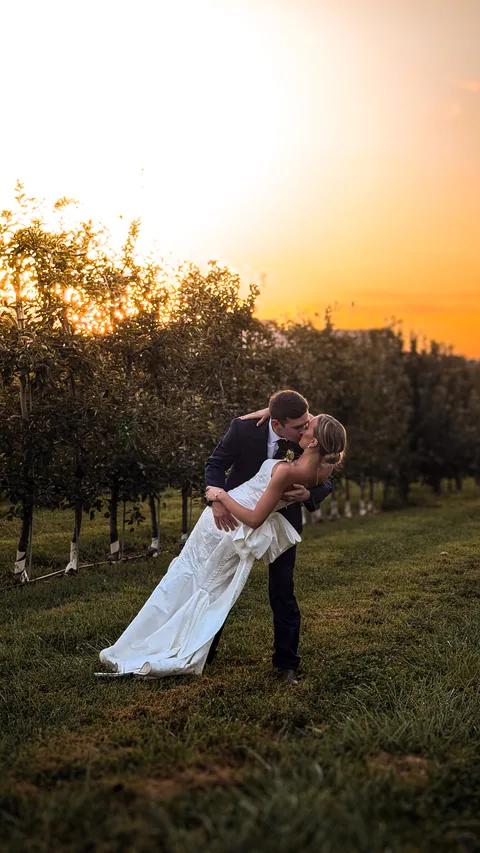
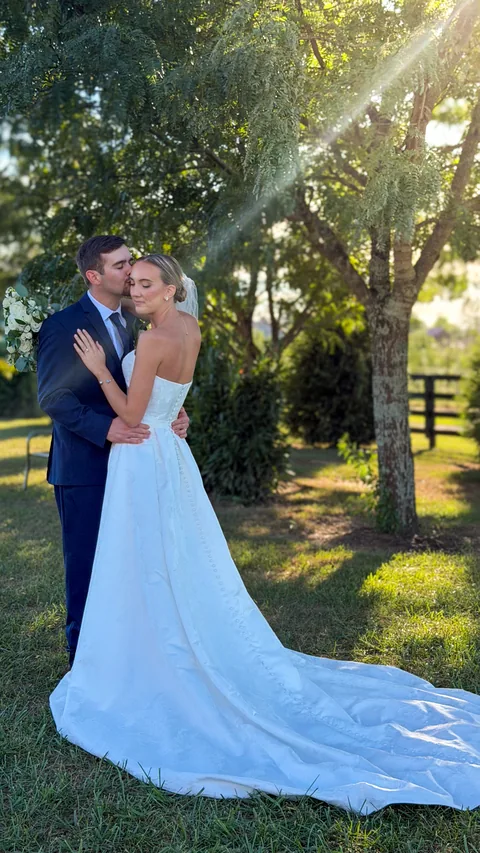
From the guests · 247 uploads




 wedibox.com/emma-and-ben
Your Brand on Every Gallery
On ClipFlo, custom branding is a feature of the Pro and Studio plans. The features page says so plainly: add your logo and customize colors, available on Pro and Studio. That is $39 a month and up. On Starter and Creator the gallery is still yours to fill, but the logo and the colors are not yours to set.
Every Wedibox drop carries your brand name, your handle, and your logo, at every paid size, from the $9 plan up. You pick one of eight openings, one of twelve palettes, and the fonts. You choose the cover, sort the files into albums, and write a note to the couple. The preview updates as you type. Three of the eight openings are below.
-
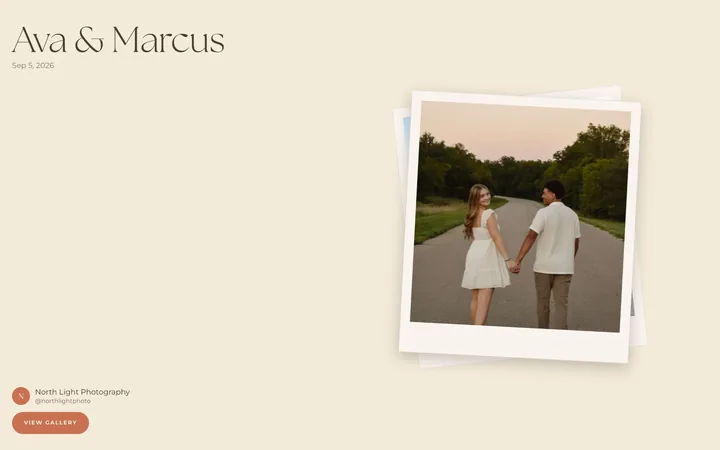
Polaroid
-
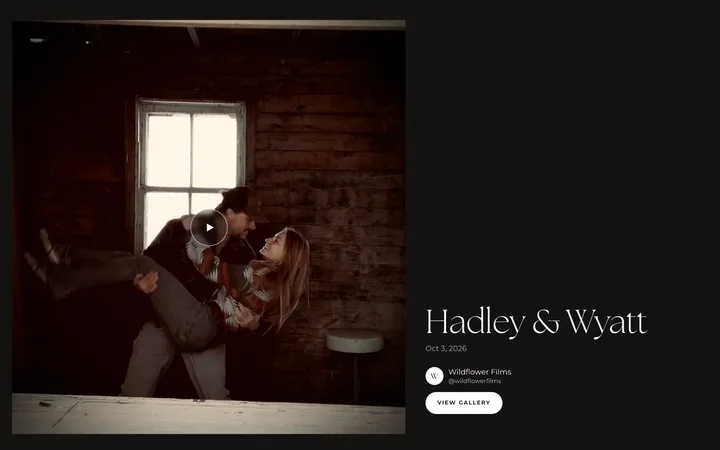
Film first
-
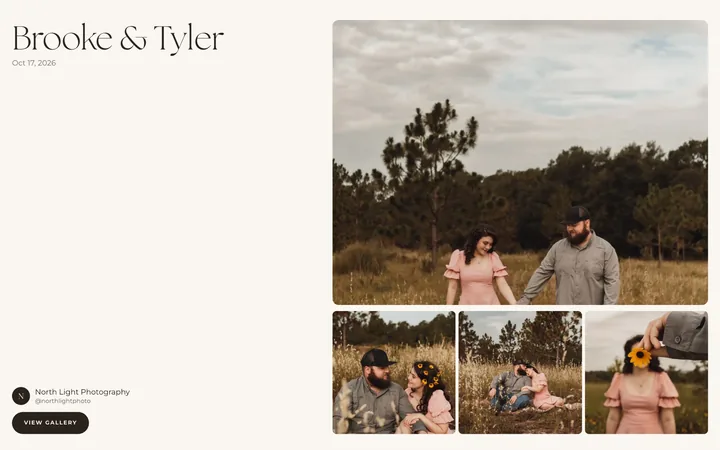
Editorial
Uploads, Compression, and Originals
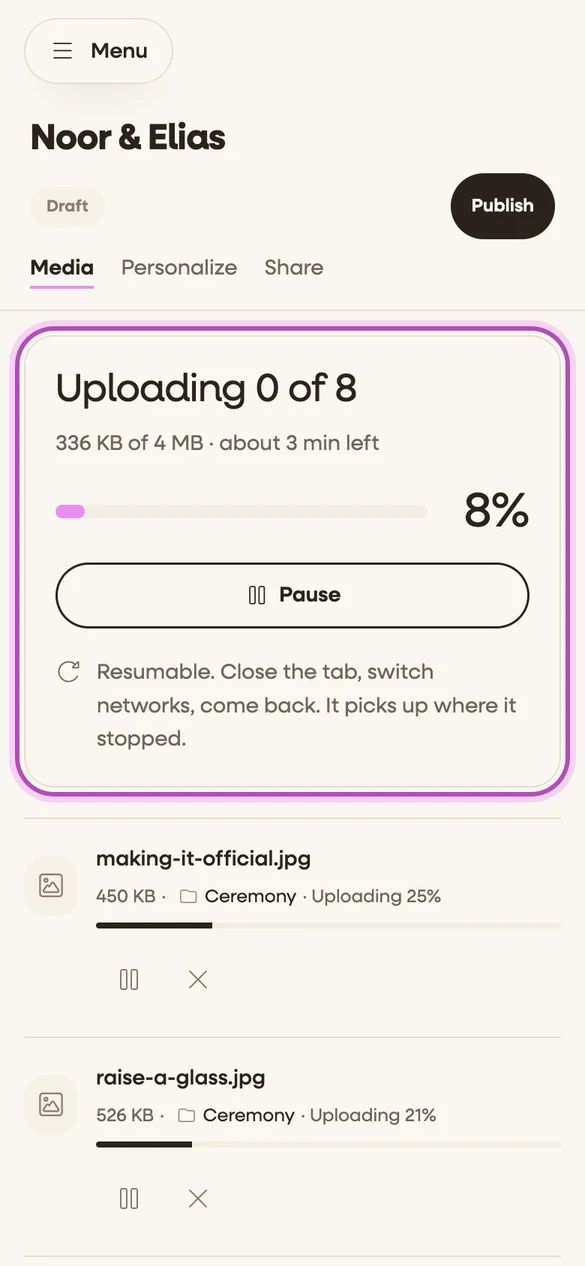
Both products upload from a phone in the background and resume after an interruption. ClipFlo does it from a native iPhone app, and its site names a smart compression step that keeps 4K quality while speeding uploads, with adaptive streaming for playback. Its download FAQ says clients get original quality with no compression, so the originals are kept and the compressed copy is for playback. An Android app is not listed.
Drops uploads from the phone's browser, from the camera roll or a folder, up to 20 GB per file. Every file is stored as you shot it. The drop plays a lighter copy for smooth viewing, and the couple downloads the original, one photo straight to Photos on a phone or the whole gallery as a ZIP, when you allow it. You can also connect Dropbox, Google Drive, or Google Photos and let Wedibox copy the files on its own servers, so nothing passes through your phone.
One difference worth knowing before you import an archive. ClipFlo's free gallery can link files from Dropbox or Google Drive at zero storage cost, which is a clever way to test it. Drops copies imported files and counts them toward your storage, so a drop never depends on a folder you might move or delete later.
Feature by Feature
The table compares the four ClipFlo plans with the one Wedibox Drops plan. Where ClipFlo does not publish a detail on its pricing or features pages, the row says so.
| Feature | Wedibox Drops | ClipFlo |
|---|---|---|
| Free gallery | First gallery free with 20 GB, 30 days to upload and edit, no card. The couple keeps it after that. | First gallery free up to 10 GB, no card, with Dropbox and Google Drive files linked at no storage cost. |
| Entry paid price | $9 a month for 100 GB | Starter at $14 a month, or $12 a month billed yearly, for 200 GB |
| 500 GB price | $24 a month, or $240 a year | Creator at $29 a month, or $24 a month billed yearly ($290 a year) |
| 1 TB price | $34 a month, or $340 a year | Pro at $39 a month, or $33 a month billed yearly ($390 a year) |
| 2 TB price | $44 a month, or $440 a year | Studio at $69 a month, or $58 a month billed yearly ($690 a year) |
| Above 2 TB | 3 TB at $54 a month | Add 500 GB for $15 a month or 1 TB for $30, or ask for a custom plan |
| Galleries | Unlimited at every paid storage size | Not stated as a limit; plans are priced by total storage |
| Video | Included at every size. 4K originals up to 20 GB per file. Only your storage counts. | 4K on every plan, with smart compression for upload speed and adaptive streaming. Originals download uncompressed. Per file limit not published. |
| Original file download | Yes, when you allow it. One photo straight to Photos on a phone, or the whole gallery as one ZIP. | Yes, at original quality. One clip, a scene, favorites, or the whole gallery as a ZIP. Downloads can be turned off. |
| Your brand on the gallery | Your brand name and logo on every drop, at every paid size | Custom logo and colors on Pro and Studio only |
| Upload from your phone | Yes, in the browser. Uploads run in the background and resume after a dropped signal. | Yes, in the iPhone app, with background and resumable uploads. No Android app listed. |
| Import from Dropbox, Google Drive, and Google Photos | Yes, all three. Wedibox copies the files on its own servers. | Dropbox and Google Drive on every plan; the free gallery links the files instead of storing them. Google Photos not published. |
| Where the couple opens it | Inside the wedding gallery the couple already keeps, in its own section above the guest uploads | A standalone gallery link |
| Organization | Albums, a cover, and a note to the couple | Scenes, a cover, and a photo or video filter |
| Client favorites | Included. The couple hearts files and you see the count. | Included, saved per session |
| Portfolio page builder | Not included | On every plan. Publishing from Creator up, your own domain on Studio. |
| Team logins | One login per account | Multi user support on Studio |
What It Costs Over a Year
ClipFlo gives two months free for paying yearly, and so does Drops, so the fair comparison runs both ways. At the entry level, ClipFlo Starter is $168 a year paid monthly or $140 paid yearly for 200 GB. Wedibox Drops at 100 GB is $108 paid monthly or $90 paid yearly, and 500 GB is $288 or $240. If you need more than 100 GB but less than 500, ClipFlo's 200 GB plan is the closer fit; if 100 GB covers your season, Drops costs about half.
At 500 GB the two meet. ClipFlo Creator is $348 a year paid monthly or $290 paid yearly. Drops at 500 GB is $288 or $240. Same yearly price, and Drops includes your branding at that size while ClipFlo adds it one plan up.
At 1 TB and 2 TB, Drops pulls ahead. ClipFlo Pro is $468 a year paid monthly or $390 paid yearly; Drops at 1 TB is $408 or $340. ClipFlo Studio is $828 or $690; Drops at 2 TB is $528 or $440. Above 2 TB, ClipFlo sells add-ons at $15 a month per 500 GB and $30 per 1 TB, or a custom plan; Drops sells 3 TB at $54 a month. Both tables below are the published prices on the day this page was checked.
ClipFlo plans
| Plan | Monthly | Billed yearly | Storage | Branding |
|---|---|---|---|---|
| Free gallery | $0 | $0 | 10 GB, one gallery | Not published |
| Starter | $14 | $12 a month ($140) | 200 GB | Not included |
| Creator | $29 | $24 a month ($290) | 500 GB | Not included |
| Pro | $39 | $33 a month ($390) | 1 TB | Included |
| Studio | $69 | $58 a month ($690) | 2 TB | Included |
Prices from clipflo.io/pricing on November 6, 2026, in USD. Add-ons: 500 GB for $15 a month, 1 TB for $30 a month. Custom branding availability from clipflo.io/features.
Wedibox Drops
| Storage | Monthly | Yearly | Branding |
|---|---|---|---|
| 100 GB | $9 | $90 | Included |
| 500 GB | $24 | $240 | Included |
| 1 TB | $34 | $340 | Included |
| 2 TB | $44 | $440 | Included |
| 3 TB | $54 | $540 | Included |
Every size includes unlimited galleries, 4K originals, your brand name and logo, and the Dropbox, Google Drive, and Google Photos import. Yearly billing is 10 months for 12.
Where ClipFlo Is the Better Choice
A comparison that concedes nothing convinces nobody. ClipFlo is the closest product to Drops on this site, so this list is longer than usual. If you are weighing the photographer suites too, the Pixieset comparison and the ShootProof comparison run the same questions.
A portfolio page with your own domain
ClipFlo includes a page builder on every plan: galleries, reviews, FAQs, quick links, and an inquiry form on one page. Creator publishes it on a ClipFlo address, and Studio connects your own domain. Drops has no page builder. If you want your delivery tool to double as your website, ClipFlo does that and Drops does not.
A native iPhone app with scenes
ClipFlo lives in the App Store. Uploads keep going when you leave the app, and a day sorts into scenes like getting ready, ceremony, and reception. Drops uses albums for the same job and runs in the phone's browser with background, resumable uploads. If you want an app icon and scene names out of the box, ClipFlo fits.
Per scene downloads
ClipFlo clients can download only their favorites, one scene, or the whole gallery. Drops has favorites too, with a heart count you can see, but the couple downloads one file or the whole drop; there is no favorites only or scene only download. If your couples ask to download a curated pick, ClipFlo handles that today.
Teams and multi user logins
ClipFlo Studio includes multi user support for studios and multi creator teams. A Drops account is one login. A studio that sends several creators to weddings and wants each one uploading under one brand is better served by ClipFlo Studio.
How to Move From ClipFlo to Wedibox Drops
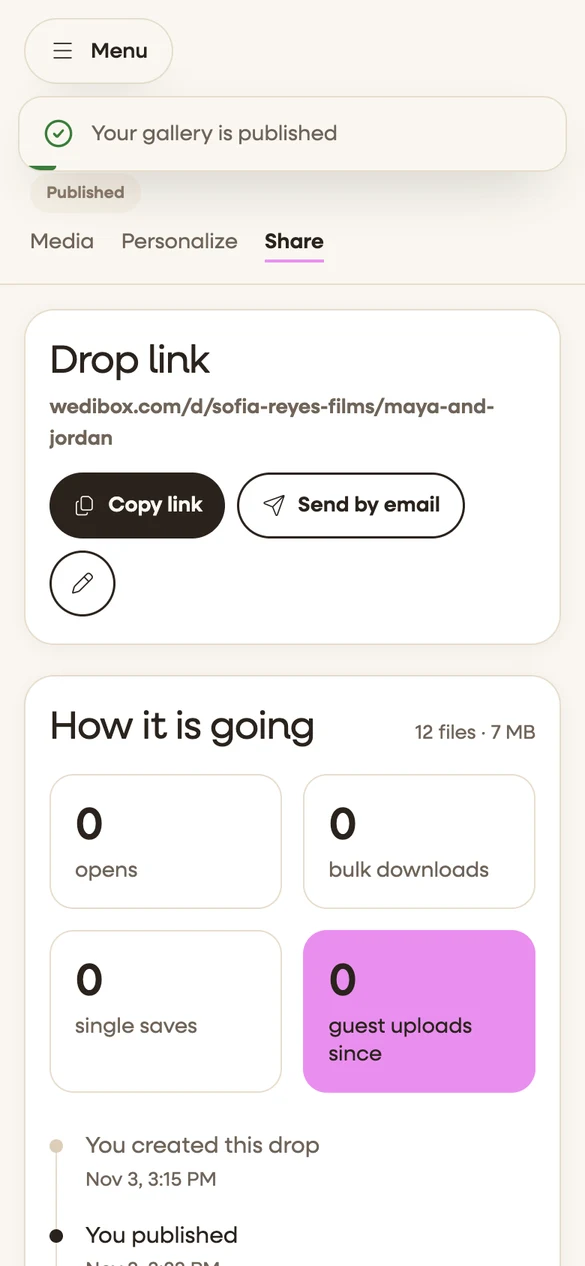
Nothing has to move on day one. Keep ClipFlo running until the last gallery there is delivered and downloaded, and start new weddings on Drops. When you are ready to bring the archive over, it goes like this.
-
Start your free drop
Sign up with no card. Your first drop includes 20 GB and 30 days to upload and edit, and the couple keeps it after that.
-
Export the originals from ClipFlo
ClipFlo clients can save a gallery straight to Dropbox or Google Drive, and so can you from your own account. Put each wedding in its own folder. ClipFlo does not publish a direct transfer, so the folder is the bridge.
-
Connect the folder in Drops
Wedibox copies the files on its own servers, so nothing passes through your phone, and each wedding lands as a drop ready to publish. Imported files count toward your storage.
-
Publish under your brand
Pick a cover, a palette, and your fonts. Add your logo. Publish with or without an email, and send the couple one link.
-
Close the old plan last
ClipFlo keeps your access through the end of the paid period, and a monthly Drops plan ends at the close of the billing month, so there is no reason to overlap longer than you need.