

The Short Answer
Dropbox is a file locker, and a very good one. For $9.99 a month billed yearly you get 2 TB, apps on every device, and a shared link anyone can open. It is also the cheapest storage on this site by a wide margin, and this page says so plainly. What Dropbox is not is a delivery product. A folder link has no cover, no opening, no note from you, no brand, and no place in the couple's wedding. It is a list of files.
Wedibox Drops is the delivery step only. You upload from your phone or import a Dropbox folder, pick an opening and a palette, add your logo, and publish. The couple gets one link that opens inside the Wedibox gallery they keep, above the photos their guests uploaded. One plan from $9 a month with 100 GB, up to 3 TB at $54.
Pick Drops for the delivery if you want the couple to see your name, your cover, and your edit before they see a file list, and if you want the work to live in their wedding gallery for years. Keep Dropbox if you need cheap bulk storage, a backup of every raw file, and a folder everyone on your team can sync. Most photographers reading this should do both, and the section on importing shows how.
What Each Product Is
Dropbox sells storage by the person. On the day this page was checked, the plans page listed Basic, free with 2 GB; Plus at $11.99 a month or $9.99 a month billed yearly, for one person with 2 TB; Standard at $18 per user a month or $15 billed yearly, starting at 3 TB for a team; and Advanced at $30 per user a month or $24 billed yearly, starting at 15 TB. Plus can send a file or folder transfer up to 50 GB and restores deleted files for 30 days. Password protected links, disabled downloads, custom link expiry, branded transfers, and watermarking are features of Standard and above, not Plus.
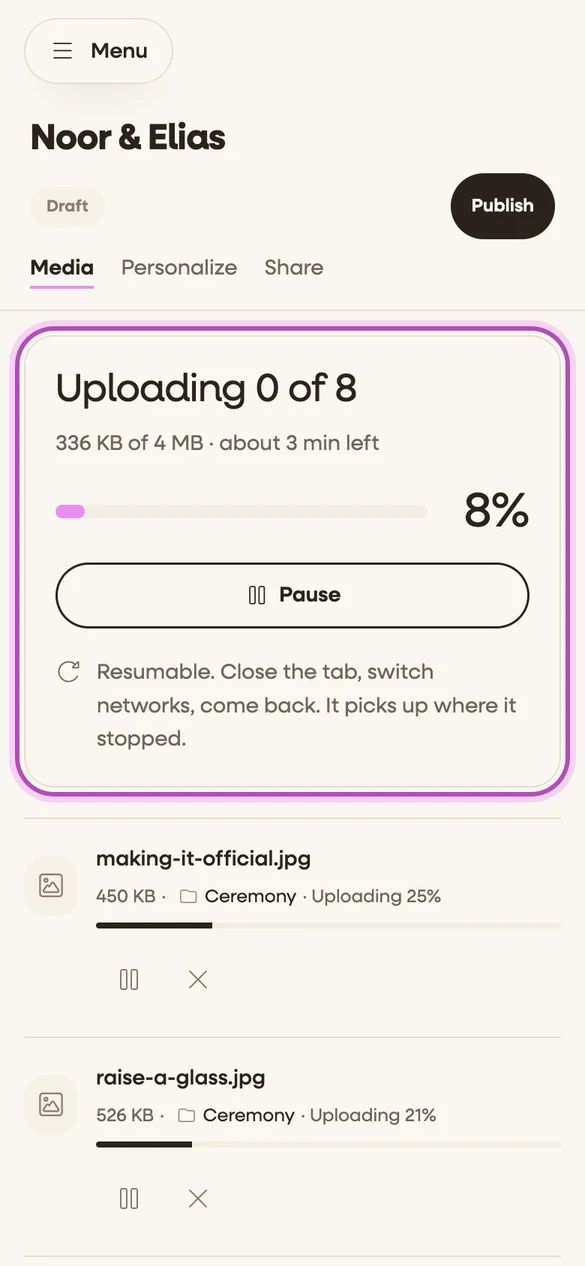
Wedibox Drops is the delivery tool inside Wedibox, the guest photo app used at 100,000+ weddings. A drop is one wedding. You create it, upload from your phone or import a folder, pick the opening and the palette, and publish. The couple gets one link. They open it on any phone or laptop with no app, watch the film in full quality, and download the originals when you allow it. There is one paid plan. Only the storage size changes the price, from 100 GB at $9 a month to 3 TB at $54, and every size includes your brand name and logo, eight openings, twelve palettes, your fonts, albums, and unlimited drops. See how a drop works for the five steps with real captures.
What the Couple Gets From a Folder Link
Open a Dropbox folder link as a couple and you get a file list: thumbnails, names like DSC_4471.jpg, a download button, and a Dropbox sign in prompt in the corner. Video plays in a preview. There is no cover, no names and date, no note from the person who shot it, and nothing that says whose work this is. On the Basic plan the link also has a daily bandwidth cap, covered below. The couple downloads the ZIP, puts it somewhere, and the link gets buried with the rest of the wedding emails.
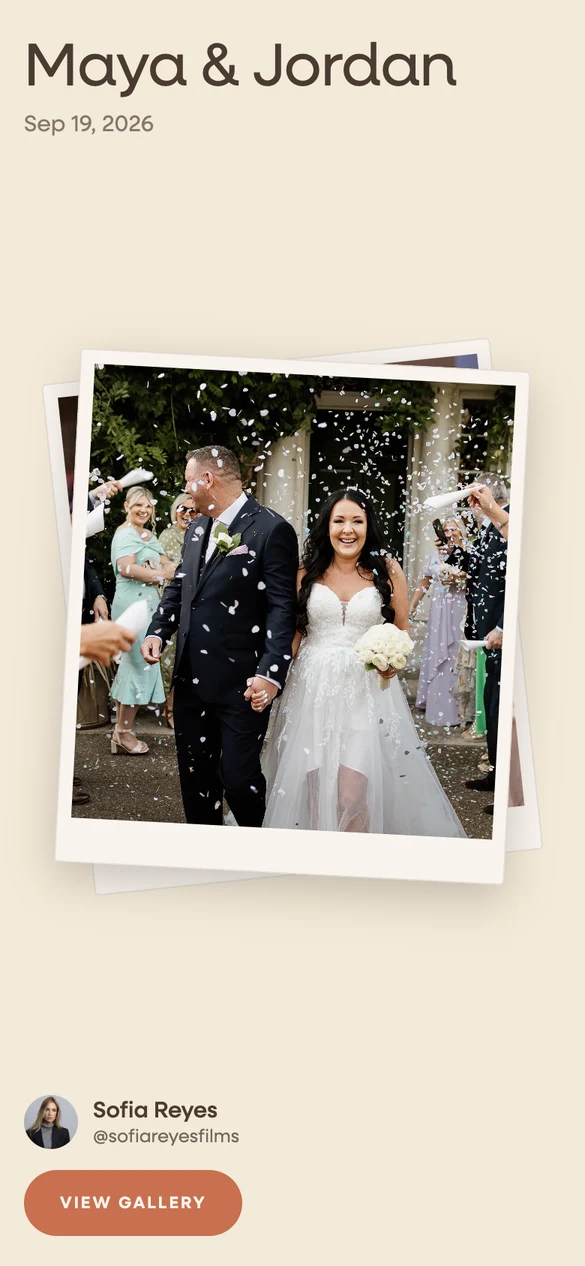
A drop opens on your cover with the couple's names and the date, one of eight openings, your palette, your fonts, and your brand name and logo. The film streams in full quality in the browser. Albums sort the day. A note from you sits above the work. And the drop lives inside the Wedibox gallery the couple keeps, in its own section above the photos their guests uploaded with the wedding QR code, so the couple comes back to it for years. The loop below shows the gallery as the couple sees it: your section appears first, then the guest uploads collect under it.
Emma & Ben
From your content creator · Your Studio
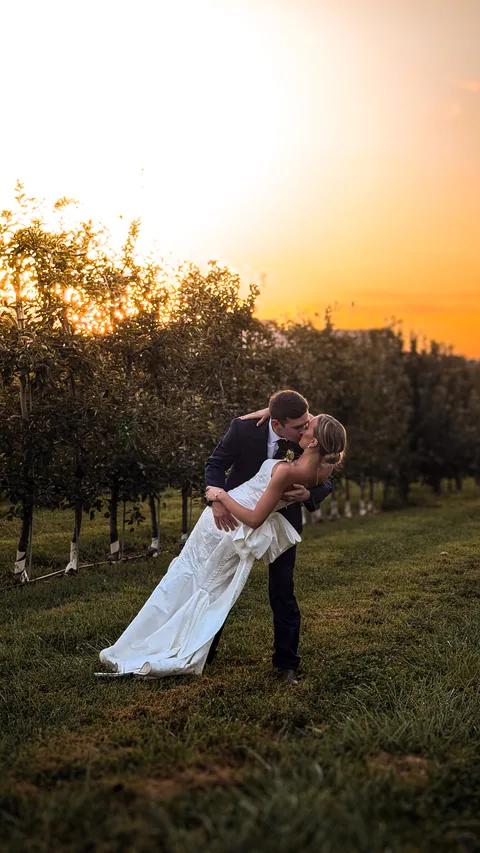
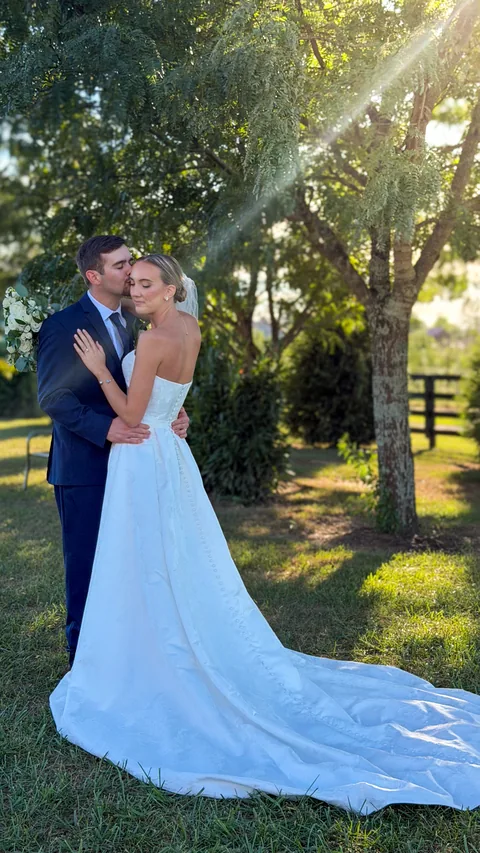
From the guests · 247 uploads




 wedibox.com/emma-and-ben
Bandwidth Caps and the Free Plan
This is the part that bites photographers on the free plan. Dropbox's help center says a Basic account's shared links are limited to 20 GB of traffic and 100,000 downloads per day. Pass it and sharing pauses for 24 hours. A single wedding delivery of photos and a 4K film can pass 20 GB on its own, so a couple who downloads it, then a parent who downloads it again that evening, can switch the link off for a day. Paid plans raise the cap to 1 TB a day, and Advanced to 4 TB, so the fix on Dropbox is to pay for Plus even if you never need 2 TB.
Drops has no daily link cap to manage. The couple streams and downloads from the gallery, and your storage size is the only number you watch. Your first drop is free with 20 GB and 30 days to upload and edit, no card, and the couple keeps it after that. Dropbox Basic is free with 2 GB, which is not enough for one wedding of originals.
Your Brand on Every Gallery
Dropbox puts its own name on the link page. Branded transfers exist on Standard and above, for one way sends, not for a shared folder, and watermarking is a Standard feature too. On Plus the couple sees Dropbox, not you.
Every Wedibox drop carries your brand name, your handle, and your logo, at every paid size. You pick one of eight openings, one of twelve palettes, and the fonts. You choose the cover, sort the files into albums, and write a note to the couple. The preview updates as you type. Three of the eight openings are below.
-
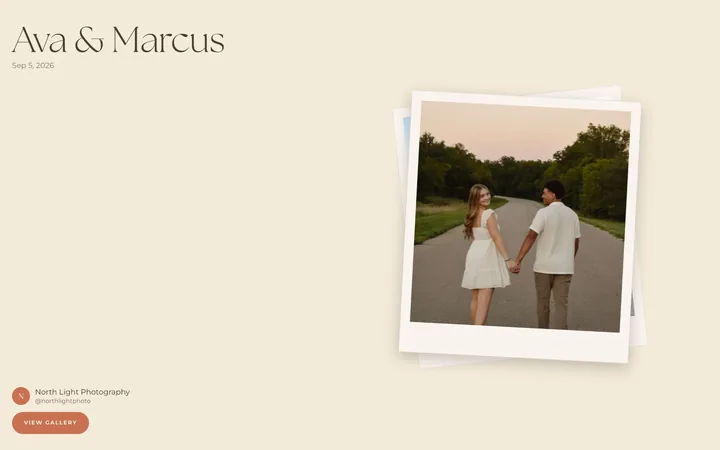
Polaroid
-
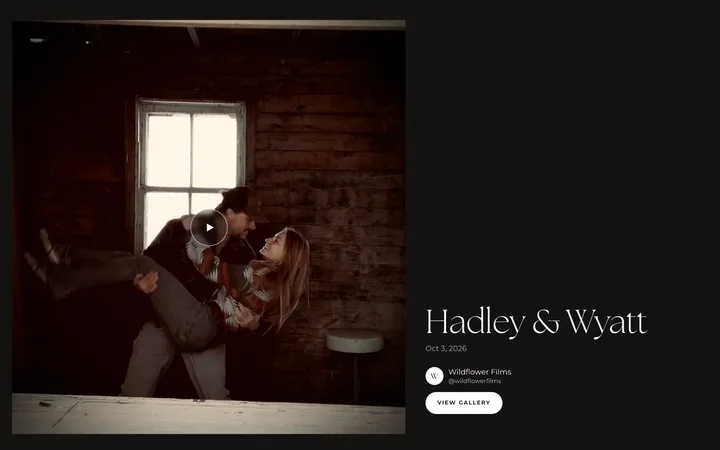
Film first
-
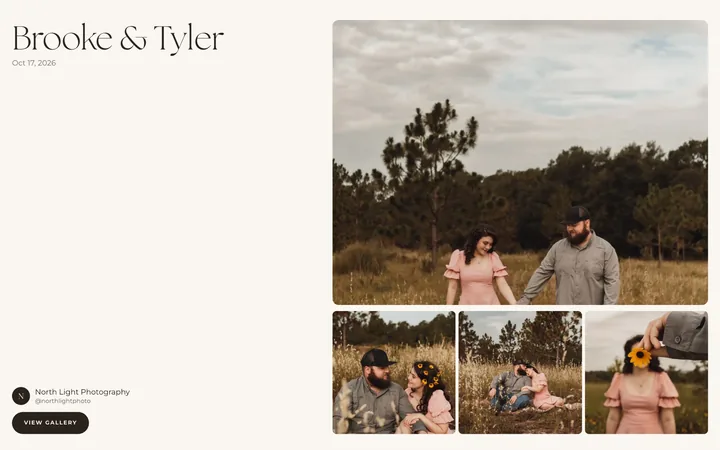
Editorial
Feature by Feature
The table compares Dropbox Basic and Plus, the plans a solo photographer would use, with the one Wedibox Drops plan. Where Dropbox does not publish a detail on its plans page or the bandwidth article, the row says so.
| Feature | Wedibox Drops | Dropbox |
|---|---|---|
| Free plan | First gallery free with 20 GB, 30 days to upload and edit, no card. The couple keeps it after that. | Basic, free with 2 GB. Shared links capped at 20 GB and 100,000 downloads a day. |
| Entry paid price | $9 a month for 100 GB | Plus at $11.99 a month, or $9.99 a month billed yearly, for 2 TB. No plan between 2 GB and 2 TB. |
| 2 TB price | $44 a month, or $440 a year | Plus at $11.99 a month, or $119.88 a year |
| Team plans | One login per account | Standard from $15 per user a month billed yearly with 3 TB for the team; Advanced from $24 with 15 TB |
| What the couple opens | A branded gallery with a cover, the names and date, albums, a note from you, and streaming video, inside the Wedibox gallery they keep | A folder link: a file list with thumbnails, previews, and a download button |
| Your brand on it | Your brand name and logo on every drop, at every paid size | Dropbox branding on shared links. Branded transfers and watermarking on Standard and above. |
| Daily link bandwidth | No daily cap. Your storage size is the only limit. | 20 GB a day on Basic, 1 TB on Plus and Standard, 4 TB on Advanced |
| Video | Included at every size. 4K originals up to 20 GB per file, streamed in the browser. | Stored like any file, with browser previews. Format and size limits for previews not published on the pages read. |
| Original file download | Yes, when you allow it. One photo straight to Photos on a phone, or the whole gallery as one ZIP. | Yes. Downloads cannot be disabled on Plus; that control is on Standard and above. |
| Password and expiry | Optional password on any drop; unpublish any time | Password protected links and custom expiry on Standard and above, not on Plus |
| Upload from your phone | Yes. Uploads run in the background and resume after a dropped signal. | Yes, through the Dropbox app |
| Import from Dropbox | Yes. Wedibox copies a Dropbox folder on its own servers. | Not applicable |
| Deleted file recovery | Not published | 30 days on Plus, 180 days on Standard, 1 year on Advanced |
| One way transfers to anyone | Not included. A drop goes to one couple. | Up to 50 GB on Plus, 100 GB on Standard and Advanced |
What It Costs, and Why the Numbers Are Not the Point
Per terabyte, Dropbox wins and it is not close. Plus gives 2 TB for $143.88 a year paid monthly or $119.88 paid yearly. Wedibox Drops at 2 TB is $528 paid monthly or $440 paid yearly. If the question is where to keep every file you have ever shot, the answer is Dropbox, and Drops does not pretend otherwise.
The question Drops answers is different. Delivery storage holds only what the couple receives, not your raws and your backups, and most photographers deliver under 100 GB a wedding. Drops at 100 GB is $108 a year paid monthly or $90 paid yearly, and that buys the gallery, the brand, the streaming, the couple's own Wedibox event, and no bandwidth cap. Dropbox has no plan between 2 GB and 2 TB, so the entry price for a usable delivery link is Plus at $9.99 a month billed yearly.
Both tables below are the published prices on the day this page was checked.
Dropbox plans
| Plan | Monthly | Billed yearly | Storage | Link bandwidth |
|---|---|---|---|---|
| Basic | $0 | $0 | 2 GB | 20 GB a day |
| Plus | $11.99 | $9.99 a month | 2 TB, one person | 1 TB a day |
| Standard | $18 per user | $15 per user a month | 3 TB for the team | 1 TB a day |
| Advanced | $30 per user | $24 per user a month | 15 TB for the team | 4 TB a day |
Prices from dropbox.com/plans on November 6, 2026, in USD, both billing toggles read. Bandwidth figures from help.dropbox.com/share/banned-links, which the page dates October 13, 2026.
Wedibox Drops
| Storage | Monthly | Yearly | Link bandwidth |
|---|---|---|---|
| 100 GB | $9 | $90 | No daily cap |
| 500 GB | $24 | $240 | No daily cap |
| 1 TB | $34 | $340 | No daily cap |
| 2 TB | $44 | $440 | No daily cap |
| 3 TB | $54 | $540 | No daily cap |
Every size includes unlimited galleries, 4K originals, your brand name and logo, and the Dropbox, Google Drive, and Google Photos import. Yearly billing is 10 months for 12.
Where Dropbox Is the Better Choice
A comparison that concedes nothing convinces nobody. These are the real cases where Dropbox is the right call. If you are weighing gallery products too, the Pixieset comparison, the ShootProof comparison, and the ClipFlo comparison run the same questions.
Archive and backup
Dropbox Plus is 2 TB for $9.99 a month billed yearly, synced to every device, with 30 days to restore a deleted file. Drops tops out at 3 TB and holds deliveries, not raws. Keep your archive on Dropbox. Nothing on this page argues otherwise.
Working files and team sync
A second shooter, an editor, and a studio manager can all sync one Dropbox folder, and Standard adds team folders, groups, and an admin console. Drops is one login and one direction: from you to the couple. Collaboration before delivery is Dropbox's job.
Sending anything to anyone
Dropbox Transfer sends up to 50 GB on Plus and 100 GB on Standard to a vendor, a planner, or a magazine, with no account on their end. Drops delivers to one couple inside Wedibox. For a one off send to someone who is not the couple, Dropbox is the simpler tool.
Review and comments
Dropbox Standard includes video commenting for review rounds. Drops is the final delivery and has no comment thread. If a couple or a planner needs to leave notes on a cut before it is final, that round belongs somewhere else.
How to Use Dropbox and Wedibox Drops Together
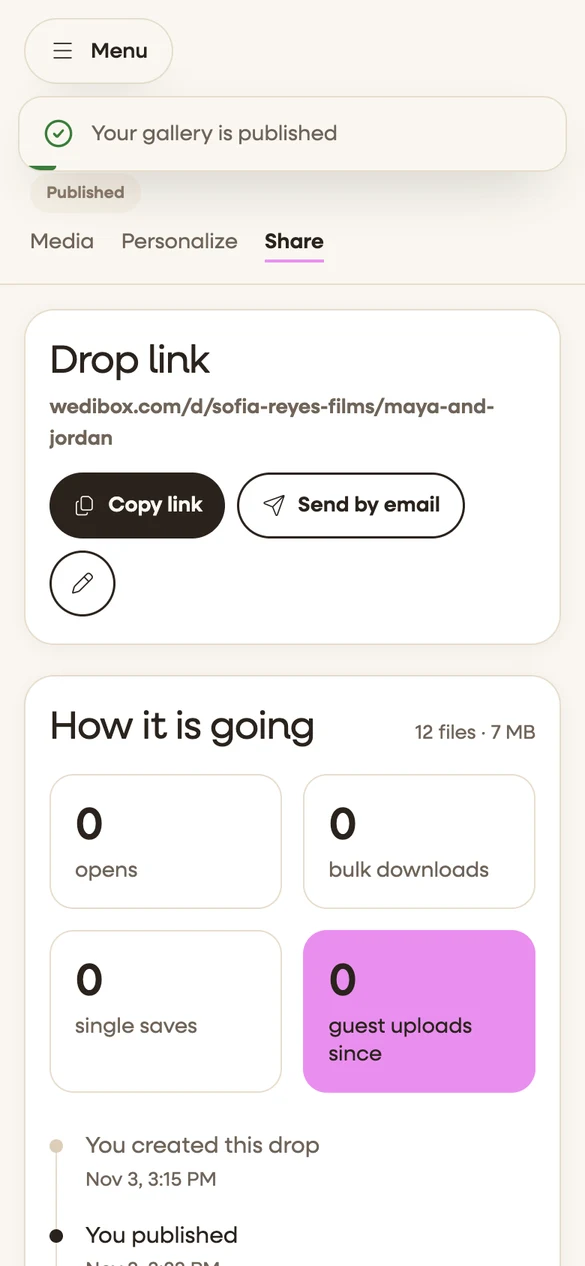
You do not have to leave Dropbox to deliver with Drops. The import copies a folder from Dropbox to the Wedibox servers, so your archive stays where it is and the couple gets a gallery instead of a file list. It goes like this.
-
Start your free drop
Sign up with no card. Your first drop includes 20 GB and 30 days to upload and edit, and the couple keeps it after that.
-
Export the finals to one folder
Put the delivered edit for one wedding in its own Dropbox folder, photos and video together, the way you would have shared it. Leave the raws and the backups where they are.
-
Connect the folder in Drops
Wedibox copies the files on its own servers, so nothing passes through your phone, and the wedding lands as a drop ready to publish. Imported files count toward your Drops storage; nothing changes on the Dropbox side.
-
Publish under your brand
Pick a cover, a palette, and your fonts. Add your logo. Publish with or without an email, and send the couple one link.
-
Keep Dropbox for the archive
The drop is what the couple sees. Dropbox keeps holding everything else, and the next wedding starts the same way.