

Link integration
Add Photo Sharing to Your Joy Wedding Website
WithJoy does not support custom code, but you can create a dedicated page with a Things To Do block that links to your Wedibox photo collection. Guests tap the link and upload photos instantly.
Get Your Free Link See the Steps
Free to start · About 5 minutes · No developer needed
Add Wedibox to WithJoy in 7 Steps
Follow along in your WithJoy editor. The whole process takes about 5 minutes.
First, grab your Wedibox photo page link
Create your free Wedibox gallery and copy your photo page link from the dashboard. It takes about a minute, and the first 50 uploads are free.
-
Log in to Joy
Go to withjoy.com and click Log In.

-
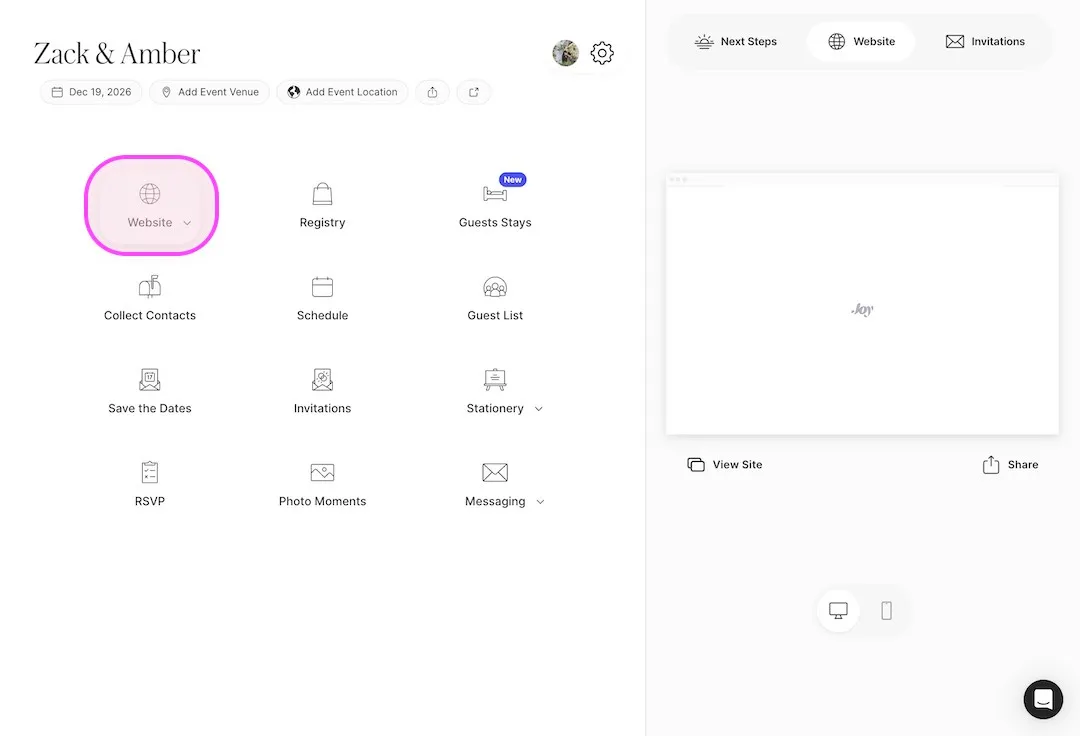
Open your website editor
Click Website to open the Joy wedding site editor.
-
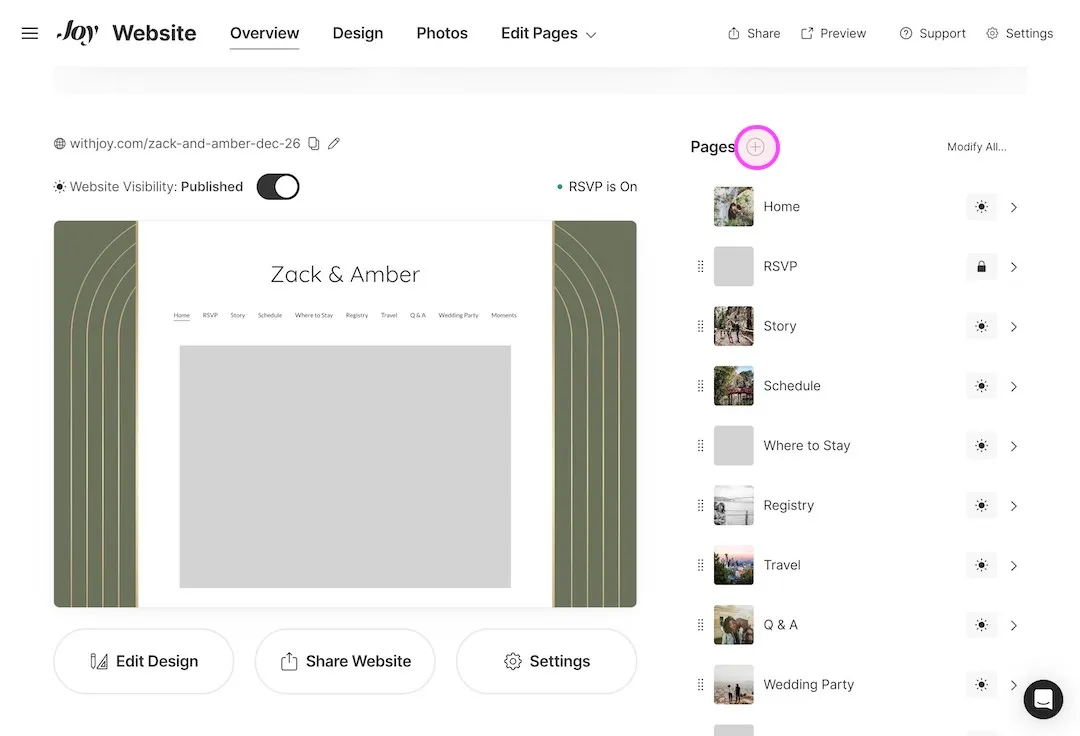
Create a new page
Click the plus button to add a new page. Name it Share Your Photos, set it to Public, and click Create Page.
-
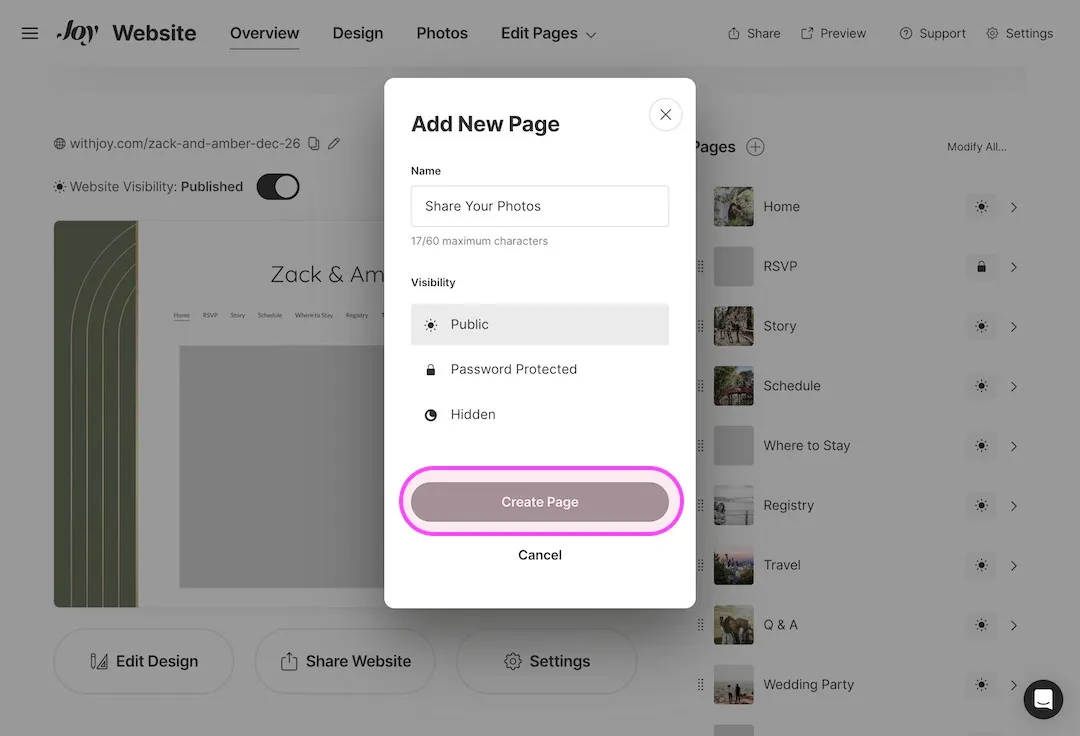
Add a Things To Do block
On your new page, scroll through the page editor options and click Things To Do.
-
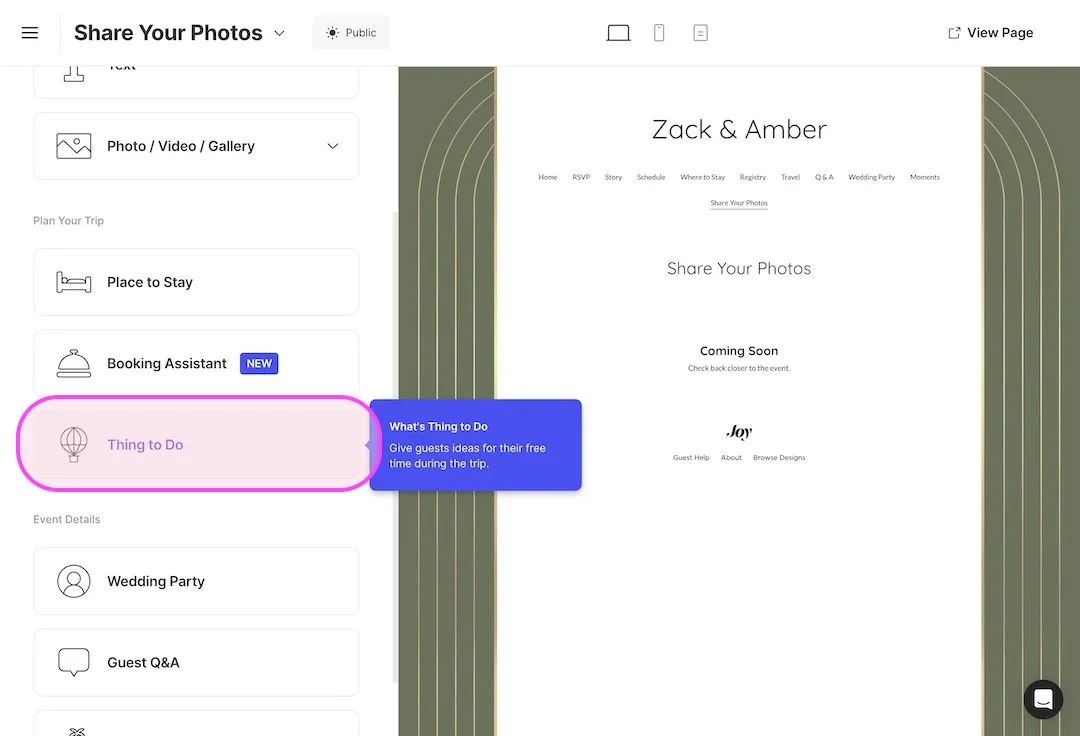
Select the Custom category
In the category dropdown, select Custom. This lets you add any external link without Joy matching it to a business listing.
-
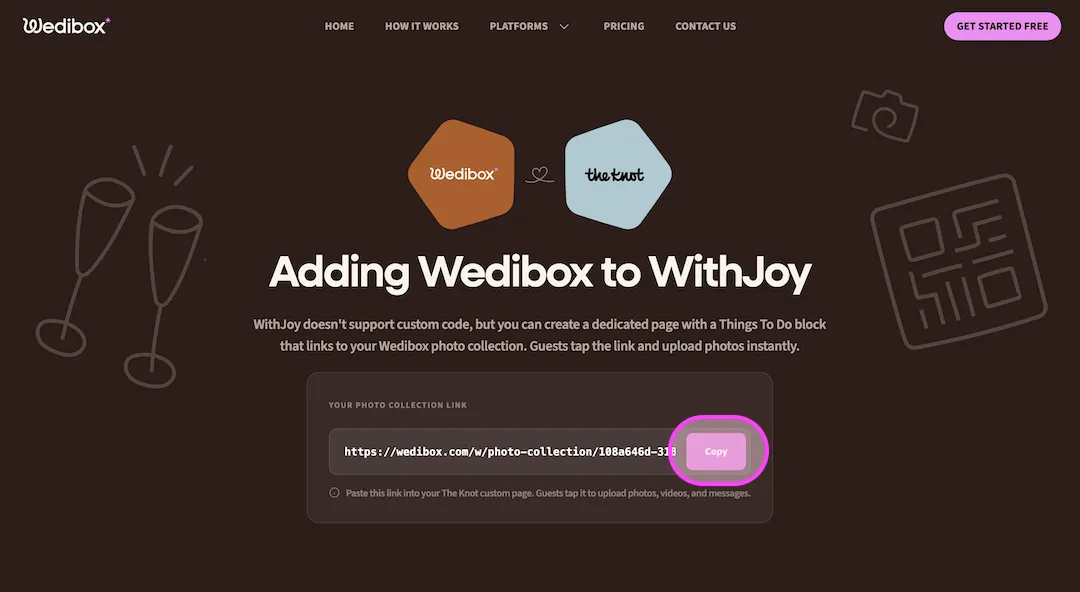
Copy your Wedibox link
Your photo page link lives in your Wedibox dashboard. Copy it.
-
Paste your link and save
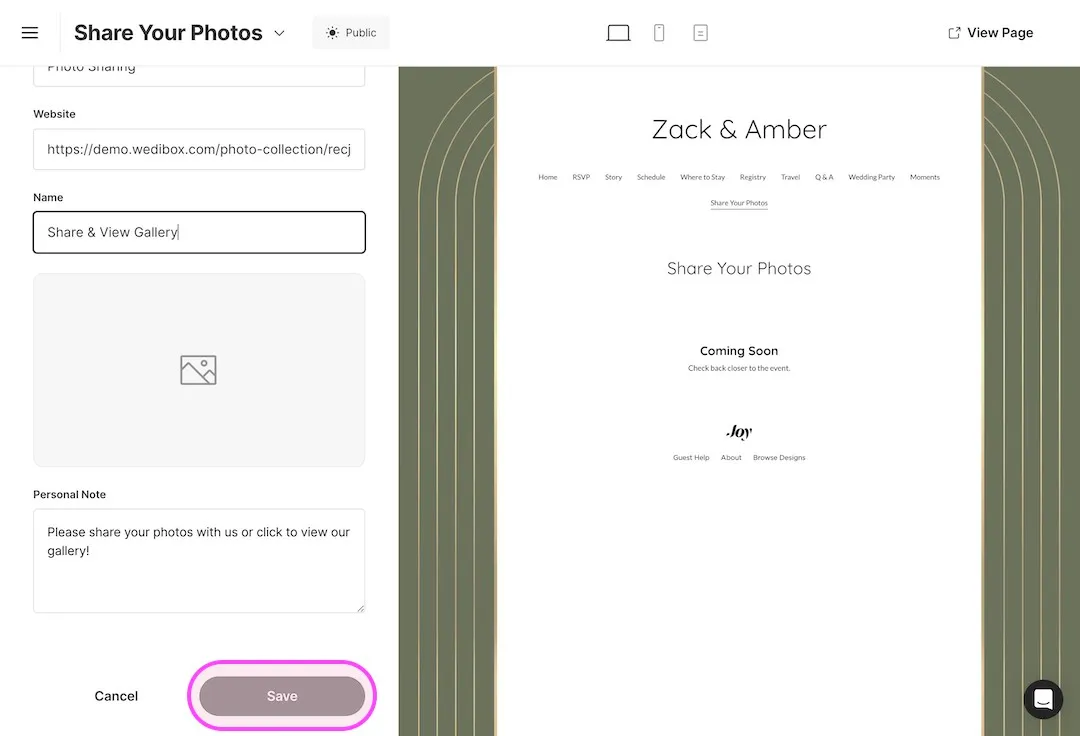
Paste your Wedibox photo collection link into the Website field. Fill in any other required fields and save.
What Your Guests Will See
Guests tap your link and land on your personalized Wedibox photo page. They tap upload, pick their photos, and they are done.
- No app for guests to install
- Works on iPhone and Android
- Photos and videos in full resolution
- 50 free uploads to start
Why Add Wedibox to Your WithJoy Website
-
No app required for guests
Joy photo uploads ask guests to install the Joy app. Your Wedibox page works in every phone browser, so every guest can contribute.
-
A page guests can find
The Share Your Photos page appears in your Joy menu, right next to your schedule and registry.
-
Free to start
Collect your first 50 uploads free. Upgrade once you see the photos arriving.
Common Questions About Wedibox on WithJoy
These cover WithJoy specifics. For pricing, upload limits, and everything else, see the full Embed FAQ.
Why not use the built-in Joy photo feature?
Joy asks guests to download their app before uploading. Many guests stop right there. Wedibox works in the phone browser with no download and no account, so no guest is left out.
Why does the link need the Custom category?
The Custom category lets you attach any outside link. Without it, Joy tries to match your entry to a business listing and the Wedibox link will not save cleanly.
Can I keep my Joy website design?
Yes. Nothing changes on your other pages. You add one public page with one link, and your design stays exactly as it is.
Using a Different Platform?
Every platform has its own short setup guide.
 The Knot
 Zola
Zola
 Wix
Wix
 Squarespace
 WedSites
 Minted
 SayIDo
 Canva
Canva
Ready to Add Photo Sharing to Your Website?
Generate your free code snippet and add it to your wedding website today. Guests handle the rest.
- Works with The Knot, Zola, Joy, Wix, and more
- Guests upload right on your site
- No app for guests to install
- 50 free uploads to start
- $29 one time, never a subscription
- Photos transfer if you upgrade later
Free to start · $29 one time · 3 month upload window
Want everything in one place instead? Explore Wedibox photo sharing or see how the full platform works.