How to add your gift registry
Wedding websiteAll-in-One plan
Most couples register in more than one place. The Registry Links section gathers every list (Amazon, Zola, Target, a honeymoon fund) as named buttons on your page, so guests find the right one without you ever having to put “gifts” on the invitation.
Plan: All-in-One plan · Where: Website editor → What is on your page → Registry Links
Before you start
- You can build this section on any plan; it appears to guests once your event is on the All-in-One plan.
- Open each registry in another tab and copy its public share link; the link guests would use, not your account page.
Steps
-
Open the Website editor. In the sidebar, click Website (under “Your page”).
-
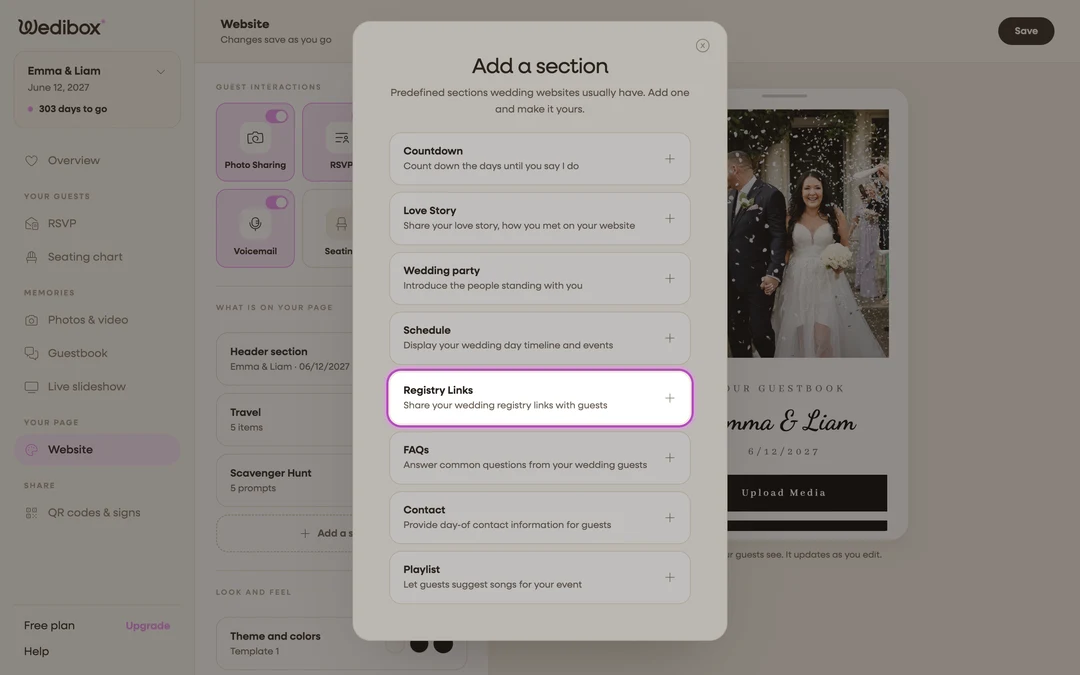
Add the section. Click Add a section and choose Registry Links (“Share your wedding registry links with guests”); or click its card if it’s already listed.
-
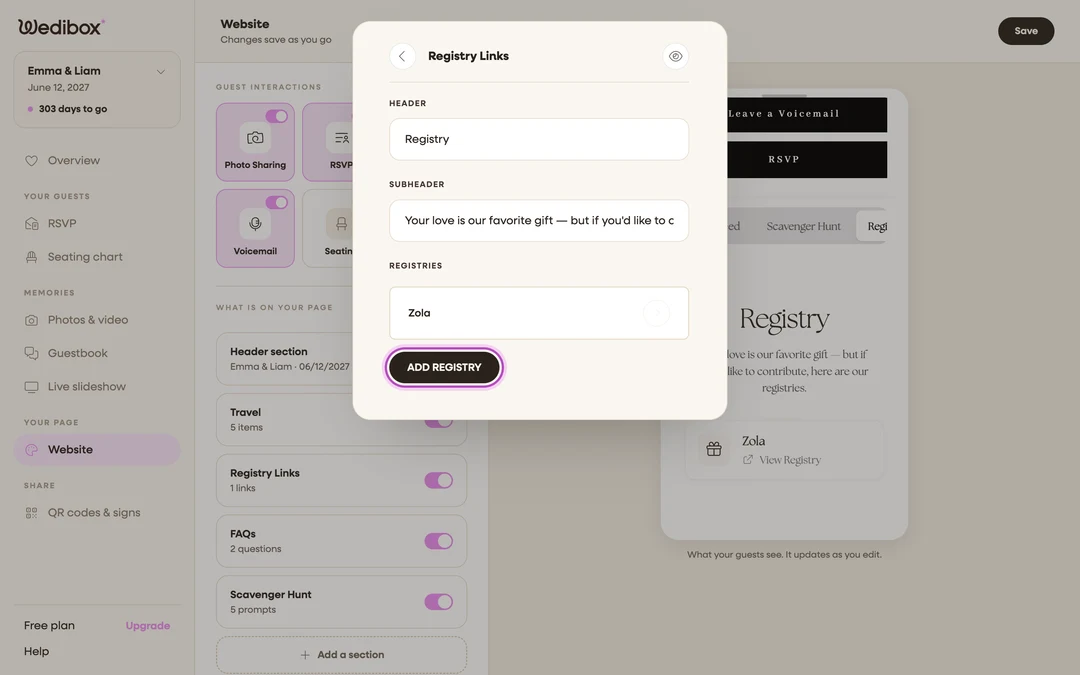
Title the section. HEADER starts as “Registry”; the SUBHEADER is a good place for a warm line like “Your presence is the present; but if you insist…”.
-
Add a registry. Under REGISTRIES, click ADD REGISTRY. The Registry Details panel opens.
-
Name it and paste the link. NAME is what guests see on the button; “Amazon”, “Zola”, “Honeymoon fund”; and LINK is the registry’s full address including
https://.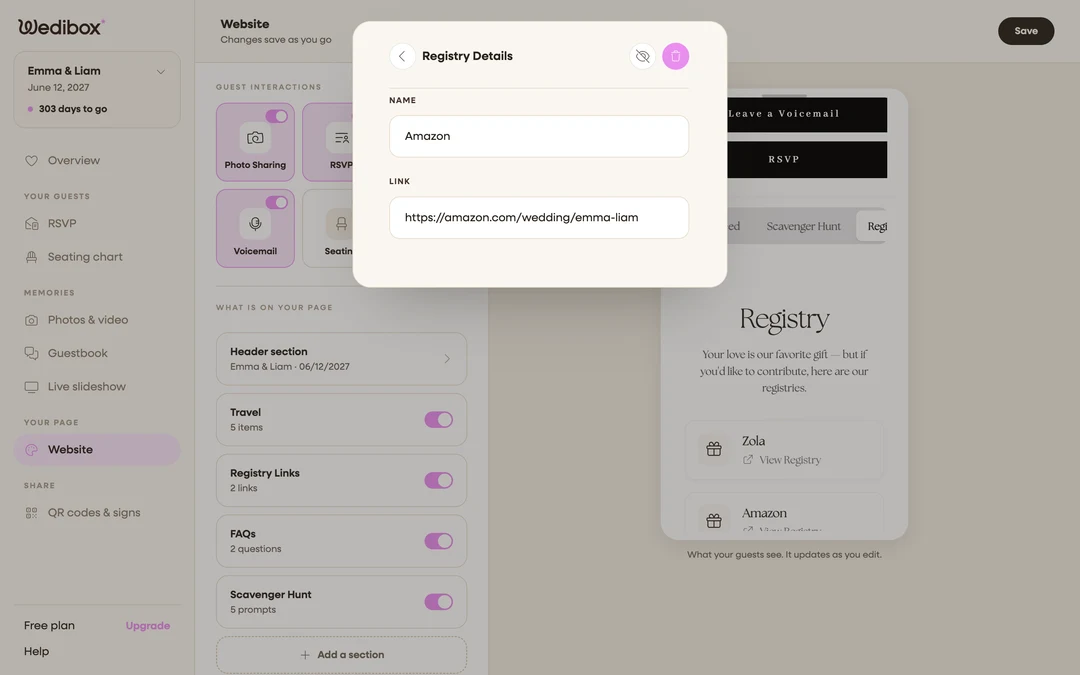
-
Repeat for each registry. One entry per store or fund. The arrows inside an entry reorder the list; put the registry you’d most like used first.
-
Close the editor to save. The card’s status line counts your links.
What you should see
The preview shows one card per registry, each with a View Registry button that opens the store in a new tab. As you buy things off your own lists, no updates are needed here; the buttons always point at the live registries.
If something goes wrong
- A registry button opens the wrong page. You pasted a search or account URL. Go to the registry’s own “share” option, copy the public link, and replace LINK.
- The section is on but guests don’t see it; Registry Links display to guests on the All-in-One plan; see which sections come with which plan.