How to add and remove songs
PlaylistAll-in-One plan
Songs get onto a playlist two ways: you add them in the editor, or guests request them from your song page. Either way, tracks come from Apple’s music catalog, so every entry arrives with the correct title, artist, and cover art. Curating is one click.
Plan: All-in-One plan · Where: Sidebar → Website → Playlist
Before you start
- Create a playlist first, and select its tab if you have several. Songs go into the playlist you’re viewing.
Steps
-
Open song search. In the Tracks card, click the magnifying-glass icon. A search box appears with the placeholder Search song….
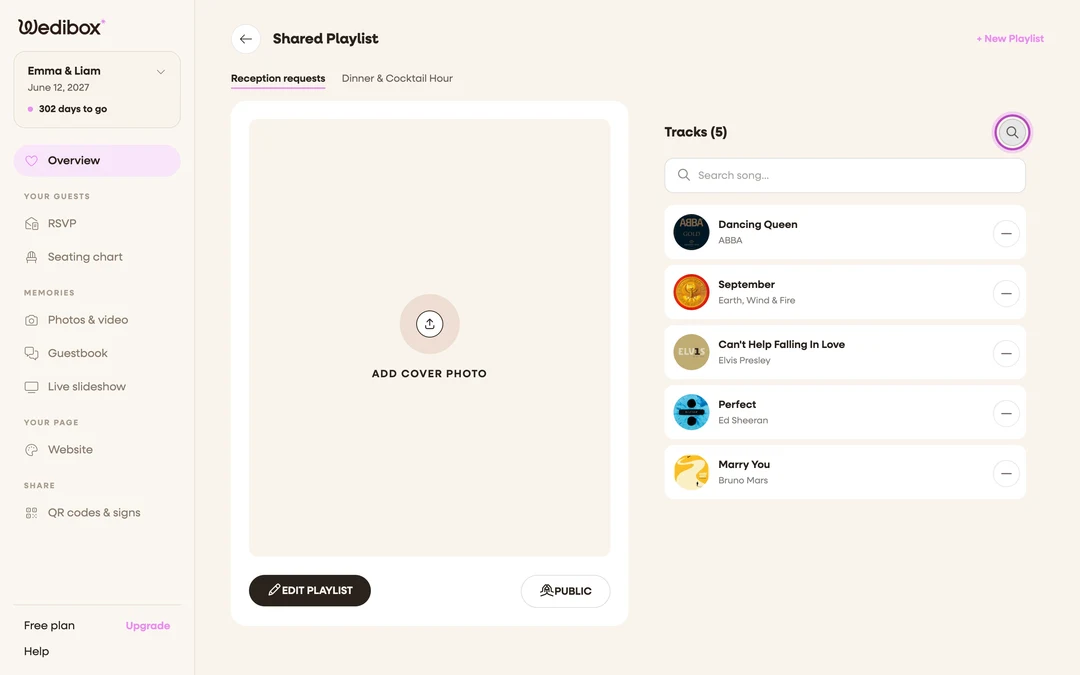
-
Type a title or artist. Suggestions appear as you type, each with cover art, track name, and artist. The results come straight from Apple’s catalog.
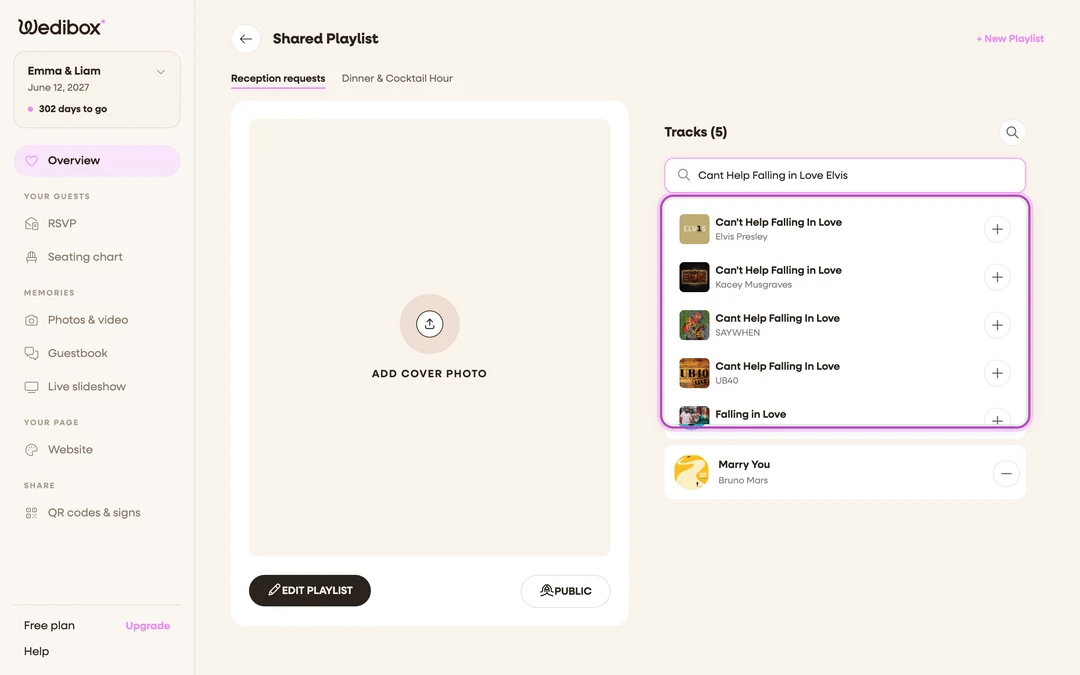
-
Click the song to add it. Clicking a suggestion (or its + button) adds it to the list immediately, with no separate save step. The Tracks count ticks up.
-
Keep going. The search box stays open, so you can queue up a whole set: type, click, type, click.
-
Remove a track. Every row in the track list has a − button on the right. Click it and the song is gone. Guests aren’t notified, and there’s no confirmation step, so aim carefully.
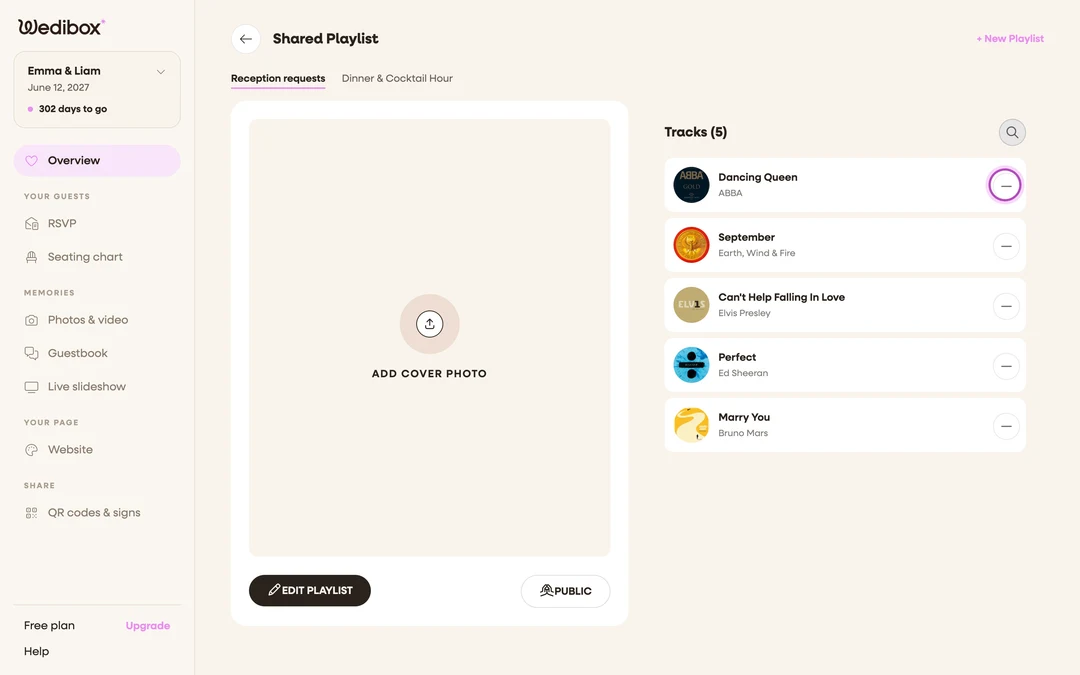
-
See who requested what. Guest-added songs carry the name the guest typed with their request (or “Guest” if they skipped it). The names show on the guest-facing song page next to each track, useful when someone claims their song “never got played.”


What you should see
A track list with artwork, titles, and artists that reads like a real playlist, and a Tracks count that matches. On the guest page, the same list appears numbered, with requester names beside guest picks.
If something goes wrong
- The song you want isn’t in the suggestions. It’s not in Apple’s catalog under that spelling. Try the artist’s name or an alternate title; very obscure or unreleased tracks may simply not be findable.
- You removed the wrong song. Search it again and re-add it. If it was a guest request, the requester’s name won’t come back with it.
- Duplicates from multiple guests. Remove the extras with −. Duplicates are actually useful intel: that’s your most-wanted song.