How to use your playlist with your DJ
PlaylistAll-in-One plan
Your playlist is a request list, not a music player. It doesn’t stream songs or plug into DJ software. What it gives your DJ is better: a clean, curated list of exactly what your crowd wants to hear, with names attached. Here’s how couples actually hand it over.
Ways to get the list to your DJ
-
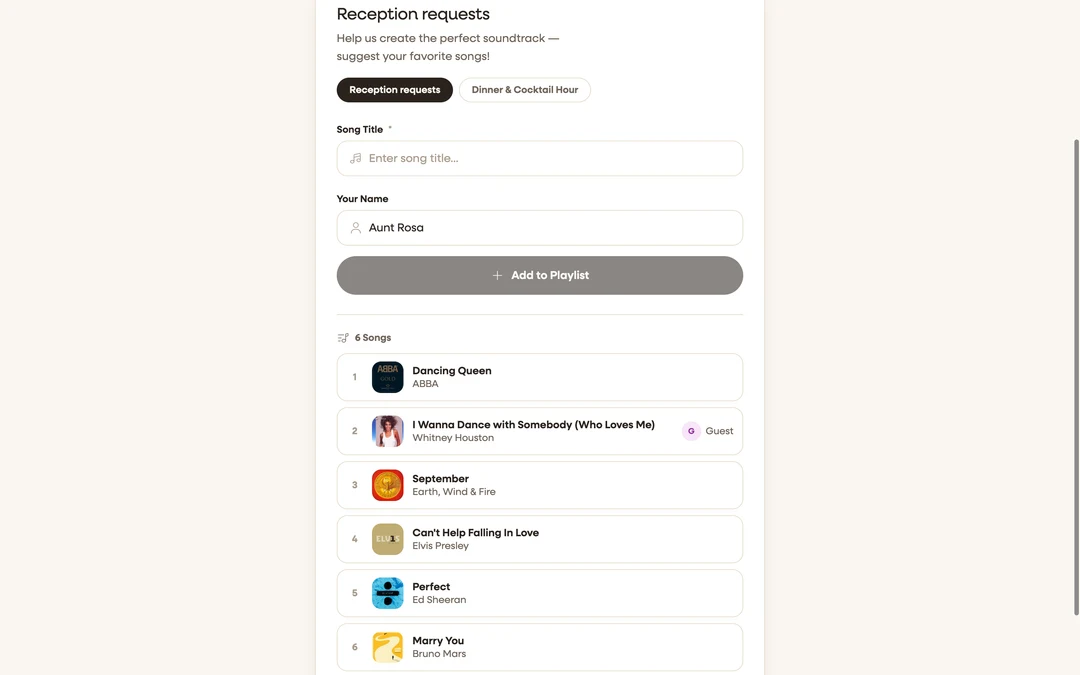
Share the live song page. The simplest handoff: send your DJ the same link your Playlist only QR code opens (copy the address shown under the code on Overview). They see every track with title, artist, artwork, and who requested it, and it stays current as new requests arrive. Requires the playlist to be visible to guests.
-
Prune before you send. A week out, open the playlist editor and remove the clunkers with the − button. DJs take a 40-song curated list far more seriously than 200 raw requests. Consider a second, private playlist for must-plays and do-not-plays you’d rather guests not see.
-
Let the DJ work from paper. No export exists for playlists: there’s no Spotify or Apple Music sync, and no CSV or PDF download. If your DJ insists on a document, the low-tech answer works: open the song page and print it from the browser, or paste the list into an email. Most DJs will rebuild the set in their own software regardless.
-
Collect requests through RSVP instead (or as well). If your DJ wants requests weeks in advance, add a custom RSVP question like “Any song requests for the DJ?”. Those answers arrive with each RSVP and export with your guest list as a spreadsheet, which is the closest thing to a requests CSV.
-
Keep requests open on the night. Put the Playlist only QR code on a sign by the dance floor or the bar. Guests keep adding while the party runs; the DJ refreshes the page between sets to see what’s new.
Choose your setup
- Choose the live link if your DJ is comfortable glancing at a phone or laptop. It’s zero work and always current.
- Choose the RSVP question if the DJ builds their set list in advance and wants a spreadsheet (see custom RSVP questions).
- Do both for the best result: advance requests via RSVP, live energy via the QR by the dance floor.
FAQ
Can I export the playlist to Spotify or Apple Music? No. Songs are matched against Apple’s catalog for accurate titles and artwork, but there’s no account linking or export. Your DJ recreates the list in whatever they mix with.
Does the playlist play music at the reception? No. It’s a request list. Playback is your DJ’s job (that’s why you hired one).
Can the DJ add songs too? Anyone with the song page link can suggest songs while guest adding is on, DJs included.
Will the DJ see who requested each song? Yes. Requester names (or “Guest”) show beside guest-added tracks on the song page. Handy for dedications.
What if a request is wildly wrong for the room? Remove it in the editor with the − button. Nobody is notified, and the party is better for it.