How to add travel and hotel info for guests
Wedding websiteAll-in-One plan
The Travel section carries the three things out-of-town guests search their inbox for: how to get there, where to sleep, and what to do around the wedding. Put it on your page once and every guest gets the same, current answer.
Plan: All-in-One plan · Where: Website editor → What is on your page → Travel
Before you start
- You can build this section on any plan; it appears to guests once your event is on the All-in-One plan.
- Have your hotel block details ready (booking link and group code) plus the nearest airport and any shuttle times.
Steps
-
Open the Website editor. In the sidebar, click Website (under “Your page”).
-
Add the section. Click Add a section and choose Travel (“Help guests find hotels, airports, and directions”); or click its card if it’s already listed.
-
Title the section. HEADER starts as “Travel and stay”; add a SUBHEADER if you want one.
-
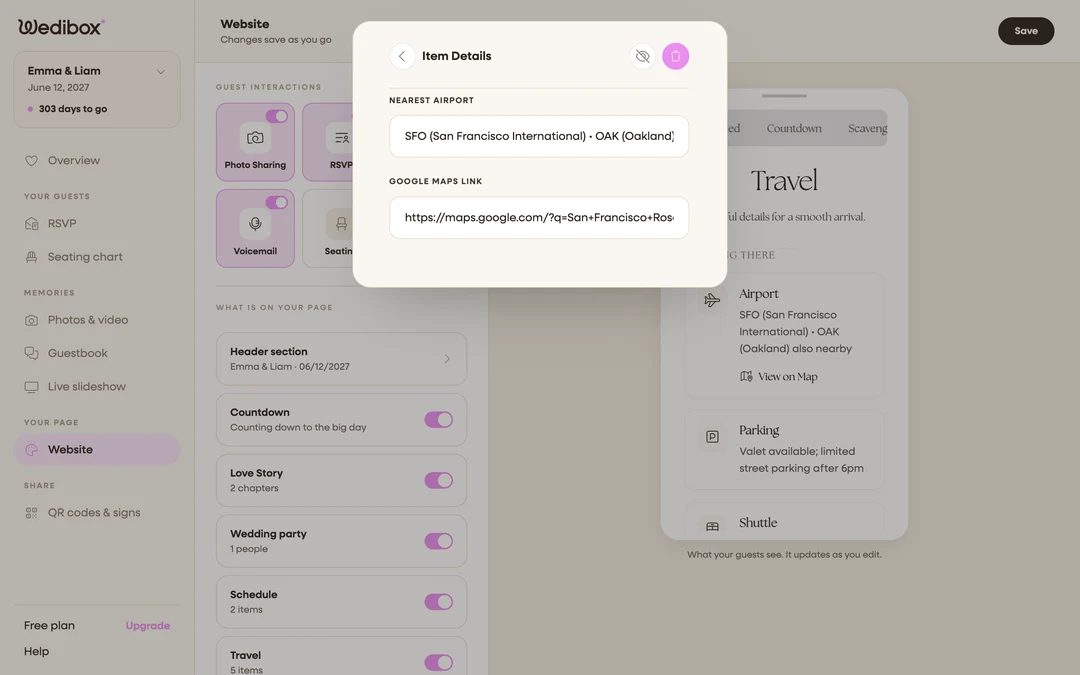
Fill in the getting-there cards. Under ARRIVALS, click ADD ITEM to create a card (or click an existing one), then open its details. The TITLE field decides which form you get. Title it Airport for NEAREST AIRPORT with a GOOGLE MAPS LINK, Parking for a PARKING NOTE, or Shuttle for SHUTTLE INFO with a SHUTTLE LINK. Any other title (Train station, Taxi, Ferry) gives you a free-text NOTES box and a GOOGLE MAPS LINK, so you can cover whatever your venue needs. Guests see these under a “Getting There” heading with a map link.
-
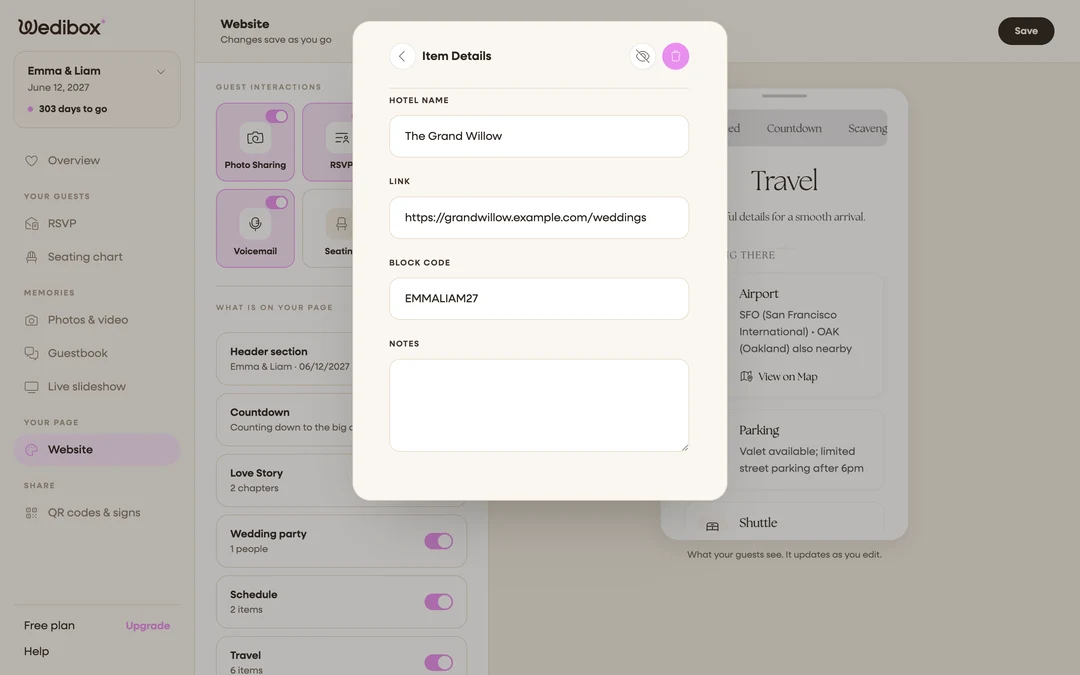
Add your hotels. Under WHERE TO STAY, click ADD HOTEL, then fill HOTEL NAME, the booking LINK, your BLOCK CODE, and any NOTES (“mention the Rivera wedding for the group rate”). Guests see the code beside a “Book Now” button, so nobody pays full price.
-
Recommend things to do. Under THINGS TO DO, click ADD ITEM and give each recommendation an ITEM TO DO name and a LINK. The brunch place, the viewpoint, the Saturday market.
-
Arrange and hide as needed. Inside any item, the arrows reorder it within its list, the eye icon hides it, and the trash icon deletes it. Close the editor to save.
What you should see
The preview shows three tidy groups (getting there, where to stay, things to do) and the card’s status line counts your items. Guests tap through to maps and hotel booking pages without asking you a thing.
If something goes wrong
- A hotel’s “Book Now” goes nowhere. Its LINK field is empty or missing
https://. Paste the full address from your browser’s address bar. - The section is on but guests don’t see it; Travel displays to guests on the All-in-One plan; see which sections come with which plan.