How to run RSVPs for multiple events or lists
RSVPAll-in-One plan
Rehearsal dinner Friday, ceremony Saturday, brunch Sunday; and not everyone is invited to everything. You have two tools for this: one RSVP form that covers several events with per-household invitations (right for almost everyone), and fully separate Wedibox events for occasions with their own page and list.
Plan: All-in-One plan · Where: Sidebar → RSVP (under “Your guests”)
Before you start
- Default to the one-form approach. Guests reply once for the whole weekend, and you keep a single dashboard, guest list, and export.
- Reserve a separate event for occasions that are genuinely separate; a shower hosted by someone else, with its own page, link, and guest list.
Steps
-
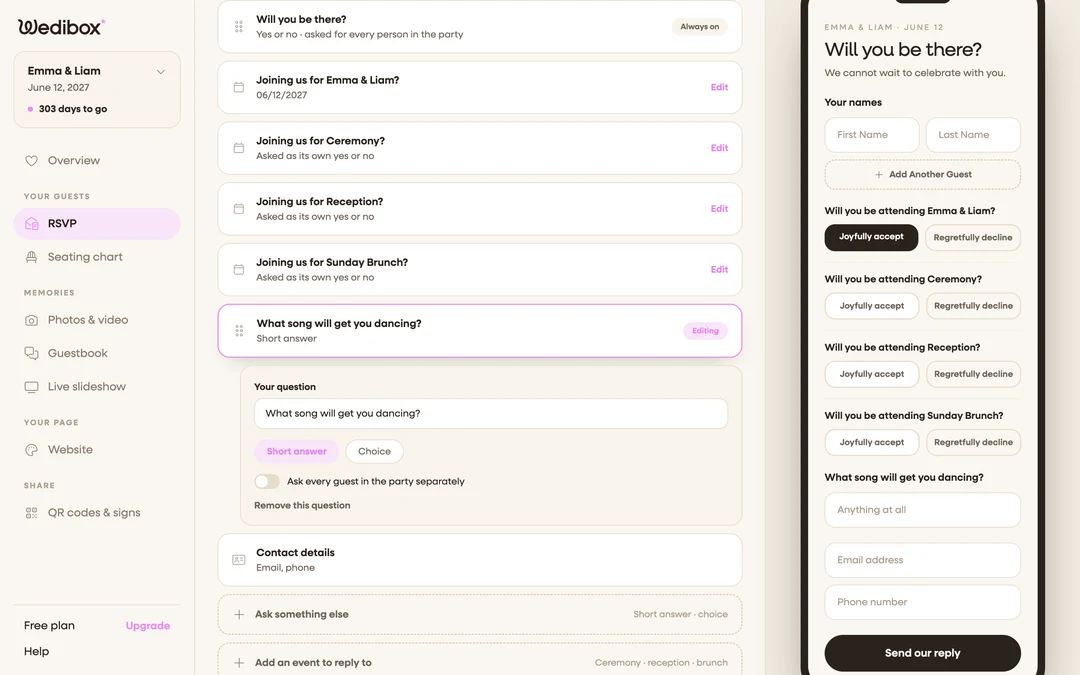
Add each occasion to your RSVP form. On the Your form tab, click Add an event to reply to and create an entry per occasion; rehearsal dinner, ceremony, reception, brunch. Each becomes its own yes/no question on the form (full walkthrough).
-
Switch to Invitation only. On the Guest list tab, select Invitation only under “Who can reply?”. Per-event invitations only work with a guest list.
-
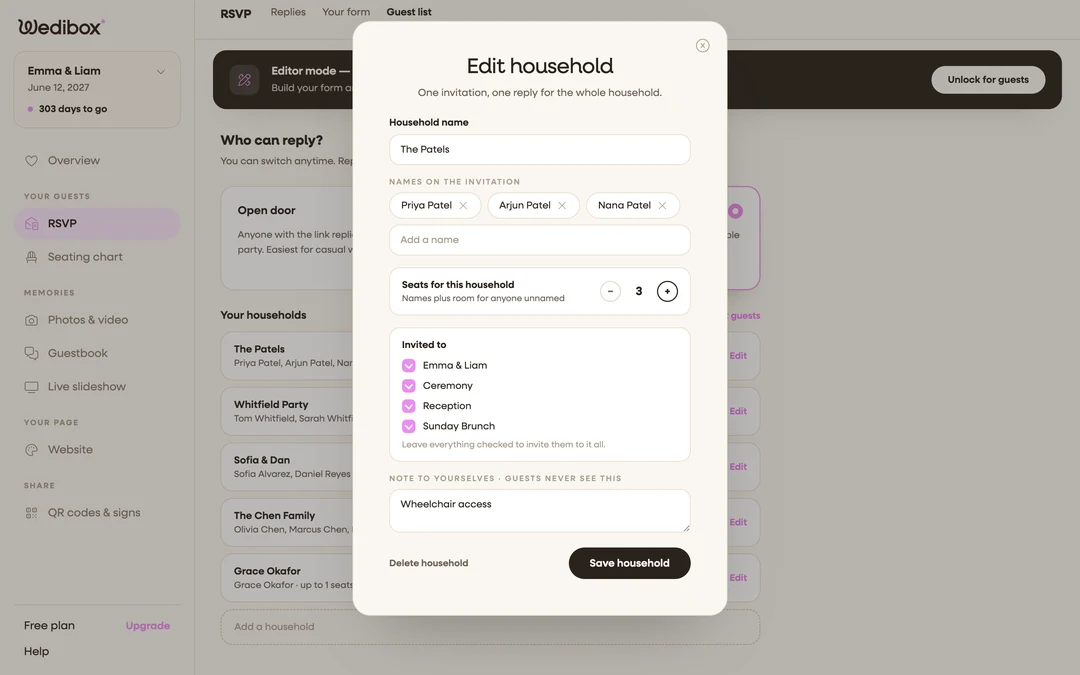
Set who’s invited to what. Edit each household and use the Invited to checkboxes: reception-only households get one box ticked; the wedding party keeps everything. Each household sees only its own events on the form; reception-only guests never see a rehearsal-dinner question.
-
Read replies per event. On the Replies tab, open any reply to see which events that party accepted. Each household row on the Guest list tab also shows which events it’s invited to.
-
Export for per-event headcounts. Click Export for caterer. The events column lists what each party accepted, so a spreadsheet filter gives you Friday’s dinner count and Sunday’s brunch count in seconds.
-
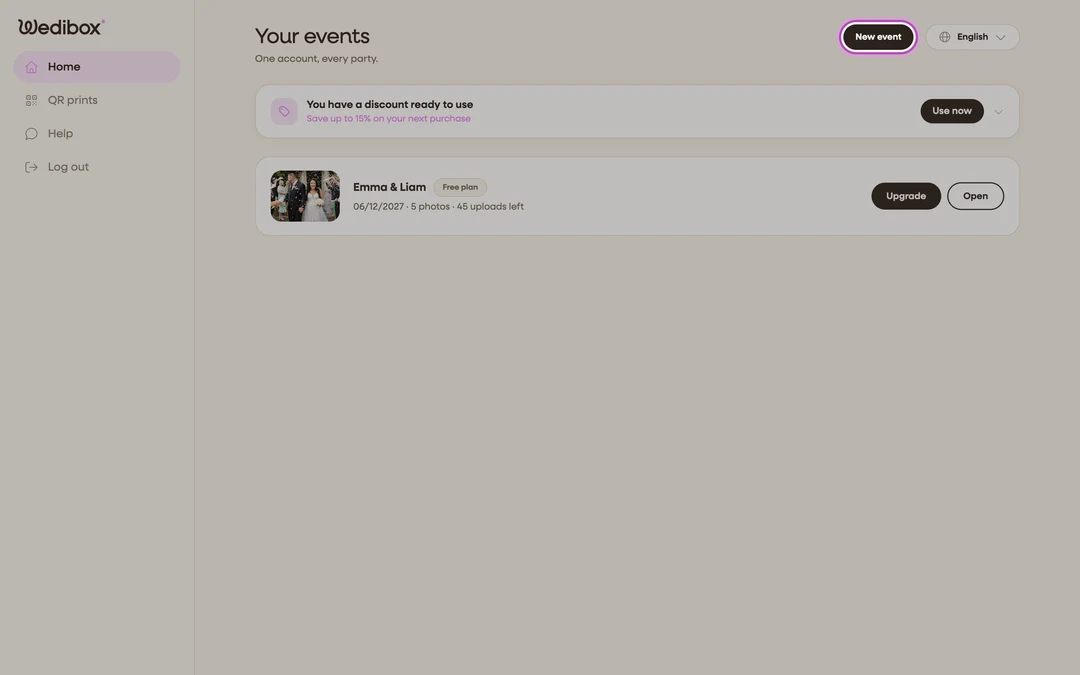
For a truly separate occasion, create a second event. On your events list, click New event. A second event is a clean slate; its own page, link, QR code, RSVP form, and guest list, so shower guests never see the wedding’s RSVP. Keep in mind that plans apply per event, so a second event has its own plan.
What you should see
One RSVP link for the whole wedding weekend, where each household is asked only about the events it’s invited to; and, if you created one, a second event with its own page and replies, switchable from your events list.
If something goes wrong
- A household sees events they shouldn’t. Their Invited to list has everything checked (which means “invited to it all”). Edit the household and untick the extras.
- You want one combined view across two events. Separate events stay separate; export each event’s CSV and merge in a spreadsheet. If that sounds like a chore, run everything as sub-events of one event instead.