How to export your guest list and responses
RSVPAll-in-One plan
Caterers want meal counts, planners want a headcount, and the venue wants names. One click exports every reply; with party sizes, contact details, events, and every custom answer; as a CSV file that opens in Excel, Google Sheets, or Numbers.
Plan: All-in-One plan · Where: Sidebar → RSVP (under “Your guests”) → Replies tab
Before you start
- The export contains replies. Households on your guest list who haven’t answered yet aren’t in the file; check the Waiting filter before you send final numbers.
- There’s nothing to configure: the file always includes every question currently on your form.
Steps
-
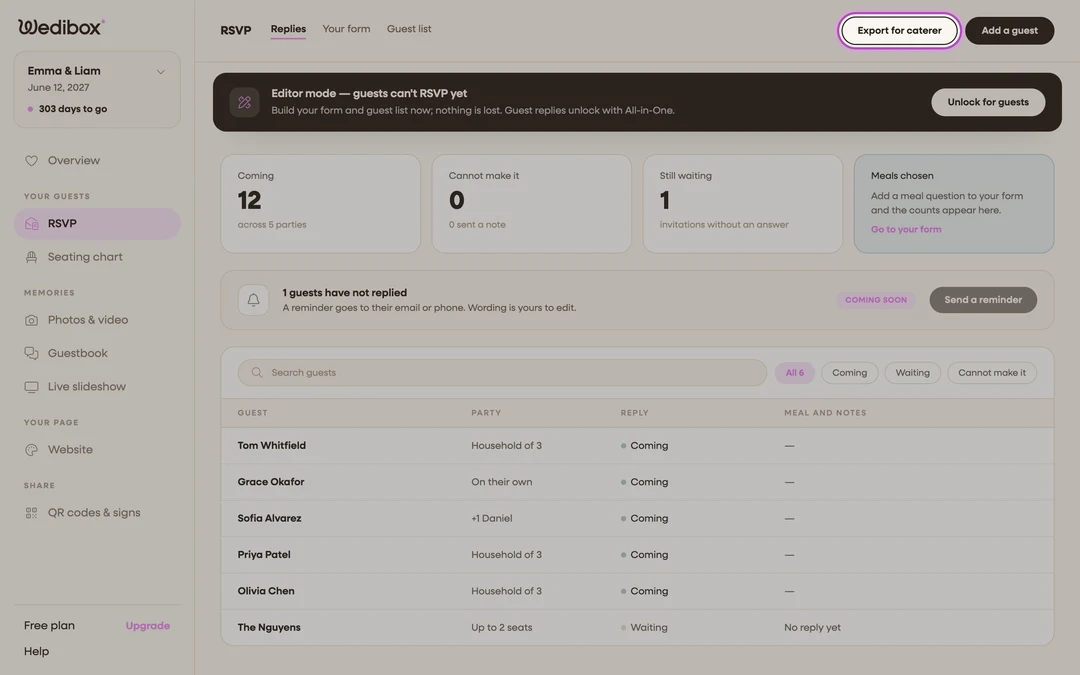
Open the Replies tab. In the sidebar, click RSVP. The Replies tab is first.
-
Click Export for caterer. It’s in the page header, next to Add a guest. Your browser downloads a CSV file immediately; no popup, no options to pick.
-
Open the file in your spreadsheet app. One row per party, with these columns: names (everyone in the party), party (size), reply (Coming / Cannot make it / Waiting), email, phone, address, events (which schedule items they accepted), and notes.
-
Find your custom answers at the end. Every custom question gets its own column. Per-guest questions list each person’s answer by name; “John Smith: Chicken; Jane Smith: Vegetarian”; which is exactly the format caterers ask for.
-
Sort or filter, then send it on. A quick sort on the reply column separates your confirmed headcount from the rest. Forward the file, or copy the meal column totals straight into an email.
-
Export again whenever numbers change. The file is a snapshot of the moment you clicked. Replies keep arriving, so re-export the week of the wedding for final counts.
What you should see
A tidy spreadsheet where the confirmed rows are your final guest list: who’s coming, how many, what they’re eating, and how to reach them. For quick on-screen totals without exporting, the Meals chosen card on the Replies tab keeps a live per-option tally.
If something goes wrong
- “No replies to export yet.”. The export needs at least one reply. Share your RSVP link and come back.
- A household is missing from the file. They haven’t replied. Filter the Replies tab by Waiting to see everyone you’re still missing, and add anyone who told you in person via Add a guest so they’re included next export.