How to manage your Drops account settings
For creatorsDrops account
Your profile is the credit on every drop: name, studio, photo, handle, and role. It also holds your studio link name, the first part of every drop address. This guide covers the Profile tab; billing and cloud connections have their own guides.
Plan: Drops account · Where: sidebar → Account (or the avatar at the top of the sidebar) → Profile
Before you start
- Have a square logo or portrait ready: JPG, PNG, or WebP, up to 5 MB.
- Profile edits apply to drops you publish from now on. A drop can override the name and handle under Personalize → You, on the drop.
Steps
-
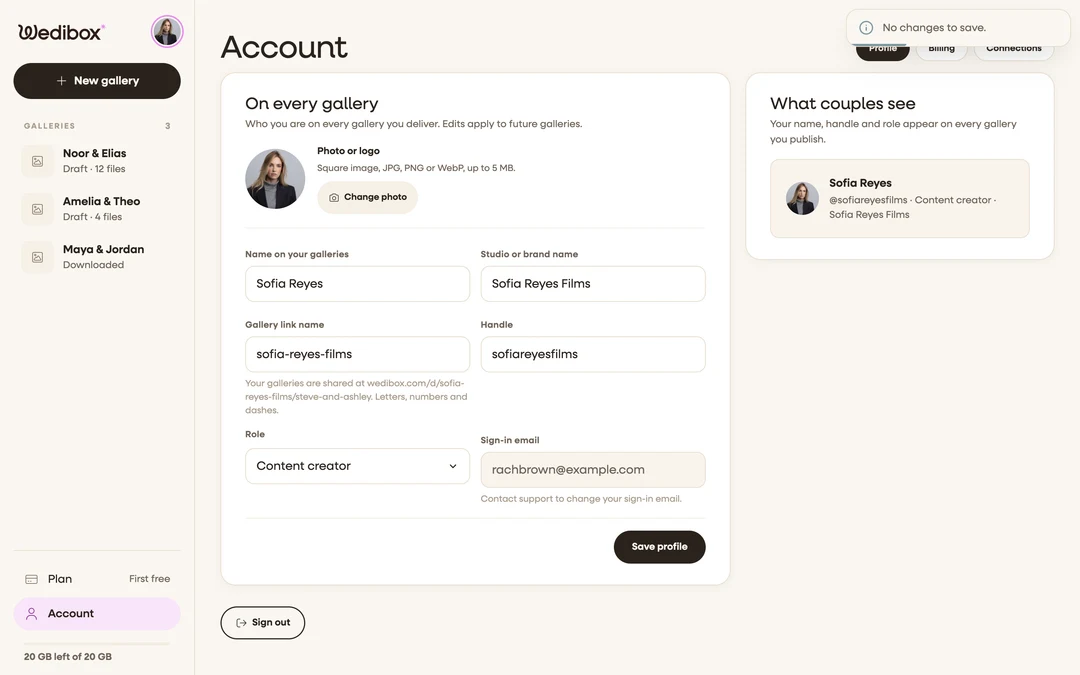
Open Account. Click Account at the bottom of the sidebar. The page opens on the Profile tab next to Billing and Connections.
-
Add your photo or logo. Under Photo or logo click Upload photo and pick the file. The toast “Photo updated.” confirms it, and the What couples see card on the right shows the result.
-
Fill in your names. Name on your galleries is the person; Studio or brand name is the business. Both are required and both show on the drop.
-
Set your Gallery link name. This is the
your-studiopart ofwedibox.com/d/your-studio/…, 3 to 40 letters, numbers, and dashes. If you change it later, every drop link you have already shared changes with it, so set it once.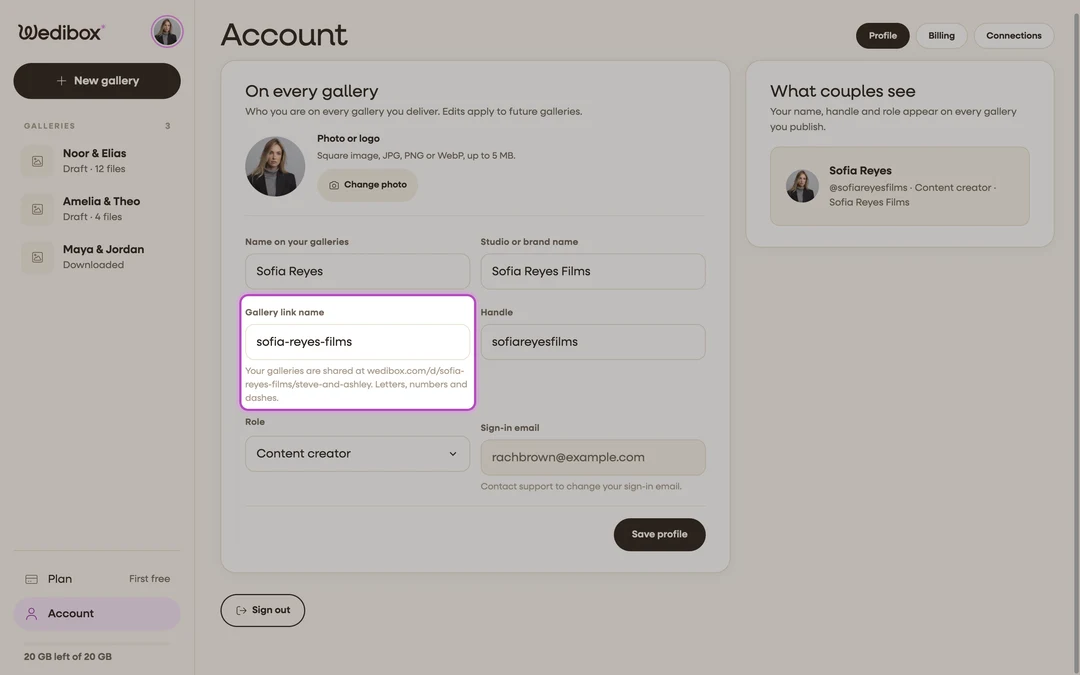
-
Add your handle and role. Type your Instagram or TikTok handle under Handle and choose Role: Content creator, Photographer, Videographer, or Something else. The couple sees “From your photographer” accordingly.
-
Click Save profile. The toast “Profile updated.” confirms it.


Changing your password
There is no password field on the Profile tab. Sign out, click Forgot your password? on the sign-in page, enter your email, and click Send reset link. Open the email, choose a new password (6 or more characters, one uppercase letter, one number), and click Save new password.
Signing out
Scroll to the bottom of the Profile tab and click Sign out. There is no sign-out in the sidebar. Uploads that are still running pause and resume when you sign in again.
What you should see
The What couples see card shows your avatar, name, and “@handle · Role · Studio” exactly as the drop credit renders them. New drops pick up the new details; the preview under Personalize on any drop shows them in place.
If something goes wrong
- “That link name is taken. Try another.” Studio link names are unique across Wedibox. Add a city or a year.
- “That image is over 5 MB. Pick a smaller one.” Export the logo at a smaller size; a 1000 by 1000 pixel PNG is plenty.
- You need to change your sign-in email. The Sign-in email field is read-only. Contact support from the help center and we change it for you.