How to password-protect a drop
For creatorsDrops account
By default a drop opens for anyone with the link. A password adds a second step for drops you would rather keep between you and the couple: the page shows the title and your name, asks for the password, and stays open on that device for 30 days once it is typed. The password is never included in the email, so you tell the couple yourself.
Plan: Drops account · Where: drop page → Share tab → Settings → Password to view
Before you start
- The password is 4 to 64 characters. Pick something you can say out loud, like a venue or a date.
- You can set it before or after publishing. Files, cover, and note stay hidden until the couple unlocks the page.
Steps
-
Open the Share tab and scroll to Settings. Under Password to view the hint reads “Ask the couple for a password before the gallery opens.”
-
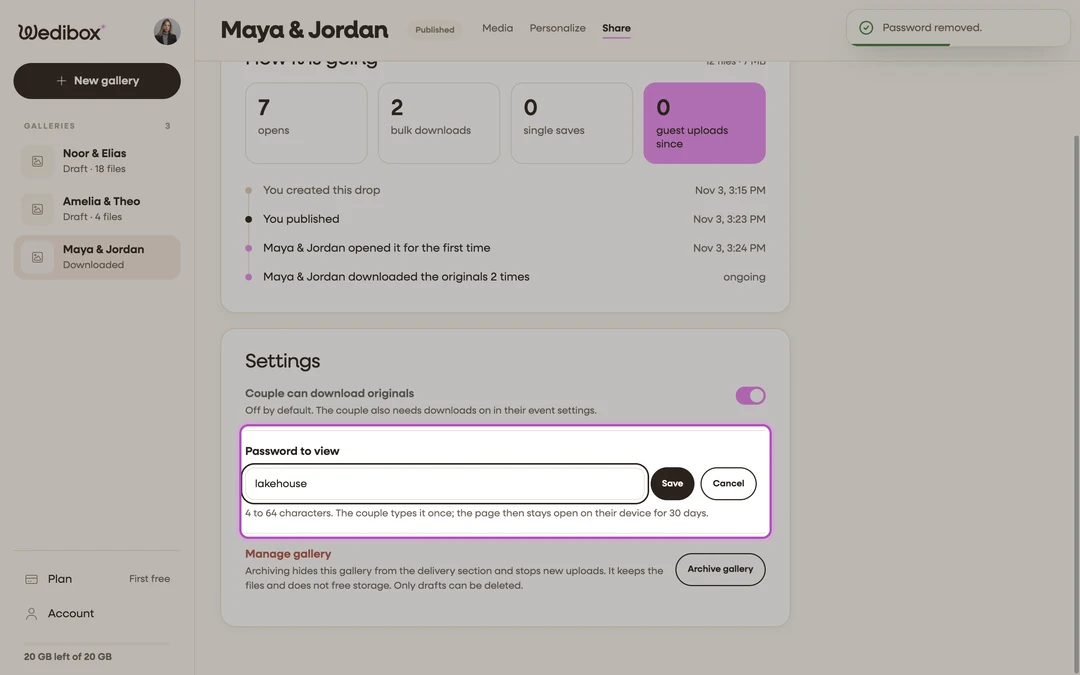
Click Set a password. A text field appears with the rule underneath: 4 to 64 characters, typed once, open for 30 days on that device.
-
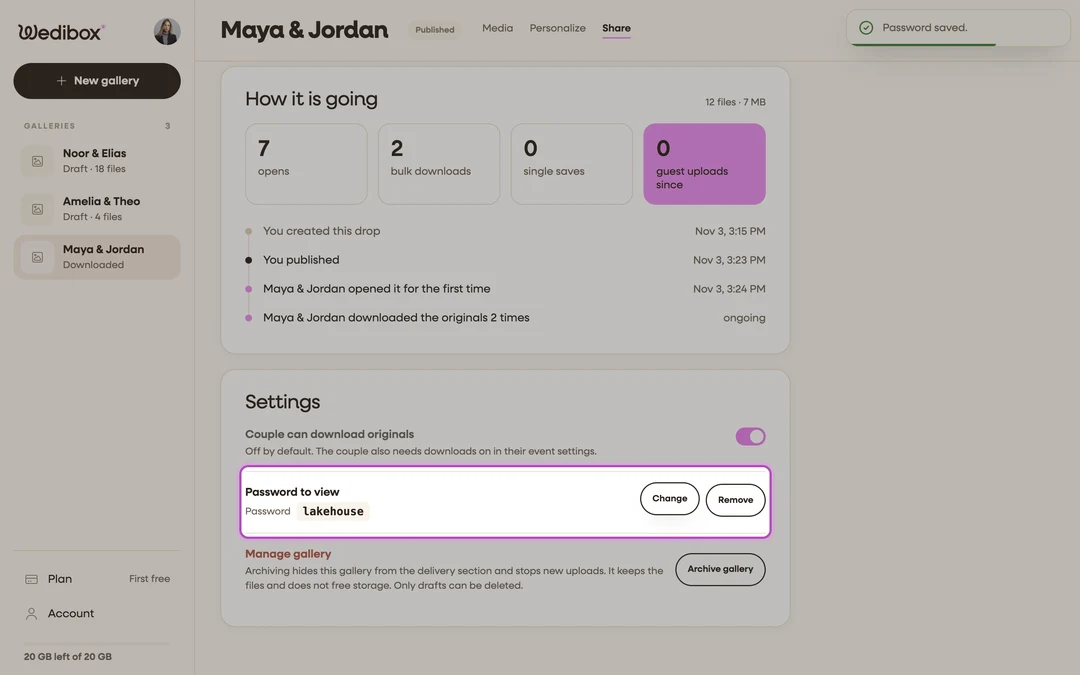
Type the password and click Save. The toast “Password saved.” confirms it. The password stays visible in plain text on this tab so you can read it back to the couple.
-
Tell the couple. Send the password separately from the link, by text or in person. The delivery email never contains it.
-
Change or remove it later. Next to the saved password click Change to type a new one, or Remove to drop the requirement. Removing takes effect immediately and asks for no confirmation.


What you should see
When the couple opens the link they see the drop’s title and your studio name in the drop’s colors, a lock, “This gallery has a password”, a Password field, and the button Open the gallery. After one correct entry the drop opens fully, and that phone or laptop stays unlocked for 30 days. A new device asks again.

If something goes wrong
- The couple sees “That is not the password.” Check capitals and spaces; the password is compared exactly, after trimming spaces at the ends.
- The couple is asked again on a device that was unlocked. The 30 days passed, or the browser cleared its site data. They type it once more.
- Save stays grey. The password is shorter than 4 characters, or it is the same as the saved one.