How to set custom prompts for messages and voicemails
GuestbookWedding plan and up
Put a microphone in front of someone and most people freeze. A prompt (“tell us the story of the night we met you”) is the difference between “congrats you two!” and a message you’ll replay for years. Wedibox keeps two prompt lists: one guests see before writing a message, one they see before recording a voicemail.
Plan: Wedding plan and up · Where: Website hub → Guest Interactions → Messages or Voicemail
Before you start
- Each list only appears when its feature is on: MESSAGE PROMPTS with COLLECT MESSAGES, VOICEMAIL PROMPTS with COLLECT VOICE MESSAGES.
- No prompts of your own? Guests see a standard set instead (for voicemails, ideas like “Give your best marriage advice”). Custom prompts replace the standard ones entirely.
Steps
-
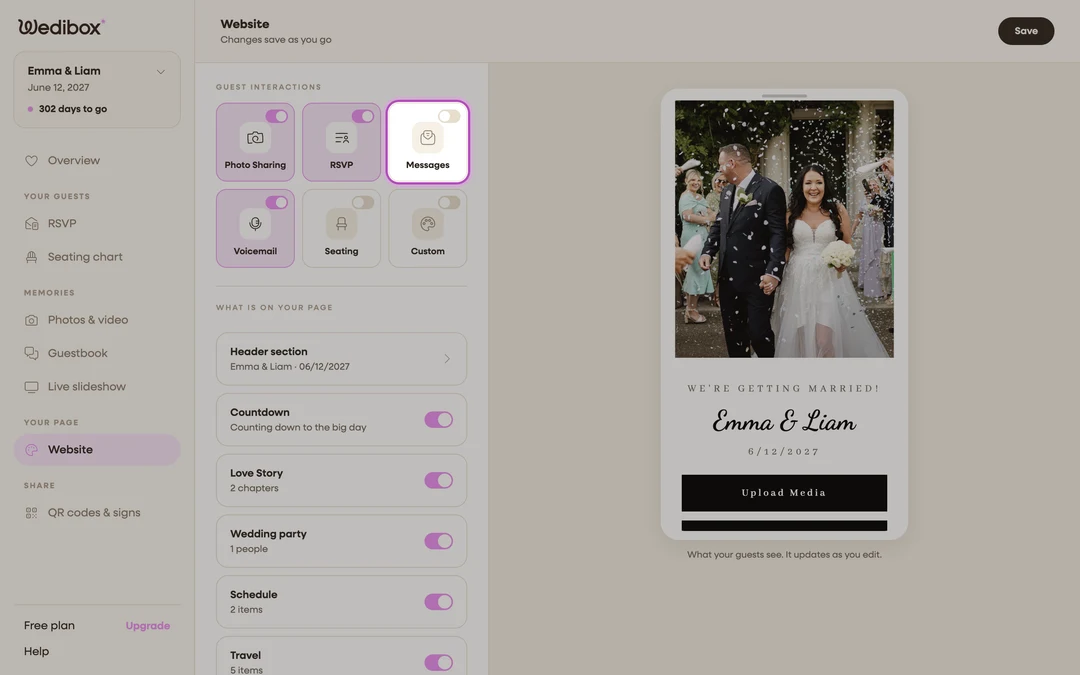
Open the Digital Guestbook panel. In the sidebar, click Website. Under Guest Interactions, click the Messages tile.
-
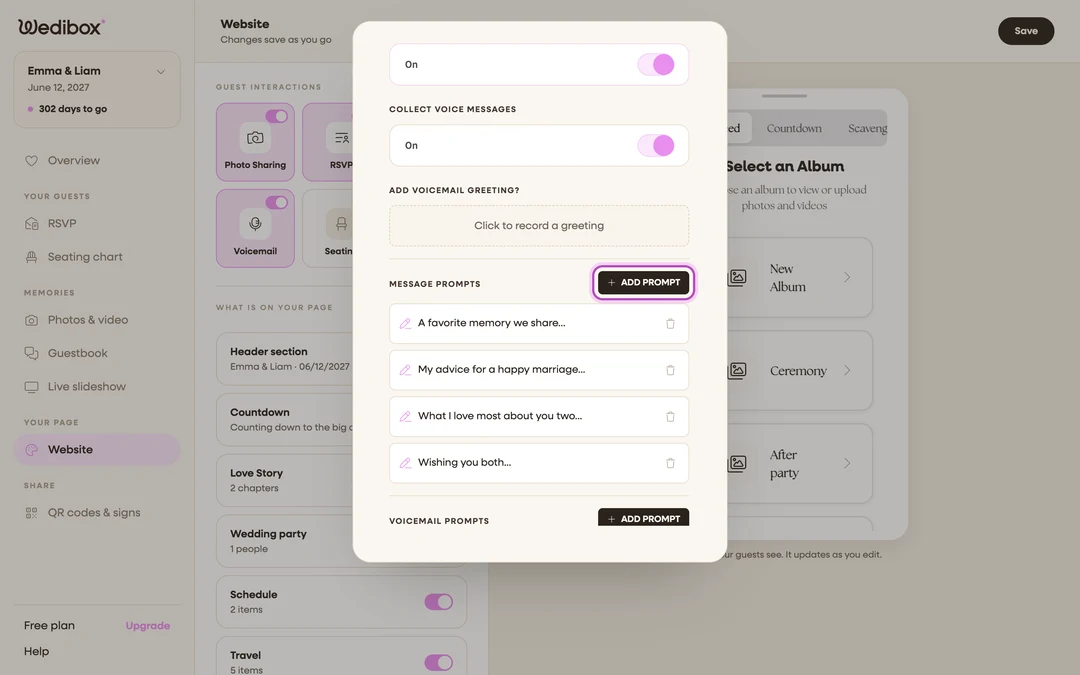
Add a message prompt. Under MESSAGE PROMPTS, click ADD PROMPT and type your prompt. Written prompts work best as unfinished sentences (“What I love most about you two…”) because tapping one drops it straight into the guest’s message box to finish.
-
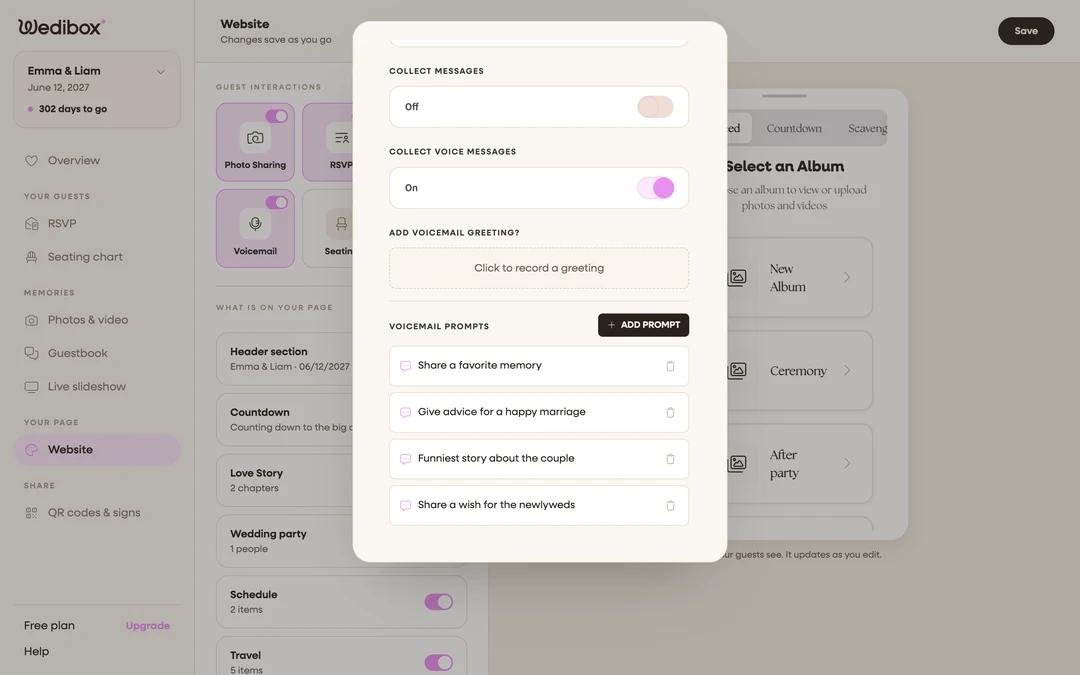
Add a voicemail prompt. Scroll to VOICEMAIL PROMPTS and click ADD PROMPT there. Voicemail prompts read best as small assignments (“Say a toast as if you’re at the reception”) since guests see them just before the beep.
-
Edit a prompt. Click any prompt’s text to edit it in place; press Enter or click away to finish. Click the trash icon next to a prompt to remove it.
-
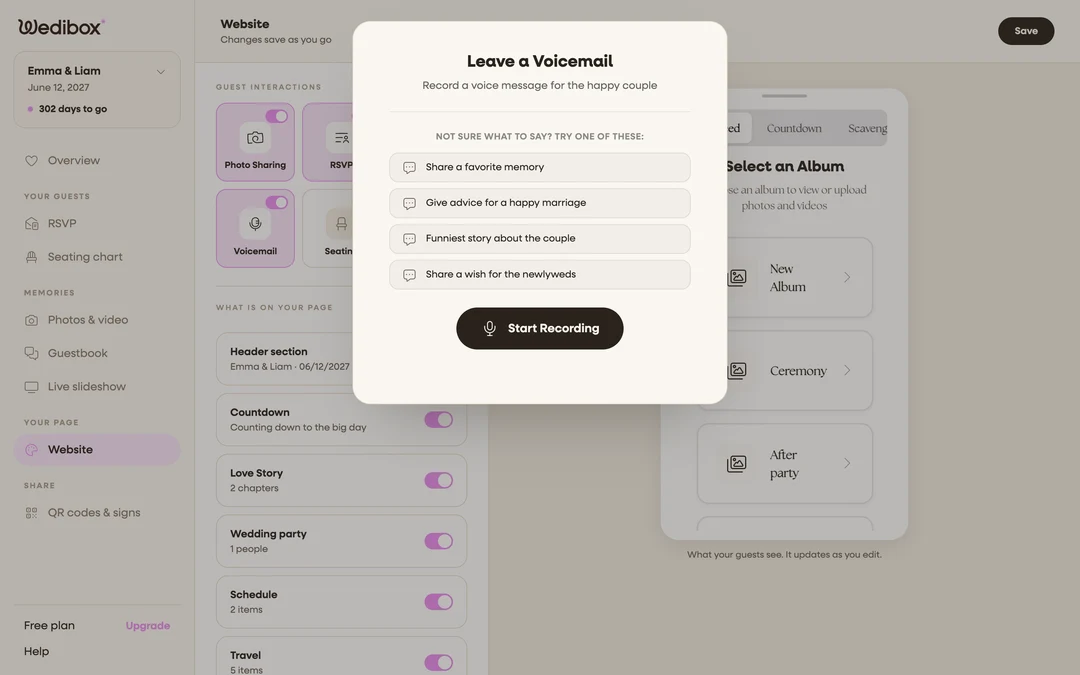
Check the guest view. Open your live page and tap the message button. Your prompts appear under “Need inspiration? Try one of these:”. Tap the voicemail button and they appear under “Not sure what to say? Try one of these:”.
-
Edit anytime from the Guestbook page. On the Guestbook page (sidebar, under “Memories”), the Your prompts card lists both sets, and its Edit link opens the same editor, handy for a quick rewrite without opening the Website editor.
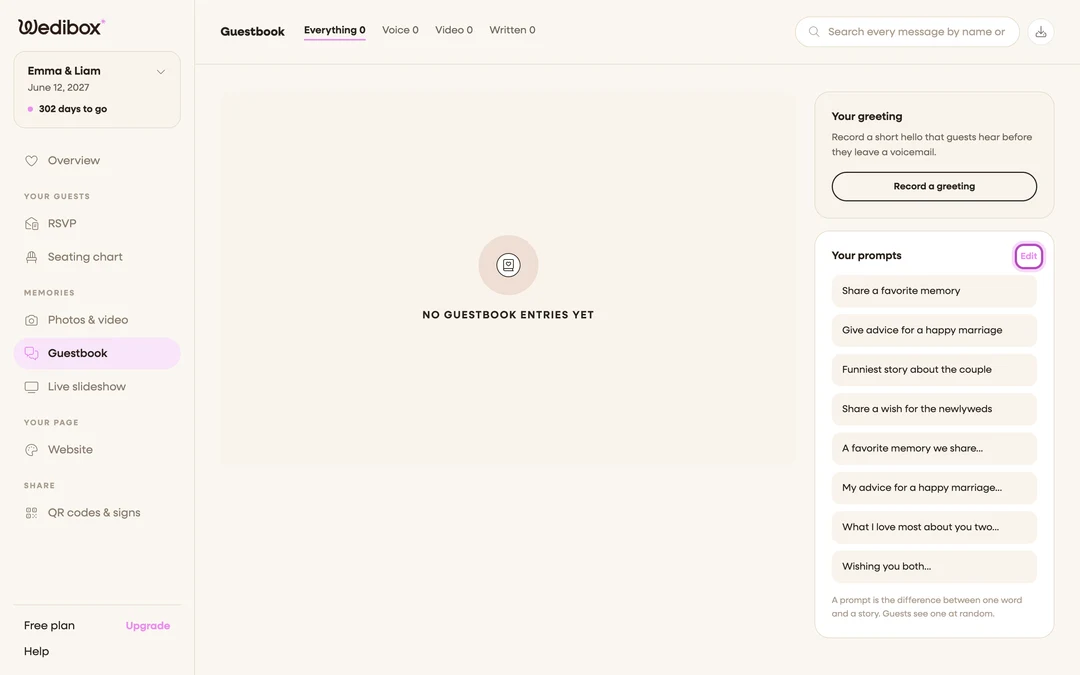

What you should see
Your prompts show in both guest popups the moment you add them. The editor saves as you go. Three to five per list is the sweet spot: enough to spark something, few enough that guests actually read them.
If something goes wrong
- A prompt list is missing from the panel: its toggle is off. Message prompts only show when COLLECT MESSAGES is on; voicemail prompts need COLLECT VOICE MESSAGES.
- Guests see prompts you never wrote: those are the standard defaults. Add at least one prompt of your own and the defaults disappear.