How to require an RSVP access code
RSVPAll-in-One plan
An access code is a light lock on your RSVP: guests need a short PIN; printed on your invitation; before their reply goes through. It’s the middle ground between a fully open form and managing a whole guest list, and it keeps strangers who stumble onto your page from submitting.
Plan: All-in-One plan · Where: Sidebar → RSVP (under “Your guests”) → Your form tab
Before you start
- One code covers everyone; there are no per-guest codes. Pick something short and easy to type on a phone.
- If your real goal is per-household control (party-size caps, name lookup), use Invitation only mode instead; the PIN works in both modes, but it doesn’t limit party sizes.
Steps
-
Open the Your form tab. In the sidebar, click RSVP, then Your form.
-
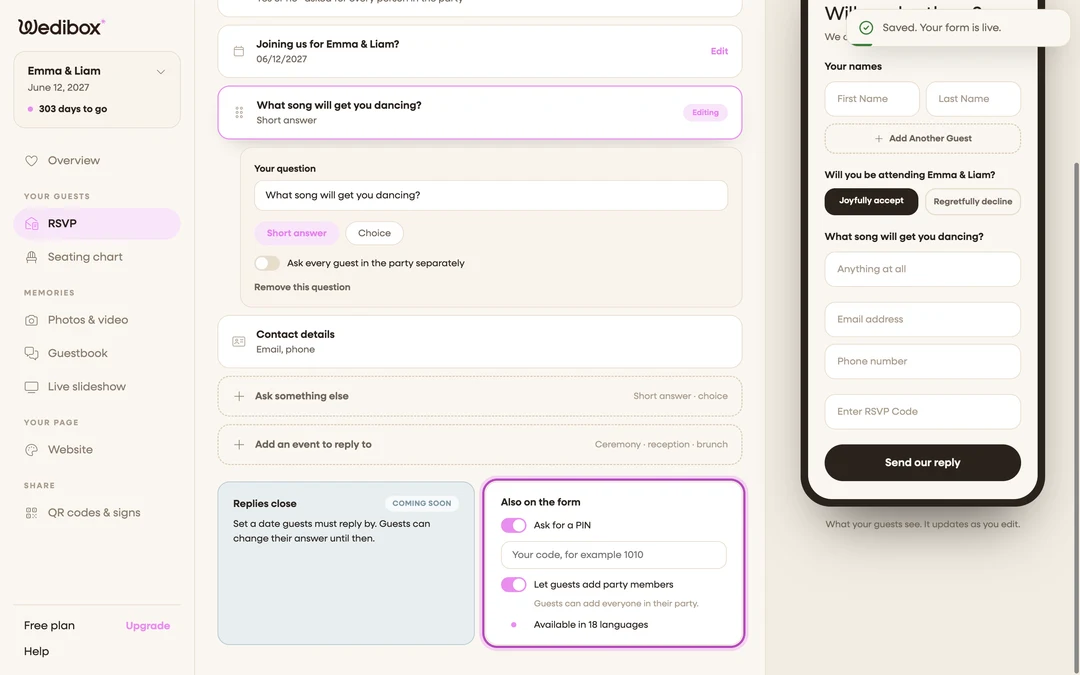
Find the “Also on the form” card. It sits below the question list, alongside the plus-ones setting.
-
Switch on Ask for a PIN. A text field appears underneath the toggle.
-
Type your code. The field suggests the format; “Your code, for example 1010”. A short number like your wedding date works well; guests will type it on a phone keyboard.
-
Click Save in the page header. “Saved. Your form is live.”; the code is required from this moment on.
-
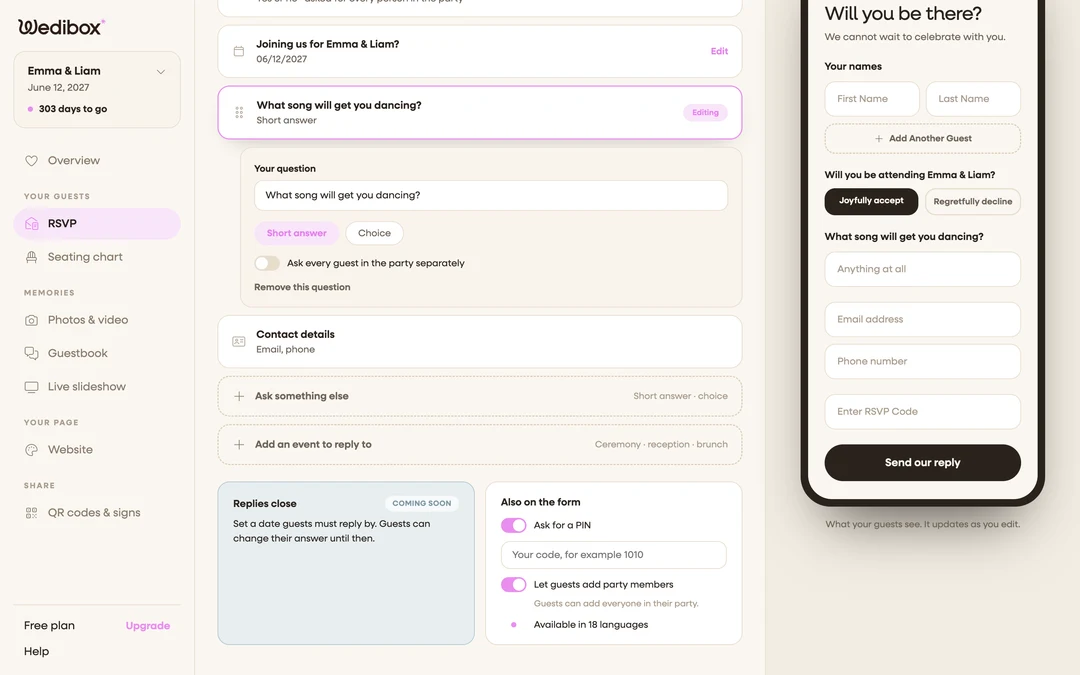
Check the phone preview. The preview on the right now shows an “Enter RSVP Code” field on the form, so you can confirm it’s active without submitting a test.
-
Put the code on your invitations. Add a line like “RSVP online; code 1010” next to your QR code or link. Guests without the code cannot get their reply through.
What you should see
Guests fill in the form as usual and enter the code on the attendance step. With the right code, the reply submits normally; with the wrong one, they see “The code you entered is incorrect.” and can try again. Nothing else about the form changes.
If something goes wrong
- Guests keep reporting the code doesn’t work. The code is checked exactly as you typed it. Check your saved code on the Your form tab for typos or stray spaces, and make sure the invitation matches it character for character.
- You want to drop the code later. Switch Ask for a PIN off and click Save. Replies already submitted are unaffected.