How to become a Wedibox partner
For partnersPartner program
Signing up takes about two minutes and costs nothing: every new partner starts with one free event to gift, no credit card needed. You’ll pick your coupon code, create your login, and land in a dashboard that walks you through the rest.
Plan: Partner program · Where: wedibox.com/w/partners/register
Before you start
- Know what you want your coupon code to be (something short and on-brand, like your business name plus the year). You can also let Wedibox generate one, but the code can’t be changed later.
- Have a logo file handy (PNG or SVG with a transparent background works best); you’ll add it right after signup so your flyers and gift emails carry your brand.
Steps
-
Open the partner registration page. Go to wedibox.com/w/partners/register (or click Create an account on the partner login page).
-
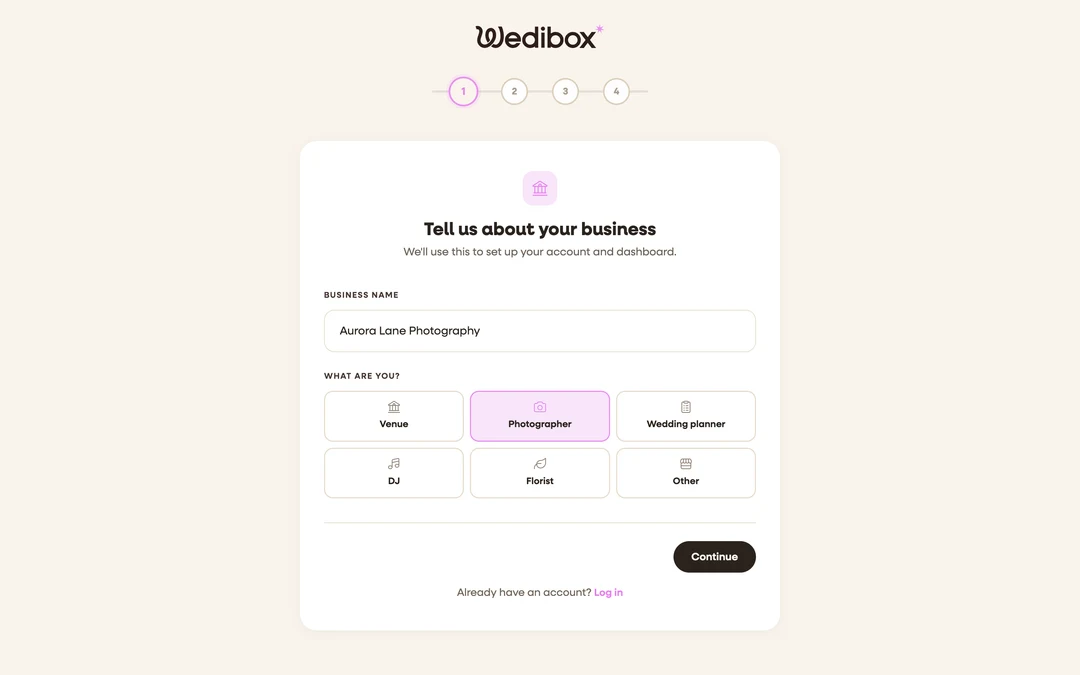
Tell us about your business. Enter your Business name and pick what you are: Venue, Photographer, Wedding planner, DJ, Florist, or Other. Your type also picks which free tool leads on your dashboard, and you can change it later in Settings.
-
Answer a few quick details. Pick how many weddings you do per year and your main goal with Wedibox, then click Continue.
-
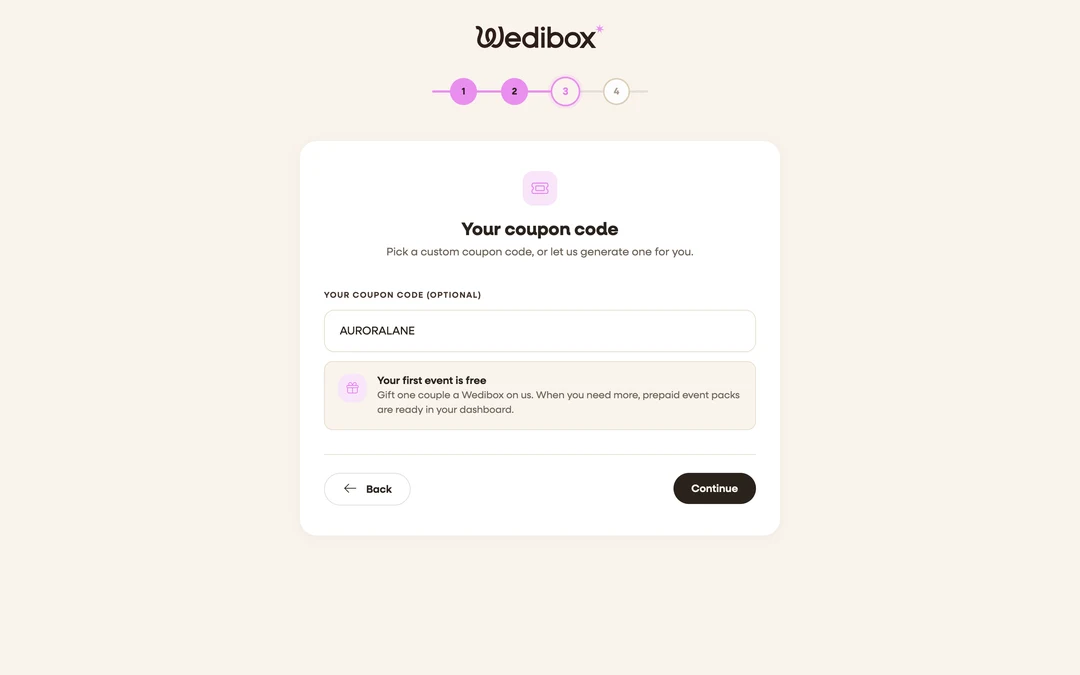
Pick your coupon code. Type a custom code in Your coupon code (optional), or leave it blank for an auto-generated one. This is the code couples will redeem, so keep it short and easy to say out loud.
-
Create your login. Enter your Email and a password (at least 6 characters with one uppercase letter and one number), then click Create account.
-
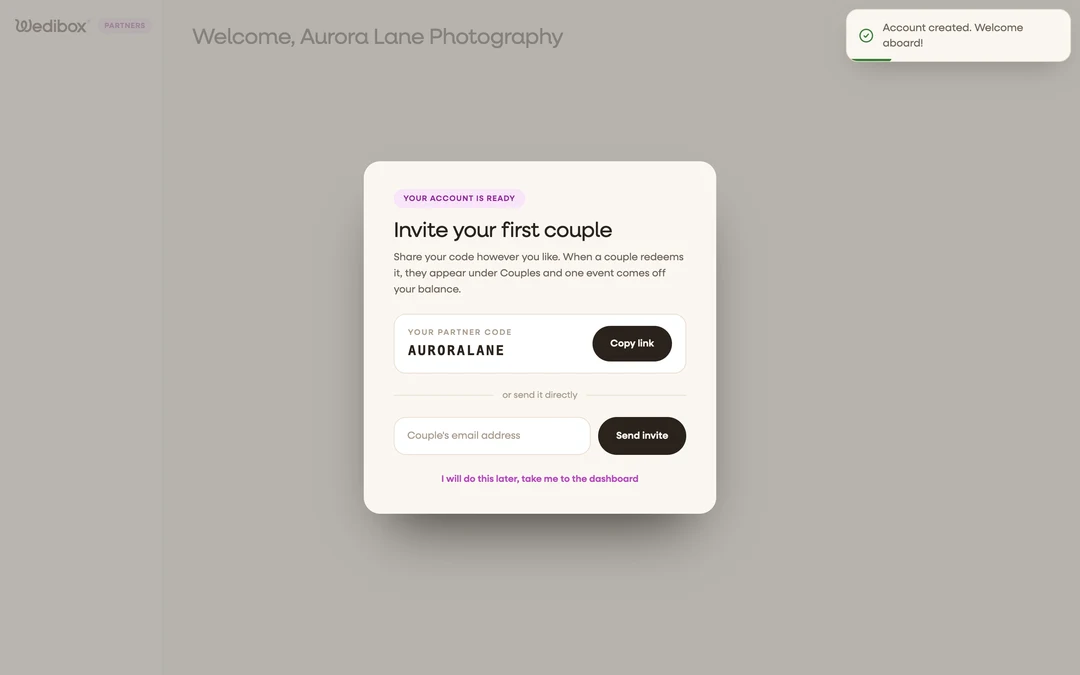
Invite your first couple, or skip for now. The welcome screen shows your new partner code with a Copy link button, and a field to send your first gift invite by email. Click I will do this later, take me to the dashboard if you’d rather look around first.
-
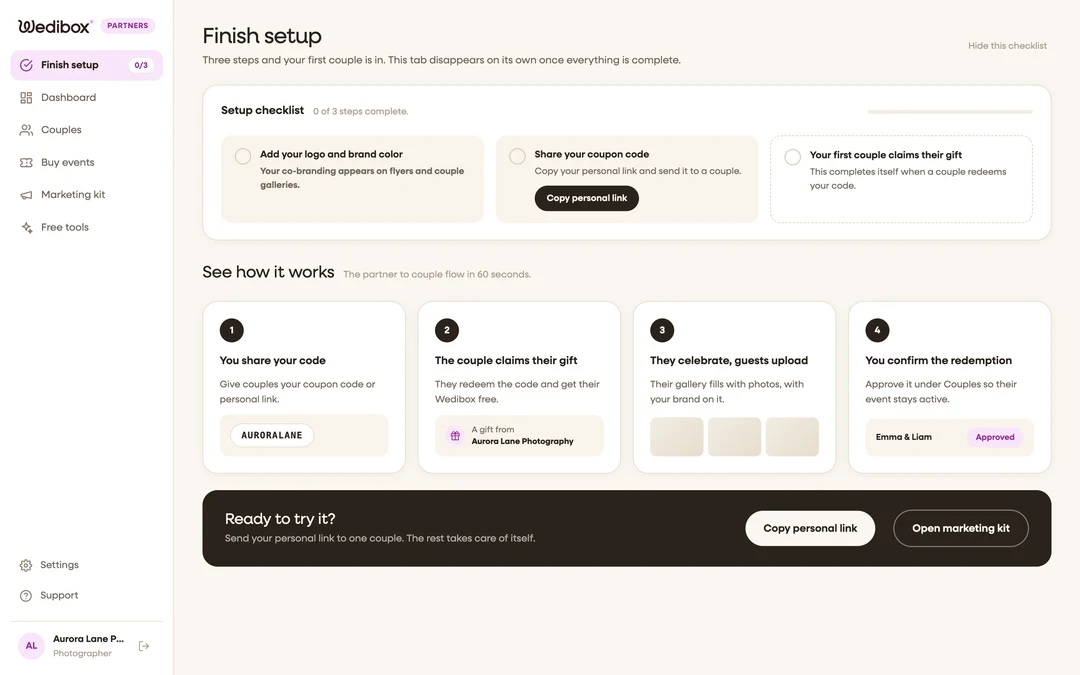
Work through Finish setup. The sidebar shows a temporary Finish setup tab with three steps: add your logo and brand color, share your coupon code, and get your first redemption. The tab disappears on its own once everything is done.


What you should see
Your dashboard greets you by name, shows Your partner code with copy buttons and a QR code, and the pill in the corner counts your remaining events (starting at 1, your free one). When a couple redeems the code, they appear under Couples.
If something goes wrong
- “Registration failed. Please try again.” Usually the email is already registered as a partner. Try logging in at wedibox.com/w/partners/login instead.
- You picked the wrong business type. Open Settings, change Partner type, and click Save profile; the Free tools page reorders itself to match.