How to invite couples and gift them Wedibox
For partnersPartner program
There are two ways to get your code into a couple’s hands: send them a gift email straight from the portal, or copy your personal link and share it however you like (a text, your booking email, a QR on your flyer). The invite email is the nicest unwrapping experience, and the portal tracks it until the couple redeems.
Plan: Partner program · Where: Partner portal → Couples → Invite a couple
Before you start
- Upload your logo in the Marketing kit first if you can; the gift email carries your branding, and it looks better with your logo on it.
- Have the couple’s email address. Their names and wedding date are optional but make the invite feel personal.
Steps
-
Open the invite popup. In the Couples tab (or the Overview empty state), click Invite a couple.
-
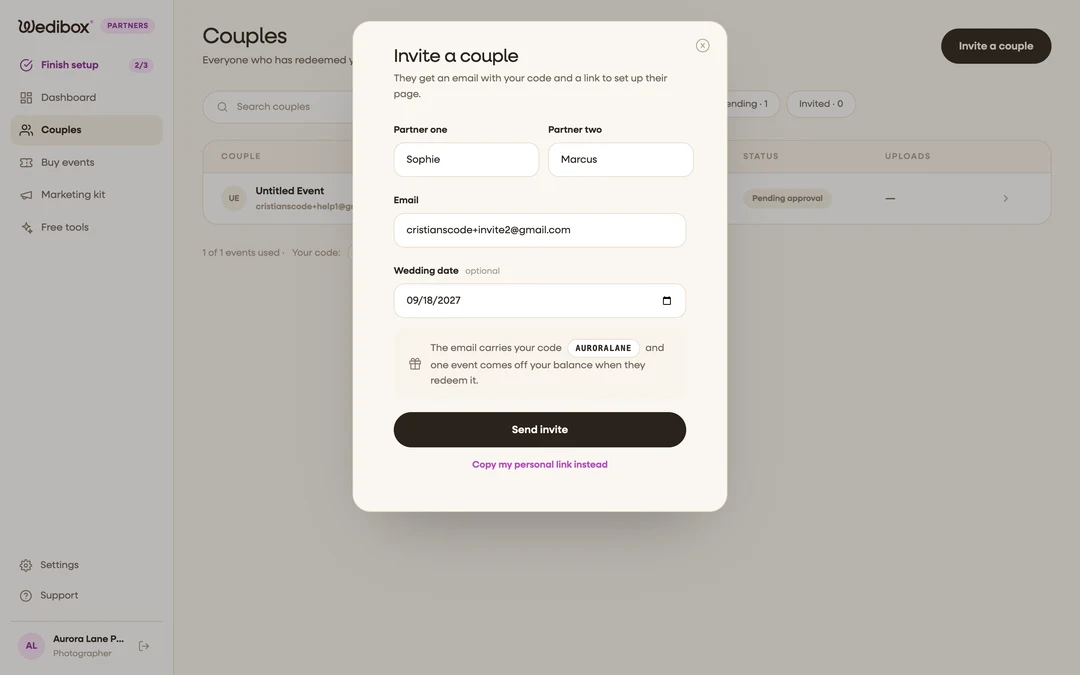
Fill in the couple’s details. Enter Partner one and Partner two (their first names), the Email the invite should go to, and the Wedding date if you know it. Only the email is required.
-
Click “Send invite”. The note above the button reminds you: the email carries your code, and one event comes off your balance when they redeem it (not when you send the invite, so inviting is always free).
-
Know what the couple receives. The email arrives from “{Your business} via Wedibox” with your logo, your code in a gift box, and a Redeem your gift button. Replies go straight to your own email address; Wedibox never emails your couples beyond this invite.
-
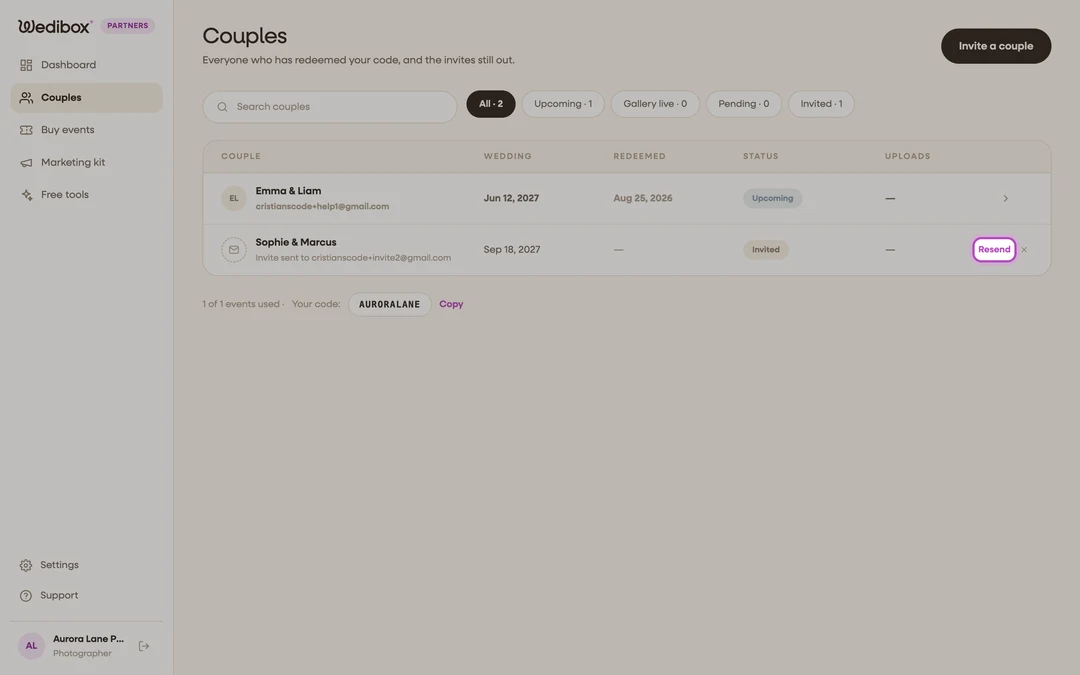
Track the invite. The couple now shows in your Couples table with an Invited chip. Use Resend if it got buried, or the X to remove the invite.
-
Prefer to share the link yourself? Click Copy my personal link instead at the bottom of the popup (or Copy link on the Overview code card). The link opens your redemption page with the code already filled in.

What you should see
When the couple redeems, the Invited row turns into a real couple row with their wedding date and a Pending approval chip, and one event comes off your balance. From there, approve it as described in How to track couples and approve redemptions.
If something goes wrong
- “Invite saved, but the email could not be sent. Try resending.” The invite is stored; click Resend on its row in the Couples table.
- The couple says the code doesn’t work. Check your events pill; if your balance is at zero, the redeem page tells them the code has reached its limit. Buy a pack and have them try again.