How to buy partner event packs
For partnersPartner program
One event covers one couple’s full Wedibox experience, a $49 retail value. You buy events in prepaid packs and gift them at your own pace; unused events stay in your balance, so stocking up for the season is safe.
Plan: Partner program · Where: Partner portal → Buy events
Before you start
- Check the pill in the page header for your current balance (“{count} events remaining”). Your free first event is already in it.
- Have a card ready; checkout runs through Stripe and your invoice arrives by email.
Steps
-
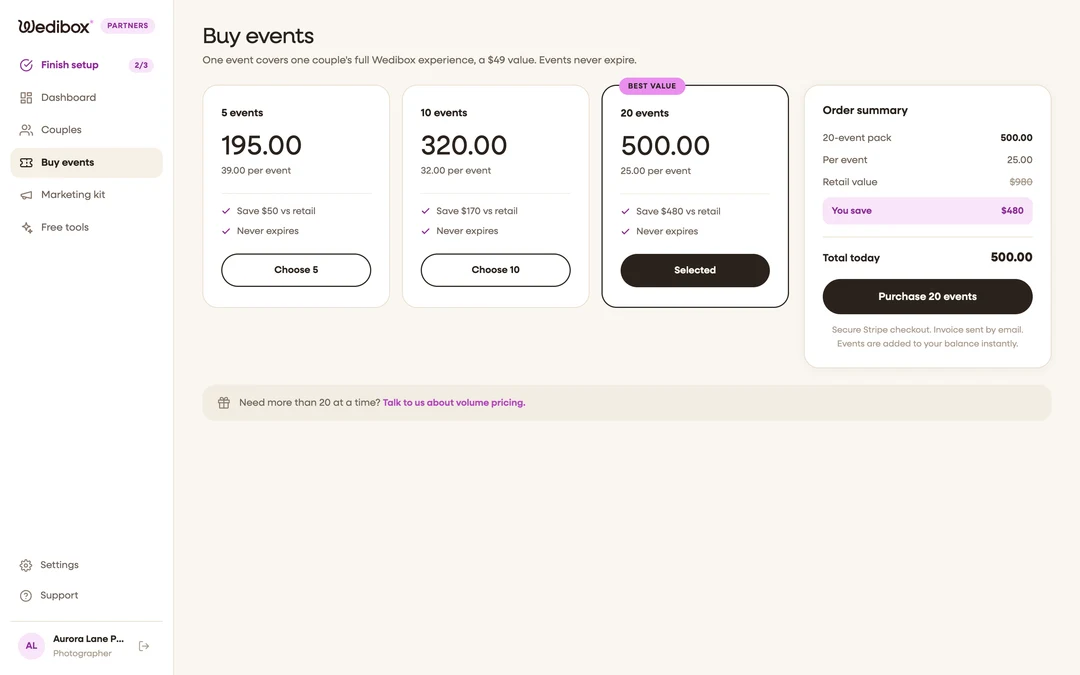
Open the Buy events tab. Three tier cards appear: 5 events, 10 events, and 20 events. Each shows the price, the per-event cost, and how much you save against the $49 retail value; the 20 pack carries the Best value ribbon.
-
Pick a pack. Click Choose 5, Choose 10, or Choose 20; the card flips to Selected and the order summary on the right updates.
-
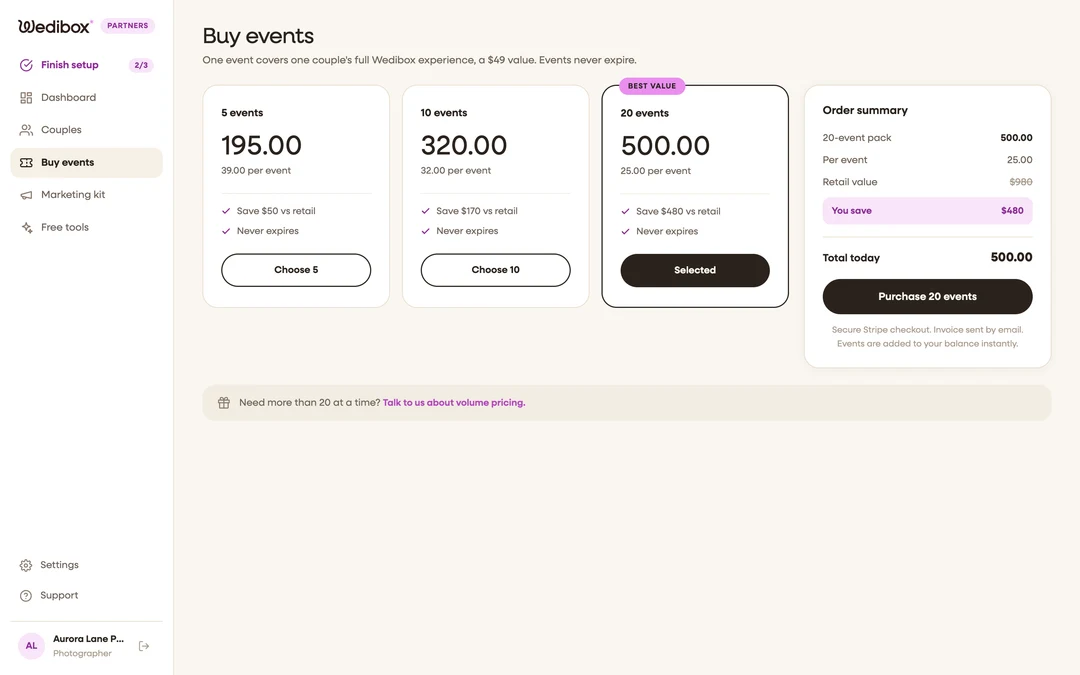
Review the order summary. It lists the pack, the per-event price, the struck-through retail value, the You save line, and Total today.
-
Click “Purchase {count} events”. You leave the portal for Stripe’s secure checkout page; pay there as usual.
-
Return to the portal. Stripe sends you back to the Buy events tab with a “Pack credited” confirmation, and your events pill updates. If the number lags a few seconds behind, refresh; credits are applied by Stripe’s confirmation, not the redirect.


What you should see
Your balance pill includes the new events immediately, and every tab’s footer math (“{used} of {cap} events used”) updates to the new cap. There’s nothing to activate; your existing code simply keeps working for more couples.
If something goes wrong
- You canceled checkout. The portal shows “Checkout canceled” and nothing is charged; pick a pack again whenever you’re ready.
- Paid but the balance didn’t move. Give it a minute and refresh; if it still hasn’t updated, email hello@wedibox.com with your Stripe receipt.
- You need more than 20 at a time. Use the “Talk to us about volume pricing” link at the bottom of the page.