How to change your event's language
Getting startedAll plans
Your wedding page’s buttons, prompts, and instructions appear in whatever language you set as the event default, so a German wedding reads in German the moment a guest scans the code. Guests who prefer another language can switch on the page themselves; your default is just the starting point.
Plan: All plans · Where: Event sidebar → your event’s name → Settings
Before you start
- This sets the language of the Wedibox interface on your page (upload screens, RSVP form, guestbook prompts). Text you wrote yourself (your love story, FAQs, schedule) stays exactly as you typed it, so write those in the language most guests share.
- Wedibox supports 18 languages: English, Spanish, French, German, Italian, Portuguese, Dutch, Swedish, Romanian, Greek, Russian, Turkish, Chinese, Japanese, Hindi, Norwegian, Finnish, and Danish.
Steps
-
Open your event. From Your events, click Open on the event.
-
Open Settings. Click your event’s name at the top of the sidebar, then click Settings (labeled “Language, privacy, delete”).
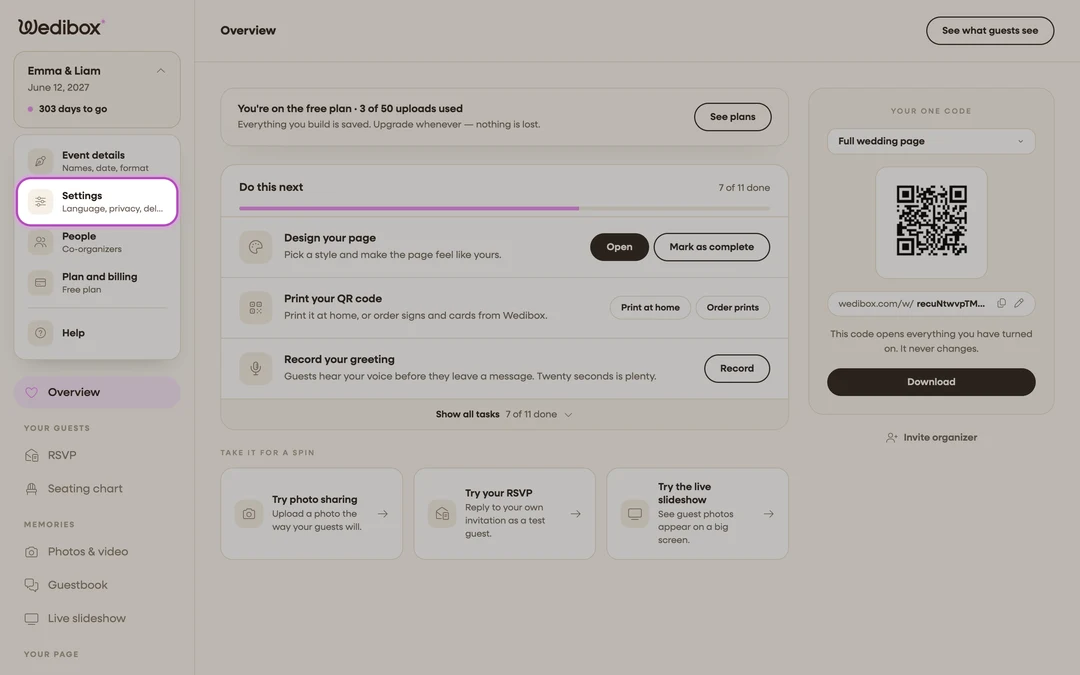
-
Pick the language. In the Configure Event Settings panel, choose from the Default Language dropdown.
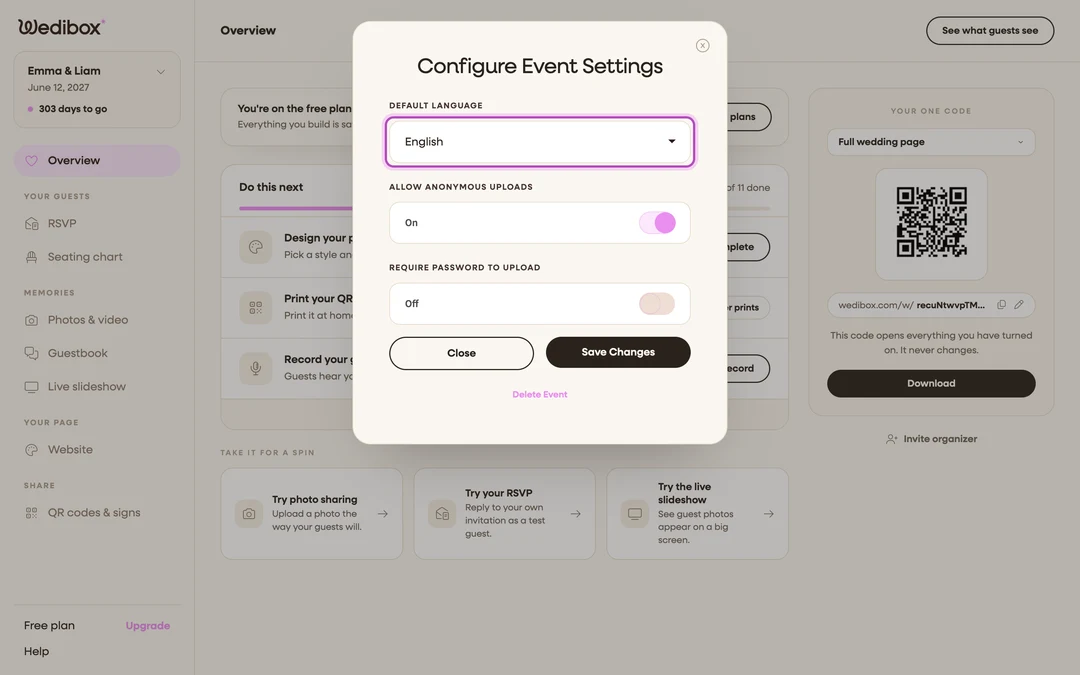
-
Click Save Changes. The new default applies to your live page immediately.
-
Check it as a guest. Click See what guests see on the Overview; the page should load in the language you picked.

What you should see
Your public page’s interface (upload button, RSVP form, voicemail prompts, all of it) in the new language for every fresh visitor. Guests still get a language button at the top of the page with all 18 options, so a mixed-language guest list is never stuck.

If something goes wrong
- Your dashboard changed language instead of your page. The language switcher on Your events controls your portal only. The guest-facing default lives in Settings → Default Language, per event.
- Your own text didn’t translate. That’s by design. Section content you wrote is shown verbatim; only Wedibox’s interface strings are translated.
- A guest sees the wrong language. They switched it with the on-page language button. They can switch back the same way, and reloading the page returns to your default.