How to upload photos to a Wedibox event
For guestsFor guests
The couple wants the photos on your phone: the ones no photographer caught. Uploading takes under a minute, straight from your camera roll. There’s no app to install and no account to create.
Plan: For guests · Where: the QR code on your table, or the link the couple shared
Before you start
- Nothing to install. Everything happens in your phone’s browser.
- Photos and videos both work (videos if the couple enabled them). Files can be up to 3 GB each.
Steps
-
Scan the QR code. Point your phone’s camera at the QR code on the table card or sign and tap the link that pops up. No QR handy? Open the link from the couple’s website or message instead.
-
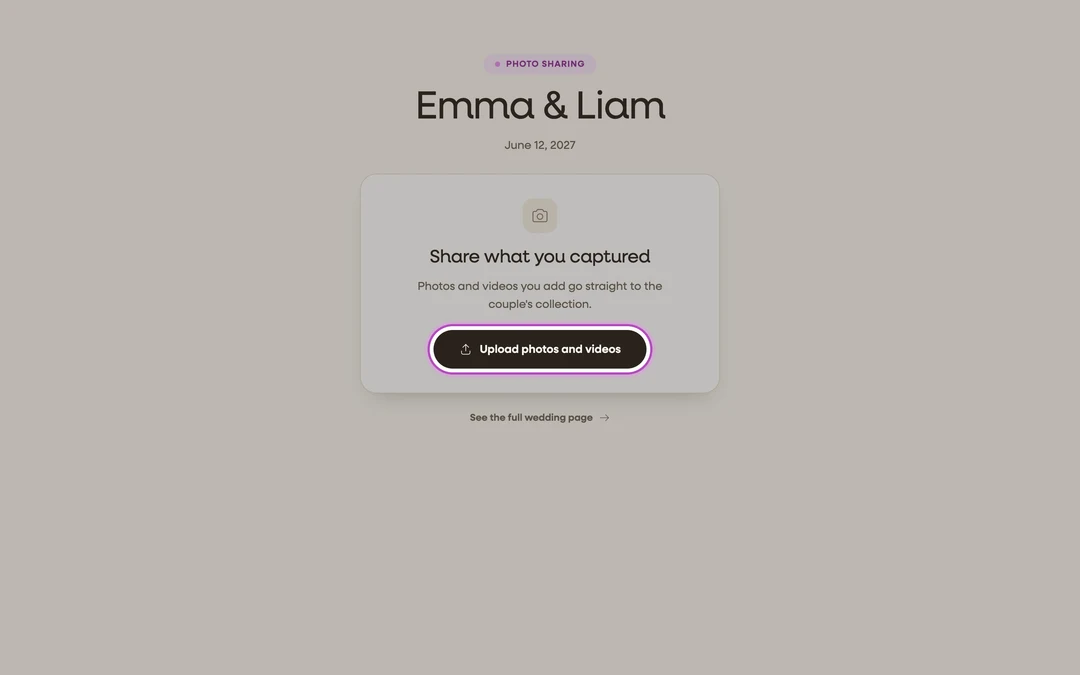
Tap the upload button. On the page that opens, tap Upload photos and videos (on the couple’s full wedding page, the upload button may have its own wording. It’s the big button at the top).
-
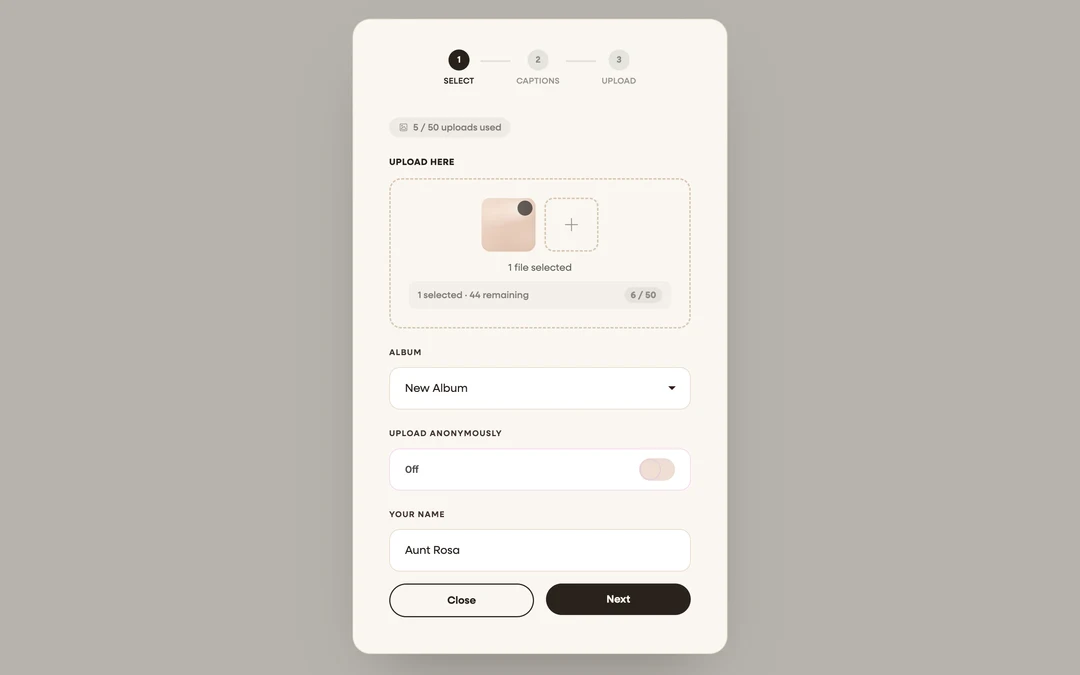
Pick your photos. Tap Click to select files and choose as many photos or videos as you like from your camera roll. Tap the + tile to add more.
-
Add your name. Type it under Your Name so the couple knows who the memories came from. If the couple allows it, you can flip on Upload Anonymously instead. If they’ve set an upload password, enter it under Password to Upload (it’s usually printed next to the QR code). Tap Next.
-
Caption if you like, then send. Captions are optional. Skip straight to the upload button if you’re mid-reception. Keep the page open while the progress bar runs.


What you should see
A “Thank You!” screen: “Your photos have been uploaded successfully and will appear in the gallery shortly.” Tap Done, and that’s it. Your photos are saved to the couple’s collection, and if their gallery is public you’ll spot them there moments later. The first time you upload from a phone you may also see a small “Getting married too?” card with a Start my free page button. It’s an invitation to try Wedibox for your own wedding; ignore it if you’re only here for the party.
If something goes wrong
- The upload stalls or fails: usually venue wifi. Wedibox retries automatically; if it still fails, switch between wifi and mobile data and try again. More fixes: Trouble uploading?
- “Invalid password. Please try again.”: ask the couple or a member of the wedding party for the exact upload password.
- You opened the link inside Instagram or Facebook: their built-in browsers can block file pickers. Open the link in Safari or Chrome and it will work.