How to browse, like, and download event photos
For guestsFor guests
Everything guests upload lands in one shared gallery on the couple’s wedding page. You can scroll it during the reception to see the day from everyone else’s angle, heart the shots you love, leave comments, and download copies for yourself.
Plan: For guests · Where: the gallery section on the couple’s wedding page
Steps
-
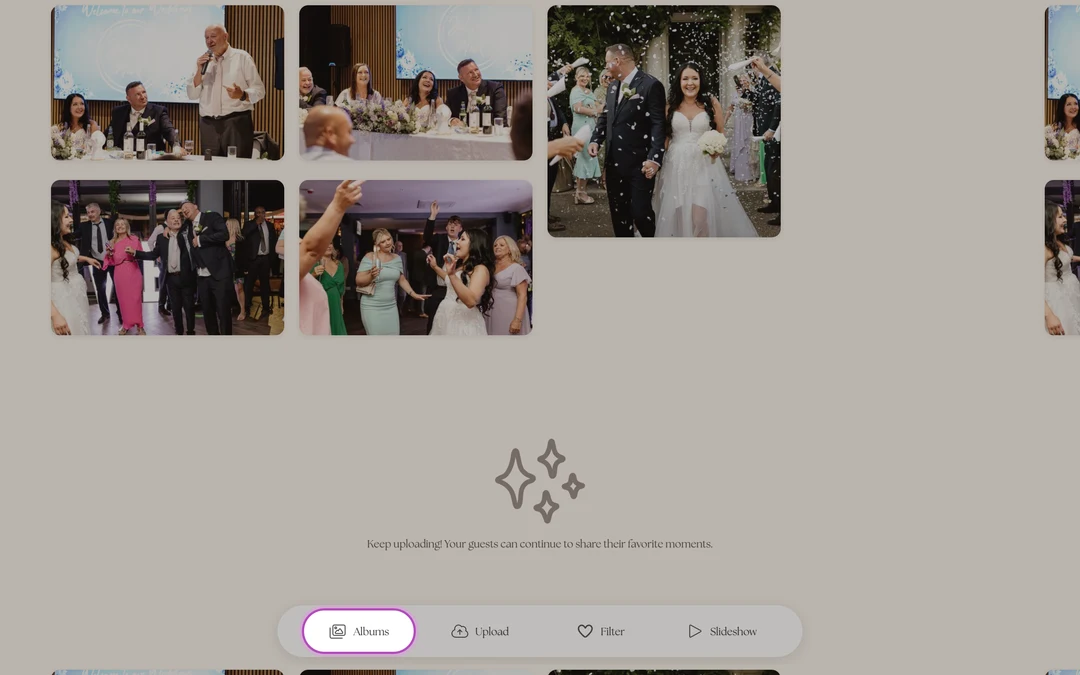
Open the couple’s page and find the gallery. Scan their QR code or tap their link, then scroll to the photo gallery. If the couple sorted photos into albums, you’ll see Select an Album first. Tap the one you want (you can switch any time with the Albums button).
-
Scroll and heart your favorites. Tap the heart on any photo’s corner to like it. Hearts tell the couple which shots the room loved most.
-
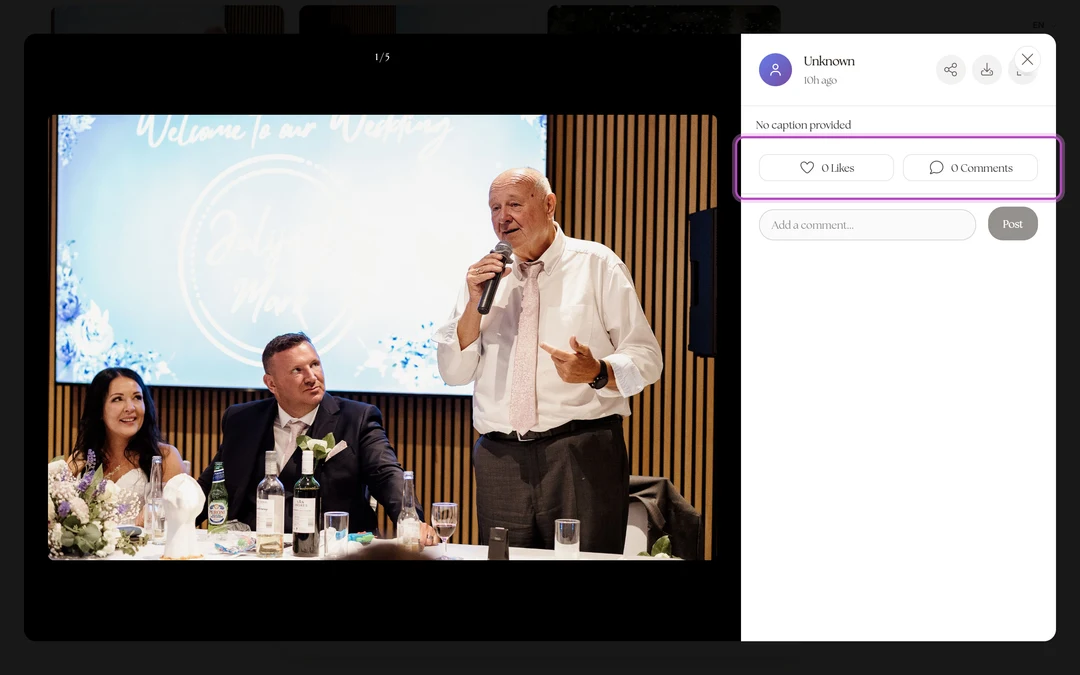
Tap a photo to open it. The full-size view shows who uploaded it and their caption, with the like count and comments underneath. Swipe on through the set.
-
Comment if you have words. Tap the comment button, type in “Add a comment…”, and tap Post. If it’s your first comment, you’ll be asked for your name so the couple knows who’s talking.
-
Download the ones you want to keep. In the photo view, tap the download icon to save a copy to your phone. There’s a share icon right beside it for sending a photo to someone directly.


What you should see
Your hearts stick to the photos, your comments appear under them with your name, and downloaded photos land in your phone’s photo library. New uploads keep appearing as the night goes on. The gallery is live.
If something goes wrong
- “Host has disabled live feed for viewing.”: the couple chose to keep the gallery private for now (often until after the ceremony). You can still upload; browsing opens whenever they flip it back on.
- A photo won’t download: some in-app browsers (Instagram, Facebook) block saving. Open the page in Safari or Chrome and tap the download icon again.