How to give Wedibox as a gift (and redeem one)
Plans & billingAll plans
A Wedibox gift code covers a full package (an upload window plus a storage period), so the couple claims their event completely free. Anyone can buy one at wedibox.com/gift: you pay once, the couple gets a code by email, and redeeming it takes about two minutes. If your venue, photographer, or planner gave you a partner code instead, use How to redeem a partner code from your vendor; it has its own page.
Plan: All plans · Where: wedibox.com/gift to buy · wedibox.com/w/gift to redeem
Redeeming a gift code
Before you start
- Have the gift code handy. It looks like WBX-XXXX-XXXX. If you received a direct link, the code fills in by itself when the page opens.
- Use the email address you want your Wedibox account under. The event will be created for it.
Steps
-
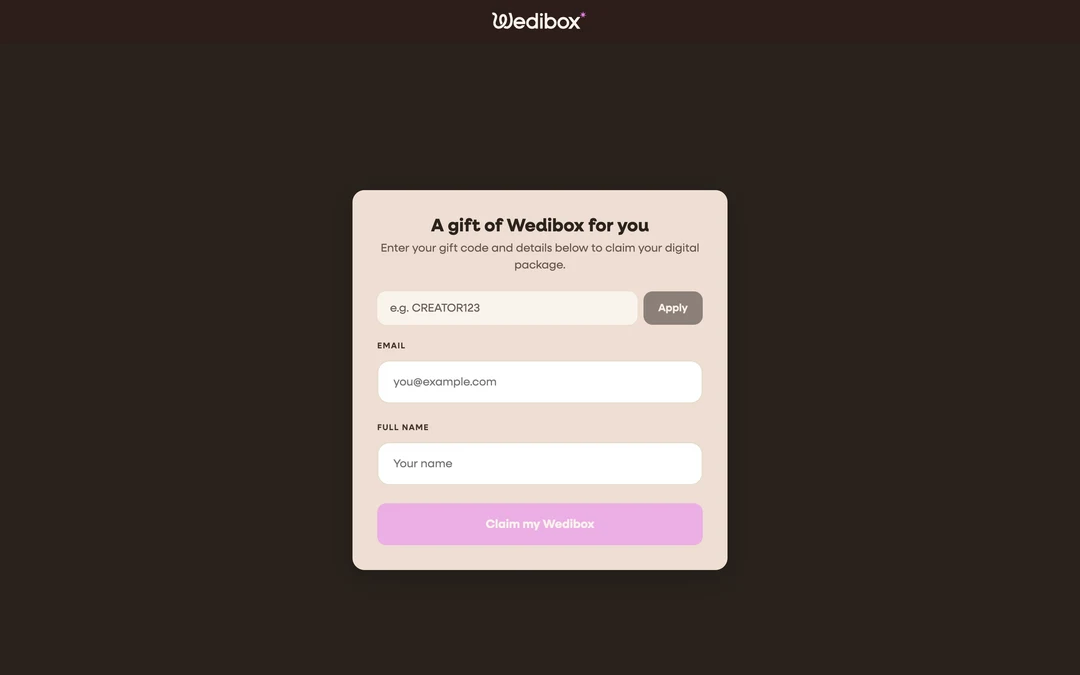
Open the gift page. Go to wedibox.com/w/gift (or click the link you were sent). The page greets you: “A gift of Wedibox for you.”
-
Enter your gift code and click “Apply”. Once the code checks out, a summary shows exactly what it covers (for example “All-in-One 1-Year · 1 Year Upload · 2 Years Storage”) with a Free badge.
-
Fill in your details. Enter your Email and Full name.
-
Click “Claim my Wedibox”. You’ll see “Gift claimed! Taking you to your event.” and be redirected automatically.
-
Set your password. On the Finish Setup screen, your name and email are pre-filled; choose a password, agree to the terms, and click Complete Setup.
-
Build your event. You land on Your events, with your gifted package ready to set up: names, date, design, everything in How to create your Wedibox event.

If something goes wrong
- “Invalid or expired code.” The code was mistyped or already claimed. Codes are single-use and never expire, so check with whoever gave it to you.
- You already have a Wedibox account: claim with the same email and log in as usual. The gifted package appears as a new event alongside any others.
Giving Wedibox as a gift
You don’t need a Wedibox account to buy a gift, and the couple doesn’t need one yet either. A gifted event carries the full plan, so on an All-In-One gift guests can RSVP and look up their seats from day one.
-
Pick a package. On wedibox.com/gift, choose Wedding ($49: a 6-month upload window and 1 year of storage) or All-In-One ($79: a 1-year upload window and 2 years of storage). See plans compared if you’re unsure. Click Gift This Package.
-
Fill in the couple’s details. On the Gift a Wedibox checkout, under Who is the gift for?, enter the Couple’s names and the Couple’s email. The code is emailed to this address right after your purchase. Add a Personal message (optional) of up to 300 characters; it’s included in their email.
-
Fill in your details. Under Your details, enter Your name and Your email. Your receipt and a copy of the gift code go here. To switch packages, click Change package.
-
Pay. Enter your card and click Complete gift purchase. The 14-day money-back guarantee applies to gift purchases too.
What you should see
The success page reads “Your gift is on its way!” and confirms where the code went: “We emailed the gift code to {couple} at {email}.” plus “A copy of the code and your receipt went to {your email}.” Both emails send immediately, though they can take a minute or two to arrive. The couple’s email is titled “{your name} gifted you a Wedibox” and contains your message and the code. Because anyone holding the code can redeem it, you can also forward the email or write the code in a card.