How to redeem a partner code from your vendor
Plans & billingAll plans
Some venues, photographers, and planners gift Wedibox to every couple they work with. If yours handed you a code (on a flyer, in an email, or as a link), redeeming it takes about a minute and costs you nothing: you get the full Wedibox experience, with their compliments.
Plan: All plans · Where: wedibox.com/w/partners/redeem
Before you start
- Have the code handy. If your vendor sent a link or a QR code, the code fills in by itself when the page opens.
- Use the email address you want your Wedibox account under; the event is created for it.
Steps
-
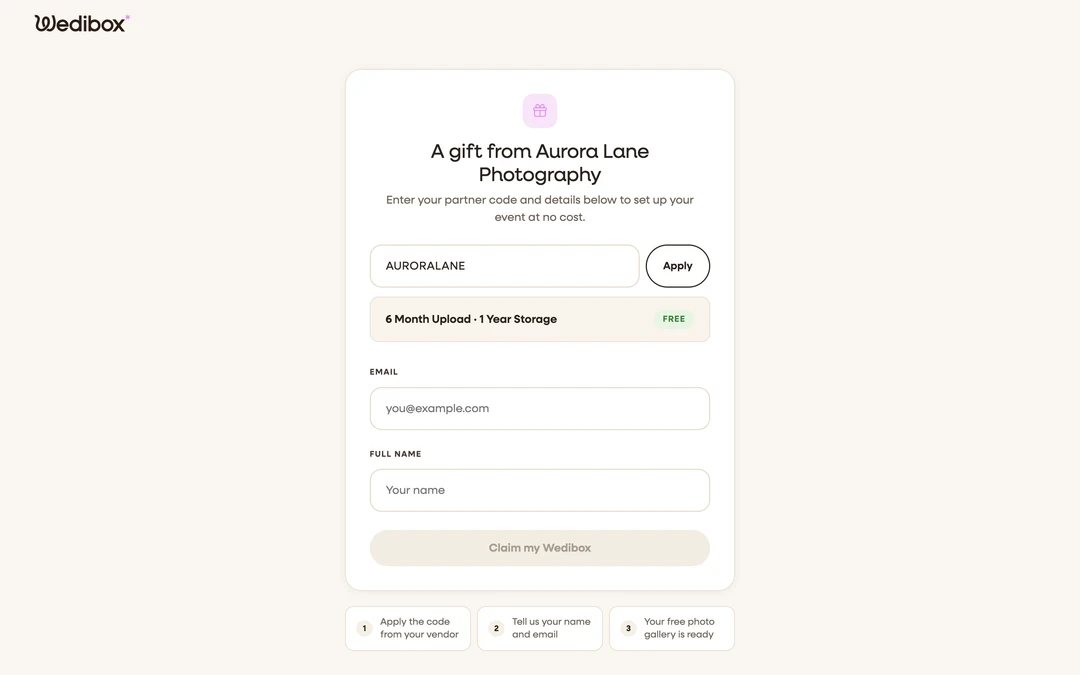
Open the redemption page. Click the link in your vendor’s email (the Redeem your gift button), scan their QR code, or go to wedibox.com/w/partners/redeem and type the code. With a valid link, the page greets you with “A gift from {your vendor}”.
-
Apply the code. Type it and click Apply. A summary strip appears showing what the gift covers (for example “6 Month Upload · 1 Year Storage”) with a Free badge.
-
Fill in your details. Enter your Email and Full name.
-
Click “Claim my Wedibox”. You’ll see “Code applied! Taking you to your event.” and land on the Finish Setup screen: choose a password, agree to the terms, and click Complete Setup.
-
Build your event. From here it’s a normal Wedibox: names, date, design, and everything in How to create your Wedibox event. Your upload window and storage period don’t start until the activation date you pick, usually the wedding day, so redeeming early costs you nothing (see how activation works).

What you should see
Your event appears under Your events, fully unlocked: photo and video sharing, the guestbook, your wedding page, RSVP, and seating. Your vendor’s name appears with the gift, and they can see the redemption on their side; some vendors confirm it within a few days, which changes nothing for you.
If something goes wrong
- “Invalid or inactive code.” The code was mistyped or the vendor’s account is paused; double-check the spelling against their flyer or email.
- “This code has reached its redemption limit.” Your vendor’s event balance is empty. Let them know; they can top up and you can redeem right after.
- You already have a Wedibox account. Claim with the same email, then log in as usual; the gifted event appears alongside any others.