How to get your photographer's photos into your Wedibox
Photo sharingWedding plan and up
Your guests’ photos are already in your Wedibox. Your photographer’s can live there too: you send them a private link, they upload in full quality, and everything from your wedding ends up in one place. They don’t need an account, and it costs them nothing.
Plan: Wedding plan and up · Where: Sidebar → Your photographer (under “Page & sharing”)
Before you start
- Uploads through the link need the Wedding or All-in-One plan. On the Free plan you can still create the link today; the upload opens the moment you upgrade.
- Each person gets their own link, so invite your photographer, your videographer, and your content creator separately. You can have up to ten open links.
- Have their name ready. Their email is optional.
Steps
-
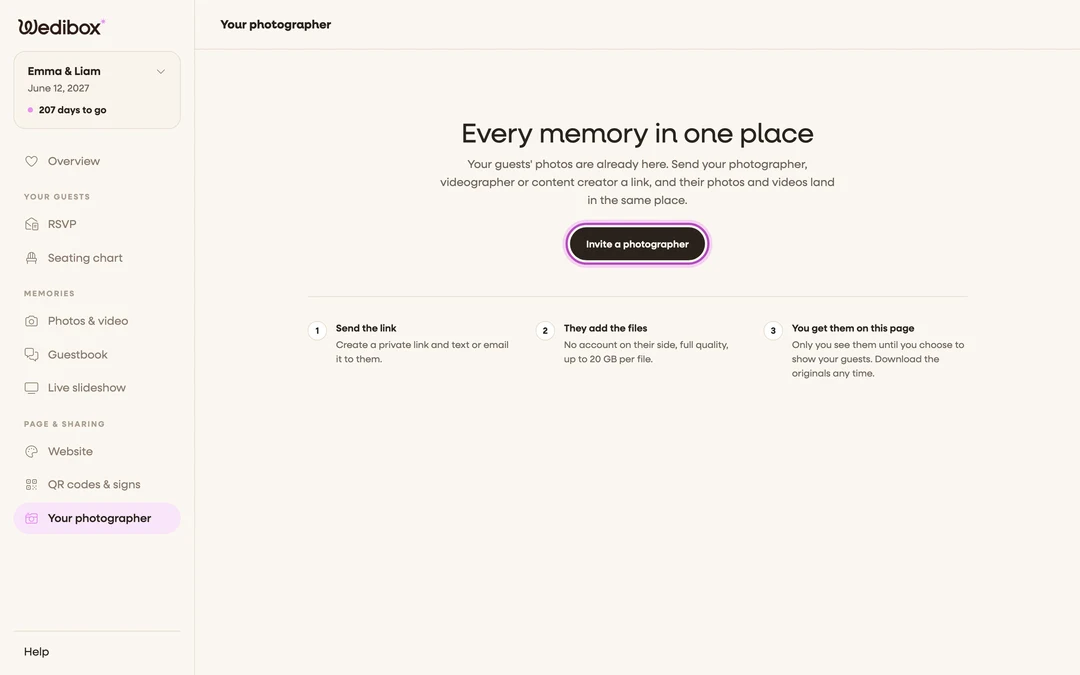
Open Your photographer. In the sidebar, click Your photographer (under “Page & sharing”). On a phone, tap Features in the bottom bar and choose Your photographer.
-
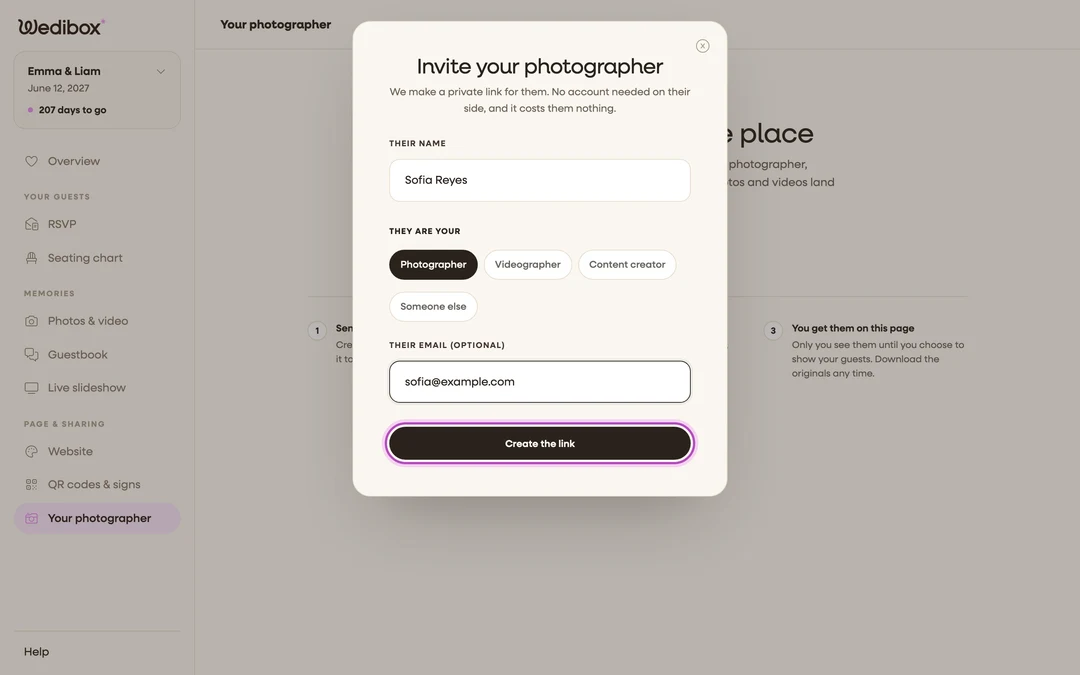
Click Invite a photographer. A window titled “Invite your photographer” opens.
-
Say who it is for. Type Their name the way you want it shown next to their photos. Under They are your, pick Photographer, Videographer, Content creator, or Someone else.
-
Add their email if you want us to send it. Fill in Their email (optional) and we email them the link as well. Leave it empty if you’d rather text it yourself.
-
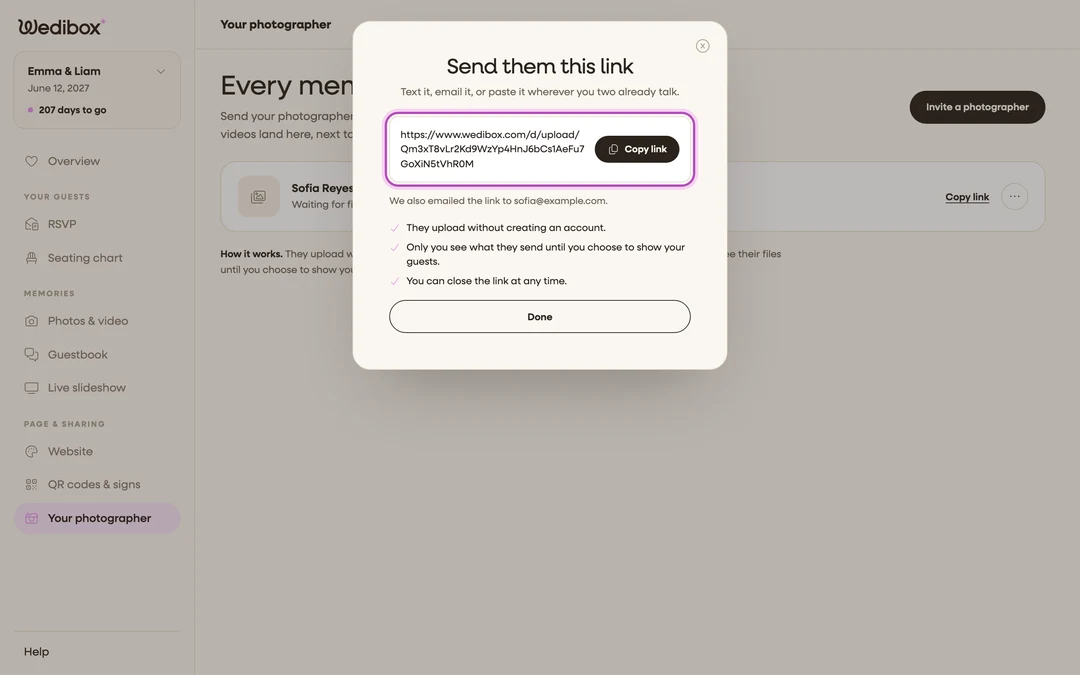
Click Create the link. The window changes to “Send them this link”. Click Copy link, then Done.
-
Send it. Paste the link into a text, an email, or wherever you two already talk. Whoever opens it can upload, so send it only to them.
-
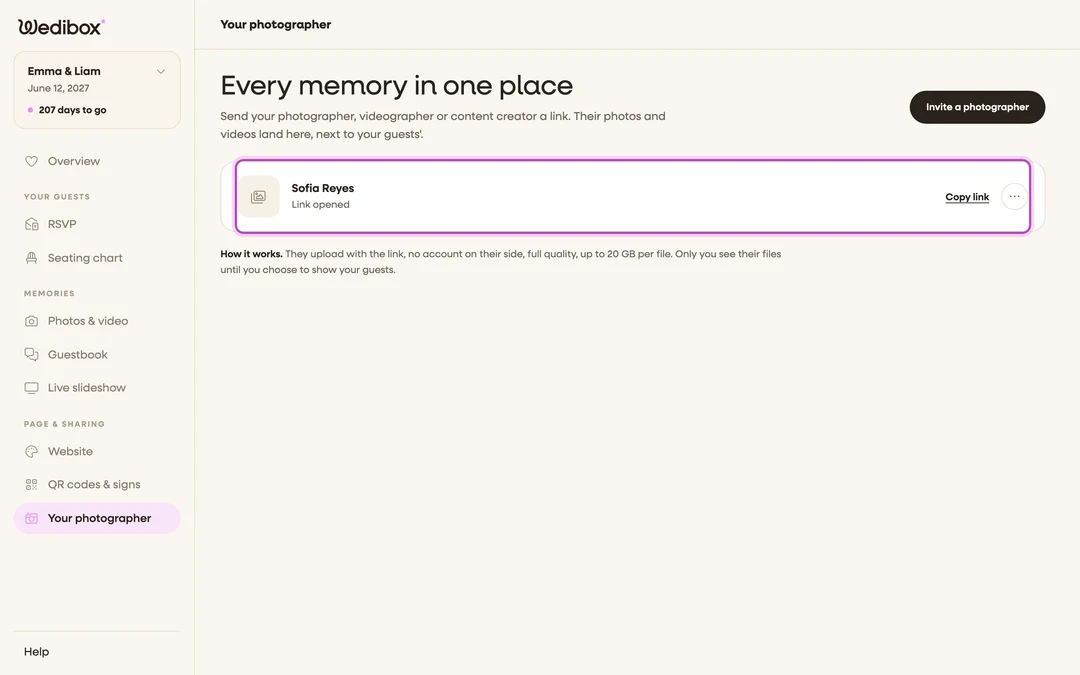
Watch for their files. Their row on the page shows where things stand: “Waiting for files”, then “Link opened”, then how many files they’re adding. When they finish, we email you and the row shows how many photos and clips they sent.


What you should see
One row per person you invited, each with Copy link in case you need to send it again. Nothing they upload is shown to your guests until you choose to show it, and the files stay with you for as long as your storage runs.
If something goes wrong
- “Your link is ready. Uploads start once your event is on the Wedding or All-in-One plan.” Your event is on the Free plan. Click See plans to upgrade; the same link starts working right away, so you don’t need to send a new one.
- They lost the link. Click Copy link in their row and send it again. It’s the same link, and anything they already added is still there.
- You sent it to the wrong person. Open the three-dot menu in the row and click Close link, then invite the right person. A closed link can’t take more files; anything already sent stays with you.
- You don’t see Your photographer in the sidebar. The page is part of a full Wedibox event. Embed-only and seating-only events don’t have it.