How to download and share your photographer's photos
Photo sharingWedding plan and up
Once your photographer sends their files through your link, they’re waiting on your Your photographer page: sorted into the albums they made, in full quality, and private to you until you decide otherwise.
Plan: Wedding plan and up · Where: Sidebar → Your photographer (under “Page & sharing”)
Before you start
- You need to have invited them first. See How to get your photographer’s photos into your Wedibox.
- We email you when they send their files. Until then their row shows where the upload stands.
Steps
-
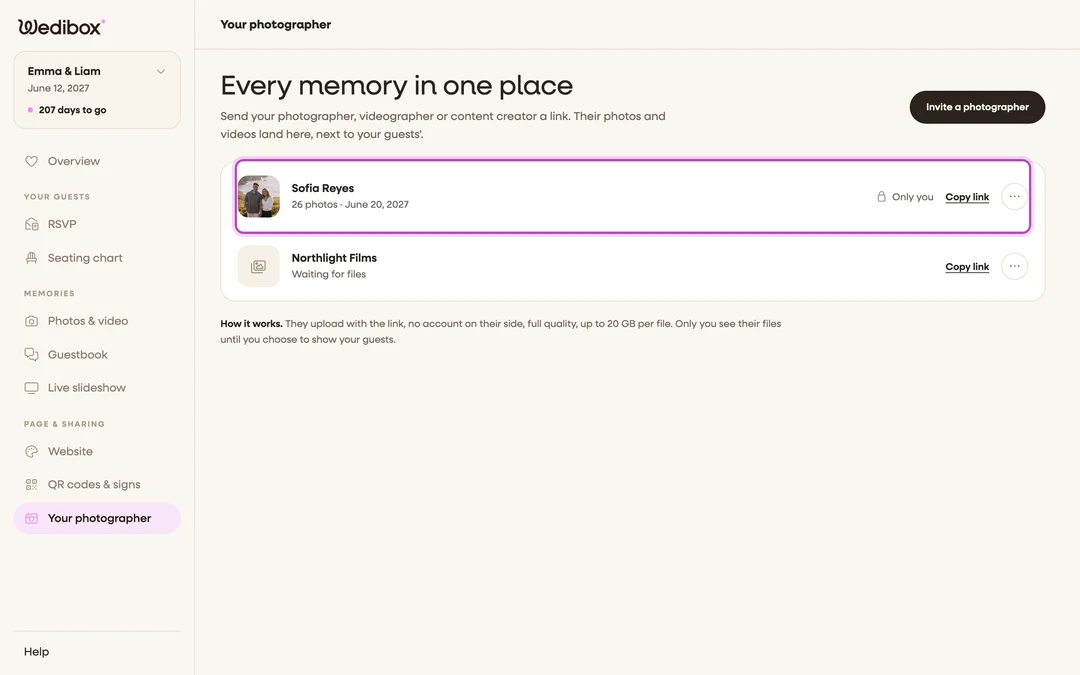
Open Your photographer. In the sidebar, click Your photographer (under “Page & sharing”). Each person who sent files has a row with their cover photo and a count of photos and clips.
-
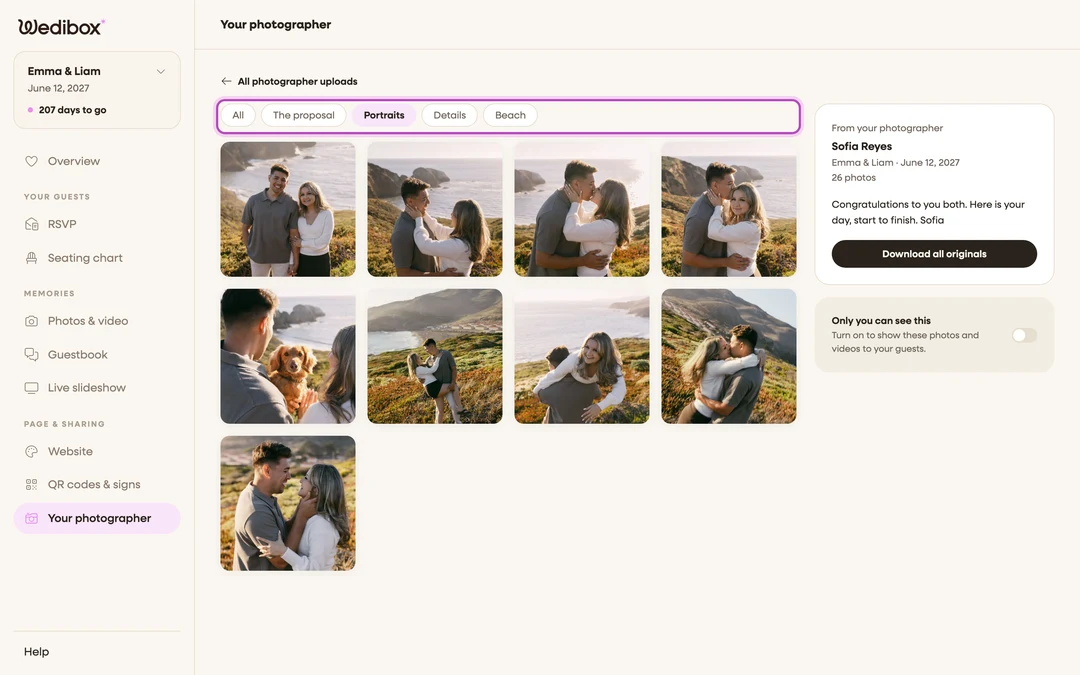
Click their row. Their upload opens on the same page. All photographer uploads at the top takes you back to the list.
-
Browse by album. If they sorted the files, you’ll see a pill for each album (for example “Portraits” and “Details”) next to All. Click a pill to see just that album, and click any photo to open it full size.
-
Download the originals. In the card on the right, click Download all originals. The button reads “Preparing originals…” while we get the files ready, then links for each file appear under it. To save a single photo, hover it and click the download icon.
-
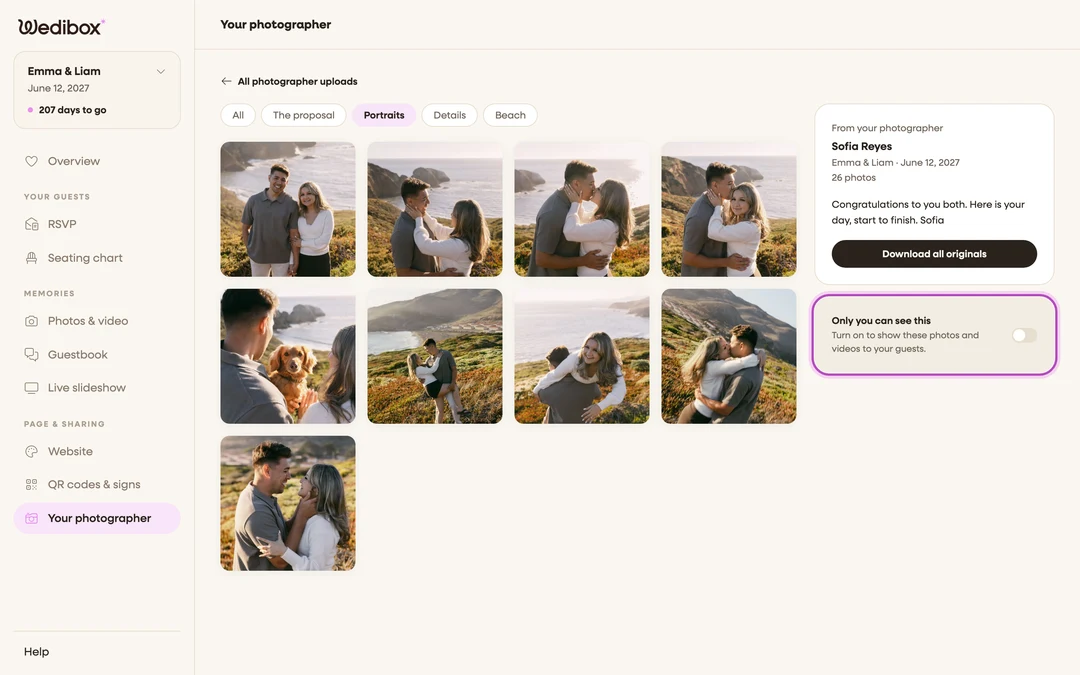
Decide if guests see them. Under the download card is a switch that reads Only you can see this. Click it to show these photos and videos to your guests; it then reads Your guests can see this. Click it again to take them back.
-
Close the link when they’re done. Back on the list, open the three-dot menu in their row and click Close link, then confirm. They can’t add more after that, and everything they sent stays with you.


What you should see
Their photos and clips in the same viewer as your guests’ uploads, with the note they left for you (if they wrote one) in the card on the right. The row on the list shows Only you or Guests can see, so you can tell at a glance what’s shared.
If something goes wrong
- The row says “Waiting for files” or “Link opened”. They haven’t sent anything yet. Use Copy link in the row to send the link again if they can’t find it.
- A photo shows a gray tile. Large files take a moment to get their preview. The original is safe; refresh in a minute.
- The row menu also has Show to guests and Download originals. They do the same things as the switch and the button inside the upload, without opening it.