Where to place QR codes at your wedding
QR codes & printsAll plans
Guests upload the most photos when the code is in front of them at the exact moment they have their phone out. That’s the whole science of placement: meet the phone where it already is. Use this checklist to plan your spots, and keep one rule: one code flavor per placement, so scanning always does the obvious thing. (Flavors are explained in The three QR codes.)
The placement checklist
- Welcome sign: the workhorse. A table sign or poster at the entrance, scanned as guests arrive. Use the full wedding page code here; it’s the one moment guests might want everything.
- Every dinner table: the highest-volume spot of the night. Guests sit with their phones for an hour; a mini card or small sign per table turns that into photos. Use the photo sharing code (no menu, just the upload button).
- The bar: people queue, people wait, people scan. Great for the playlist code (“Request a song while you wait”) or a photos code.
- Photo booth / guestbook table: pair the code with the props. If you run an audio guestbook, this is where a “leave us a voicemail” sign with the photo sharing code belongs, since that page also carries the message and voicemail buttons.
- Gift and card table: a quiet mini card here catches the guests who think of sharing photos on their way out.
- Dance floor edge: late-night uploads are gold. A sign near the DJ with the playlist code keeps requests flowing without anyone shouting into an ear.
- Reception entrance (seating): if you use the seating chart, a seating code sign replaces the crowd around a printed board: scan, type your name, find your table.
- Before the wedding, on invitations and save-the-dates: print the RSVP code on paper that arrives in the mail, so replying takes one scan instead of typing a link.
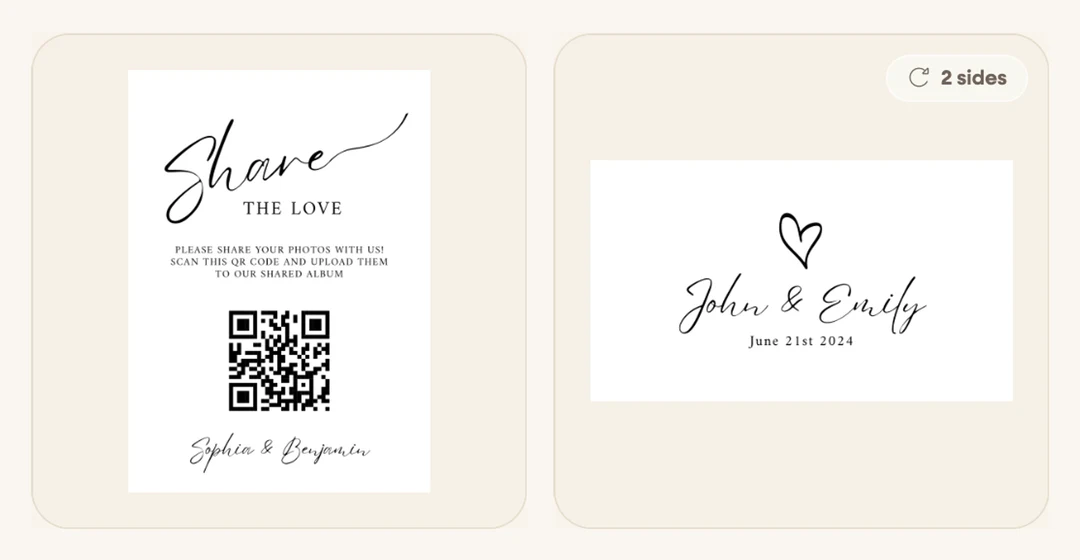
How many to print
A comfortable order for a typical reception: one table sign per dinner table, one or two larger signs (welcome, bar), and a batch of mini cards to scatter (place settings, the gift table, the bar). Mini cards come in packs, so rounding up beats running out. Spares cost less than regret.
Choose your setup
- Choose signs-everywhere if photos are your priority: table signs plus a welcome sign is the combination that reliably fills the gallery.
- Choose a single welcome sign if you want minimal decor. Make it big, put it where everyone passes, and mention it in the toasts.
- Choose flavor-specific spots if you run RSVP, playlist, or seating through Wedibox: each earns one deliberate placement rather than competing on every table.
FAQ
Should I put the same code in multiple flavors on one sign? Avoid it. Two codes side by side make guests stop and read. One code, one action, one short line of text (“Scan to share your photos”) wins every time.
What should the sign text say? An instruction, not a URL: “Scan to share your photos with us.” Add the written link in small print underneath as a fallback for anyone whose camera misbehaves.
When should I place them? During setup, before guests arrive. Hand a few mini cards to the photographer and coordinator. People ask them first.
Do printed codes expire? No. Your code never changes, so signs printed months early still work, and keep working after the wedding for late uploads.