How to add a contact section guests can call or text
Wedding websiteAll-in-One plan
On the wedding day, somebody will get lost, run late, or need the shuttle time; and that call should not go to either of you. The Contact section puts one-tap Call and Text buttons on your page, pointed at your coordinator or a trusted friend.
Plan: All-in-One plan · Where: Website editor → What is on your page → Contact
Before you start
- You can build this section on any plan; it appears to guests once your event is on the All-in-One plan.
- Ask the person first; their phone rings on your wedding day. A planner, coordinator, or unflappable sibling is ideal.
Steps
-
Open the Website editor. In the sidebar, click Website (under “Your page”).
-
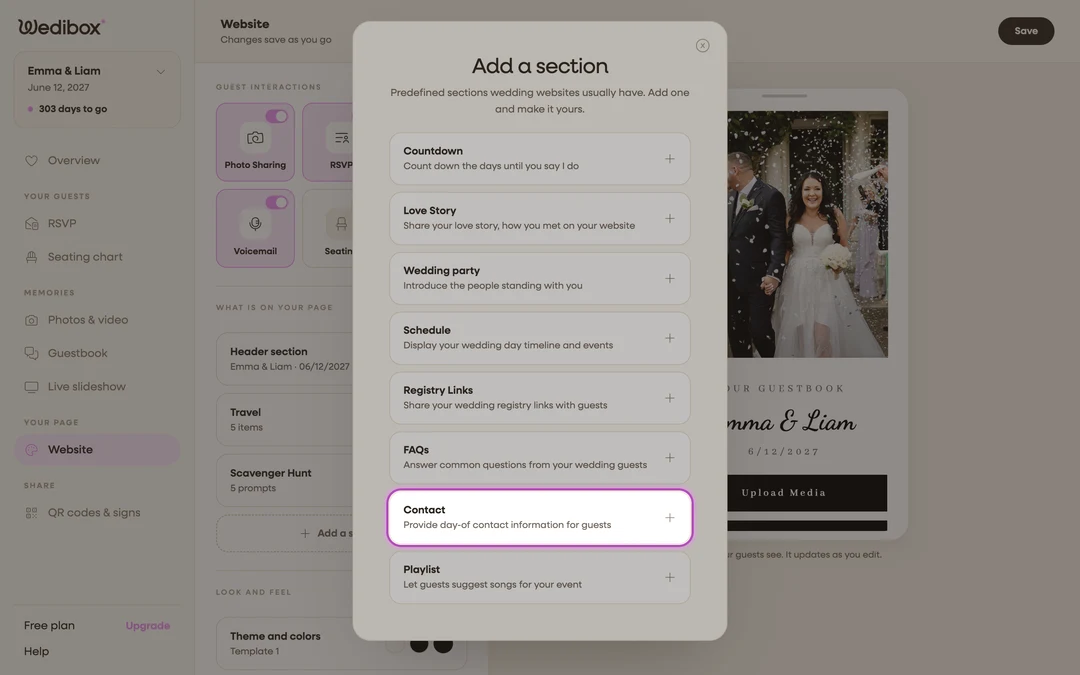
Add the section. Click Add a section and choose Contact (“Provide day-of contact information for guests”); or click its card if it’s already listed. The editor is titled Contact (Day-of).
-
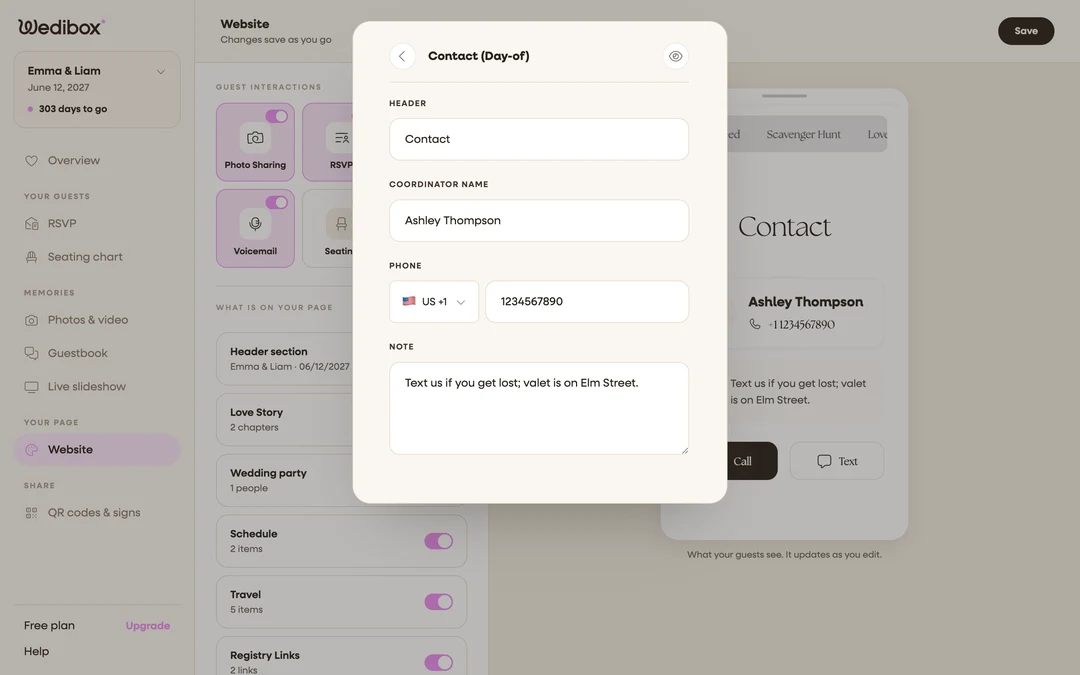
Title the section. HEADER starts as “Contact”; that usually says it all.
-
Name your point person. Fill COORDINATOR NAME with the name guests will see (“Maya; day-of coordinator”). The role in the name helps guests trust they’re texting the right stranger.
-
Enter the phone number. In the PHONE field, first click the country selector on the left and pick the right country (it sets the flag and dial code) then type the number. Guests dial internationally correctly without thinking about it.
-
Add a note. The NOTE field takes one helpful line; the built-in example is “Text us if you get lost; valet is on Elm Street.” Tell guests when to text versus call.
-
Close the editor to save. The card’s status line now shows your coordinator’s name.
What you should see
The preview shows the contact card with Call and Text buttons. On a phone, each button opens the dialer or messages app with the number already filled; zero typing for a stressed guest in a parking lot.
If something goes wrong
- The Call button dials a wrong or broken number. Recheck the country selector and the number; the dial code comes from the flag you picked, not from what you typed.
- The section is on but guests don’t see it; Contact displays to guests on the All-in-One plan; see which sections come with which plan.