How to introduce your wedding party
Wedding websiteAll-in-One plan
The Wedding party section puts names to the faces guests will see at the altar; maid of honor, best man, flower girl, and everyone standing with you. A name, a role, and one good line per person is all it takes, and it’s the section your crew screenshots and sends to their moms.
Plan: All-in-One plan · Where: Website editor → What is on your page → Wedding party
Before you start
- You can build this section on any plan; it appears to guests once your event is on the All-in-One plan.
- Draft one line per person; how you met, or what they mean to you. Warm beats witty, though both is best.
Steps
-
Open the Website editor. In the sidebar, click Website (under “Your page”).
-
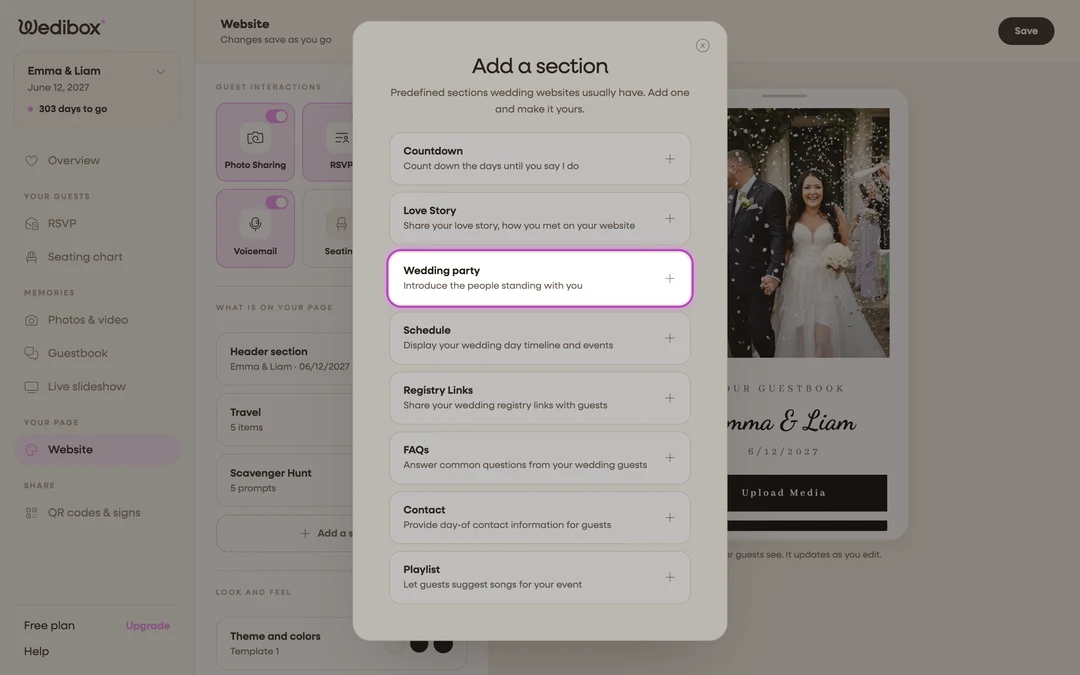
Add the section. Click Add a section and choose Wedding party (“Introduce the people standing with you”); or click its card if it’s already listed; its status line counts people.
-
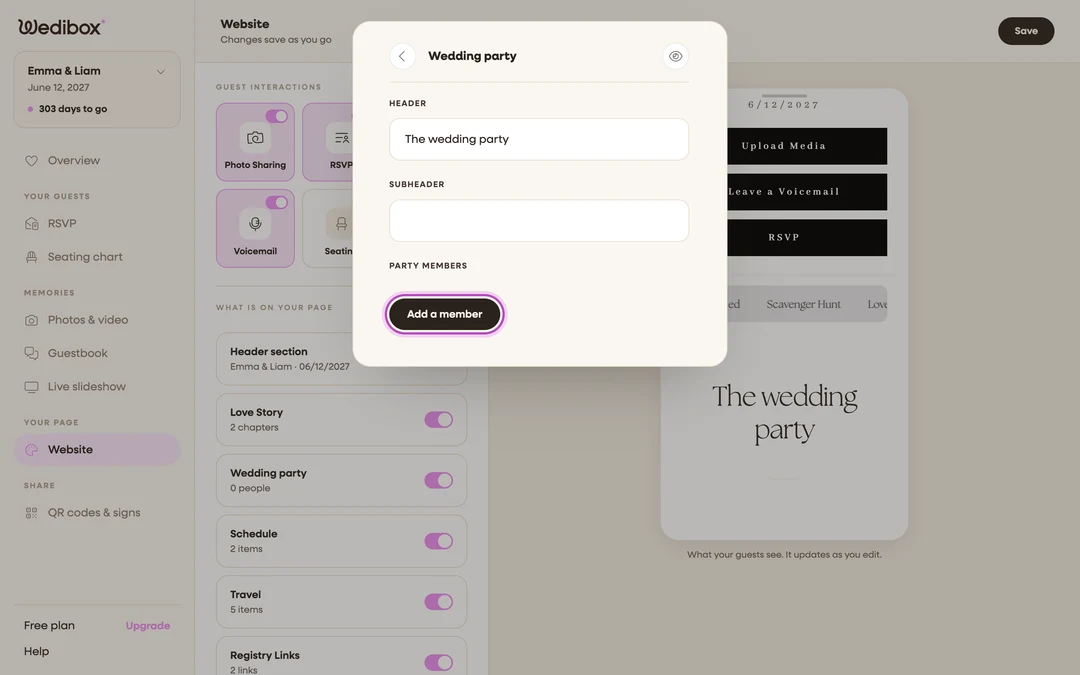
Title the section. HEADER starts as “The wedding party”; add a SUBHEADER if you want a line under it.
-
Add your first person. Under Party members, click Add a member. A new entry expands right in the list.
-
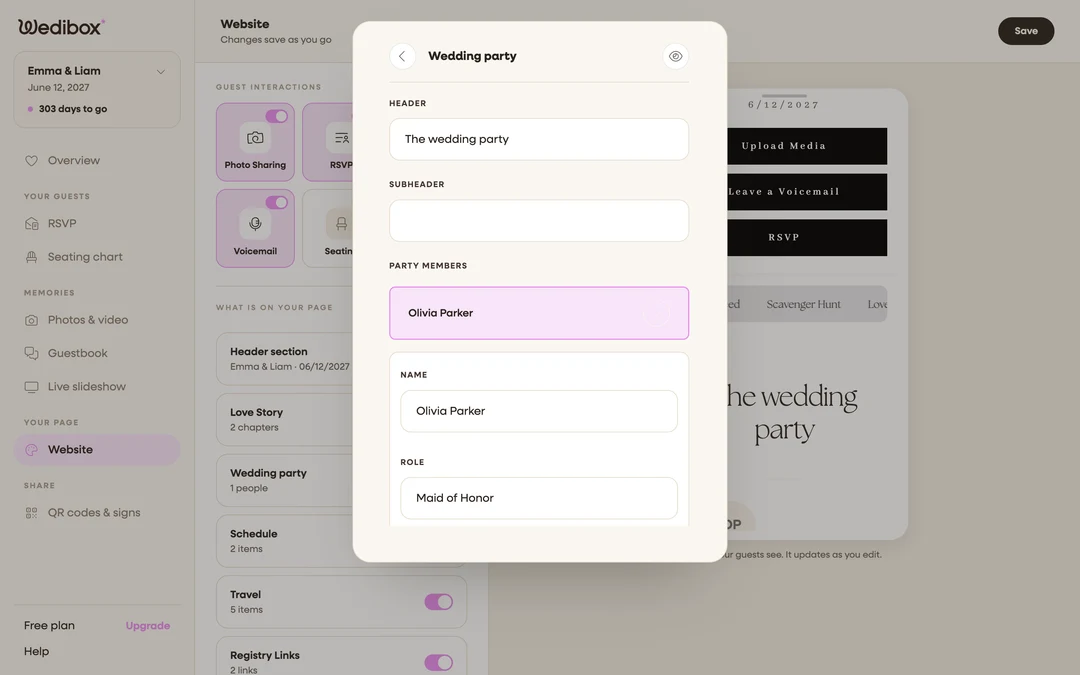
Fill in their card. Name, their Role (the field suggests “Maid of honor, best man, flower girl”), and A line about them; “College roommate, chief keeper of secrets since 2012.”
-
Add everyone, in the order you want. The arrow buttons under each member move them up or down; traditionally honor roles first, but it’s your lineup.
-
Hide or remove as plans change. The eye icon hides a member without deleting them (a “Hidden” badge appears); the trash icon removes them entirely. Close the editor to save.
What you should see
The card’s status line shows your headcount (“6 people”), and the preview introduces each person with their name, role, and your line about them.
If something goes wrong
- Someone appears as “New member”. Their Name field is still empty; open the entry and fill it in.
- The section is on but guests don’t see it; Wedding party displays to guests on the All-in-One plan; see which sections come with which plan.